
Note
-
Only the final version of the template should be provided to us.
-
No legal review is carried out.
-
No language review is carried out.
The required format
The template must be provided to us in Word format.
Use cases
Identify use cases for the template:
-
the area of law (e.g., business law, public procurement law, etc.)
-
the solicitation method (e.g., sole-source contract or call for tenders);
-
the contract family (e.g., procurement, services, etc.);
-
the contractual framework (e.g., goods (supplies), goods and services, etc.;
-
any other element that could help us categorize your template (e.g., award method, detailed or simplified structure, etc.).
You can also identify use cases for content, when relevant.
Identifying fields
Identify the fields present in the template.
A field is a space where a value is entered, which may span one or more lines of text. It can consist of a combination of letters, numbers, and symbols. Once the field value has been entered, the information will be reproduced in all documents where that field appears. A field thus helps the user save time by only having to enter the value once.

Specify for each of the fields:
-
the field type:
-
text area;
-
numeric text box;
-
calendar (date only);
-
calendar (date and time);
-
check box;
-
dropdown list.
-
-
the name (Ex.: Supplier – Address – Province);
-
the relevant field values, if applicable.
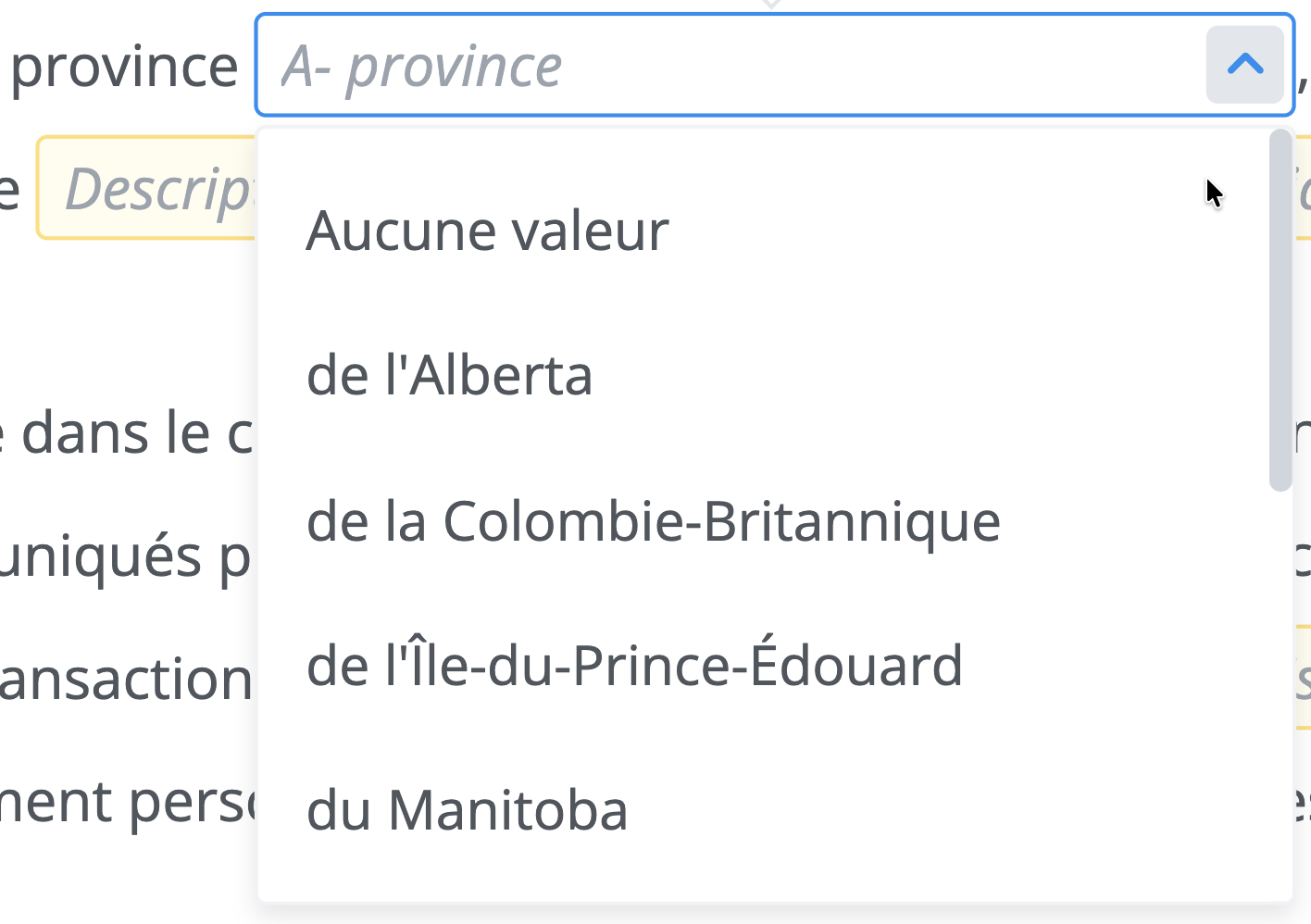
Bonus amount; [$250; $500 or $1000]
The annotations
Identify the annotations and indicate whether they should be visible or not by default.
Annotations serve as a guide to help make choices when producing a document. They provide additional information to users in the form of text and links. Annotations can be "Mandatory," in which case the annotation is displayed in the document and cannot be hidden, or "Non-Mandatory," in which case the annotation can be hidden in the document.
The alternatives
Identify the template's alternatives and provide a short description for each of them.
Alternatives are actually different versions of the same content, between which the user will have to choose when completing their document, depending on the relevant circumstances.
The relevance
Identify the applicable relevance for each piece of content, paragraph, sub-paragraph, and list item.
Relevance levels let the user know what is recommended to do or not do with a piece of content. However, depending on a user's role and permissions, the relevance may not carry the same level of constraint.
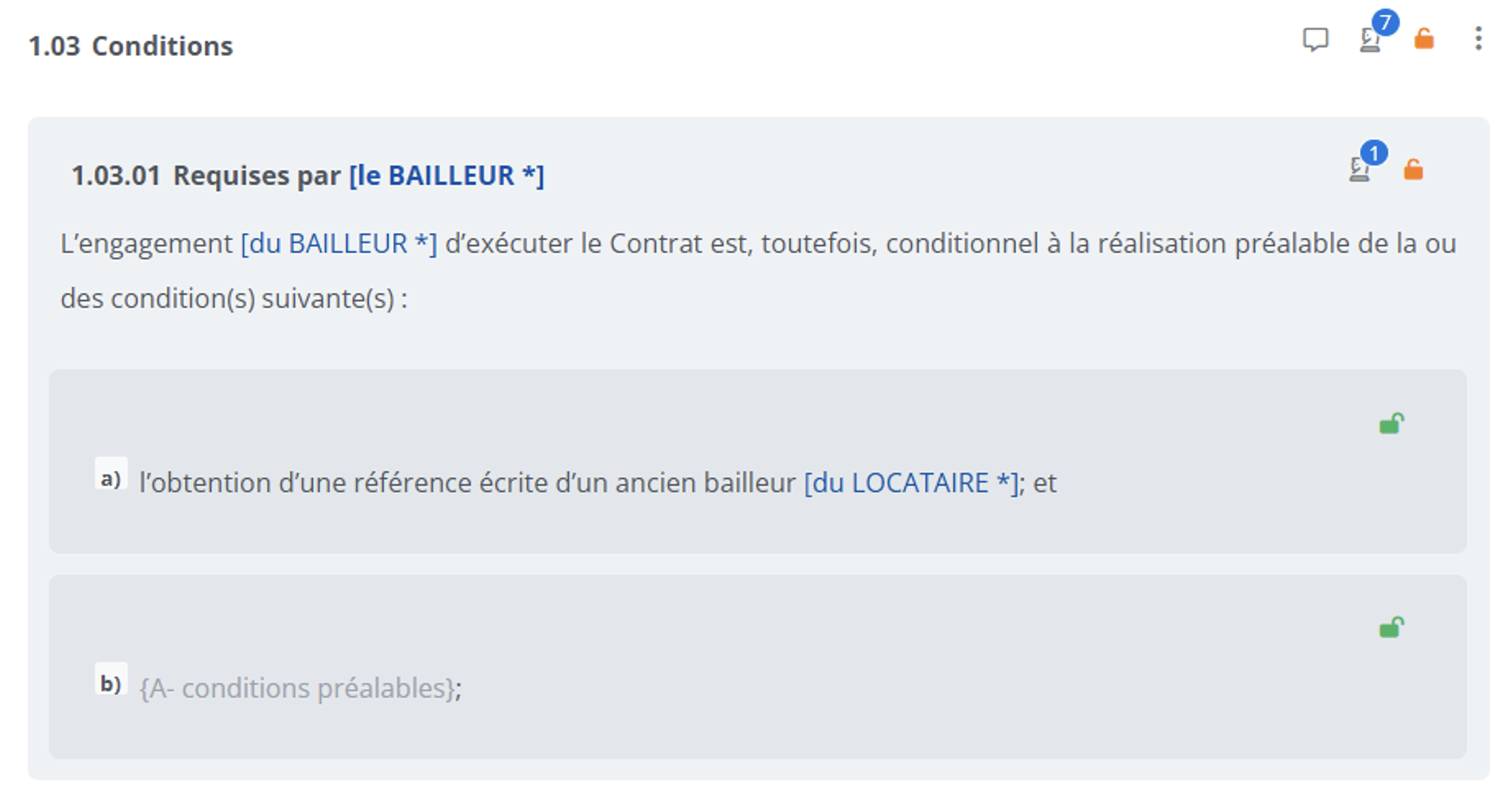
To identify the relevance levels in your document, you can use the letters E (Essential), I (Important), and O (Optional).
|
Types of relevance |
Description |
|---|---|
|
(E) 
|
Cannot be modified or deleted |
|
(I) 
|
Can be modified but not deleted |
|
(O) 
|
Can be modified and deleted |
The rules
Identify the rules to be programmed for each piece of content, paragraph, sub-paragraph, and list item in your template.
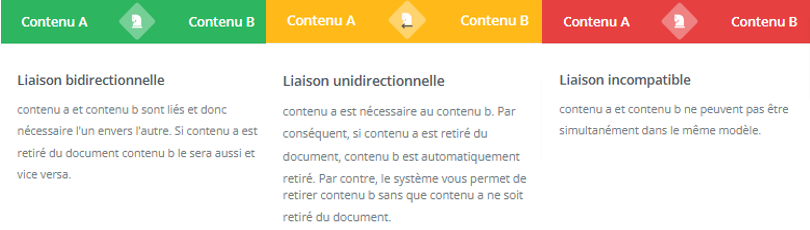
Rules make it possible to link pieces of content together. The content can be located in the same document or in another document of the same template. There are three types of rules: bidirectional linking, unidirectional linking, and incompatible linking.
Common core content
If several templates are programmed, identify the common core content.
Common core content are clauses that are not specific to a single template; they are found in several templates (e.g., signature clause, interpretation clause, etc.).