
Description of the Feature
Annotations serve as a guide to make it easier to choose options when producing a document. They provide users with additional information in the form of text and links.
This additional information helps you better understand the context of content while drafting.
Annotations can have one of the following statuses:
-
Mandatory: The annotation is displayed in the document and cannot be hidden;
-
Not mandatory: The annotation can be hidden in the document.
Access to Feature
Annotations in a document
Mandatory annotations are fully visible in a document.
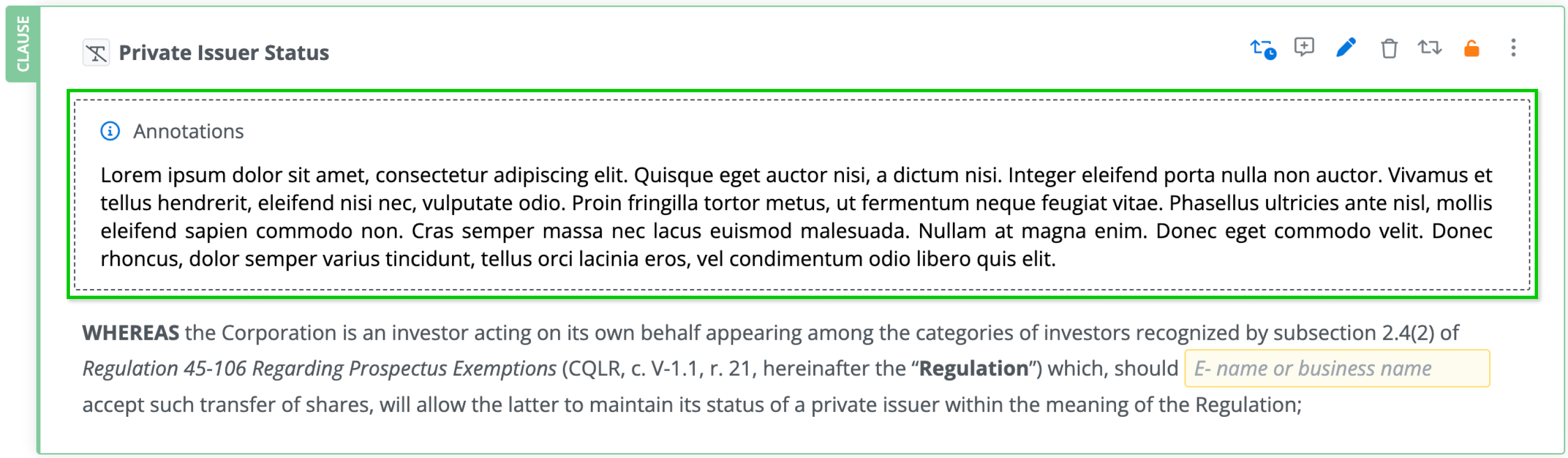
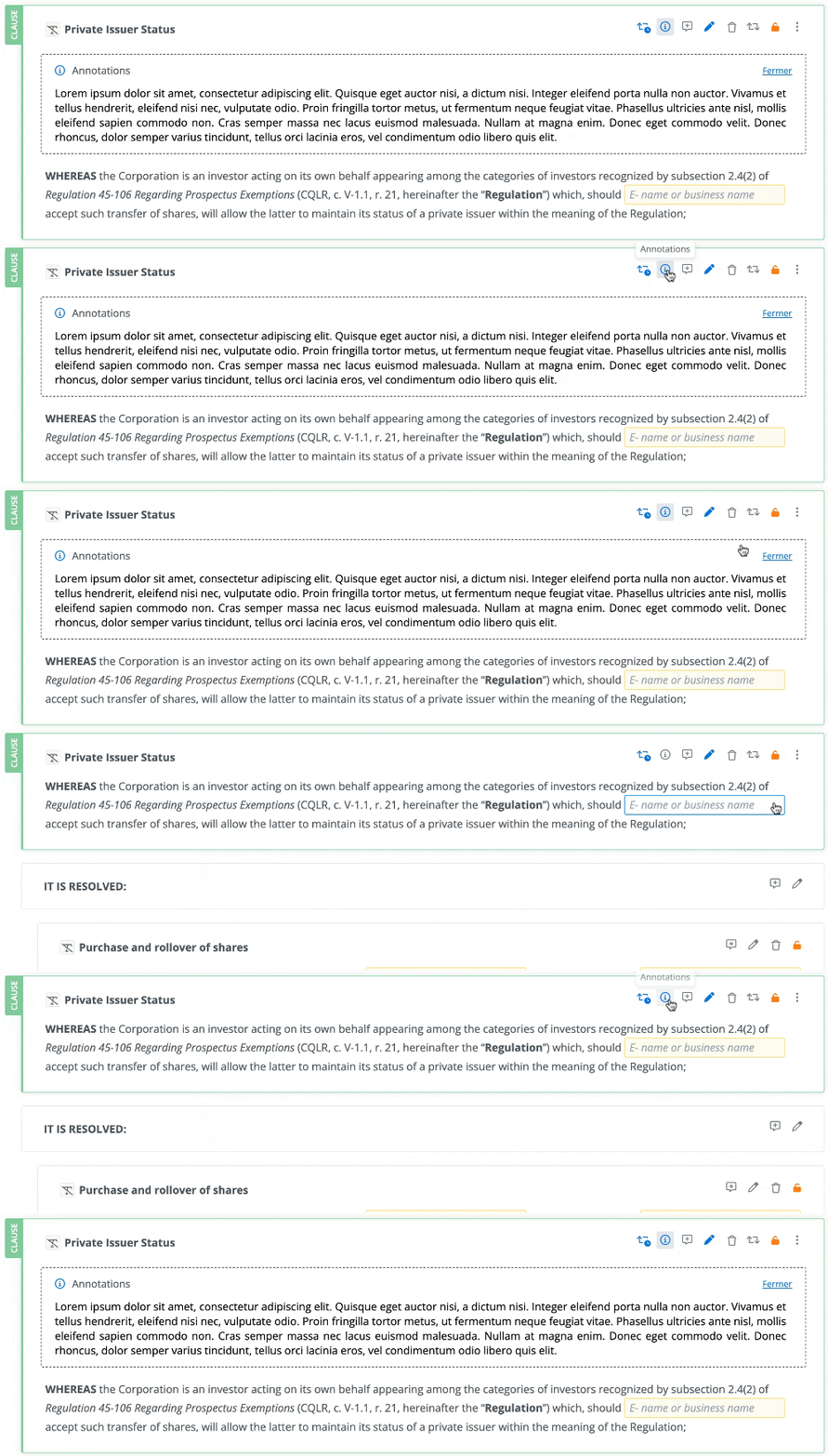
Non-mandatory annotations are hidden when a document is opened. You can display them by clicking the button. They can be hidden again by clicking the annotations button once more, or by clicking Close in the annotations box.
Annotations in content list
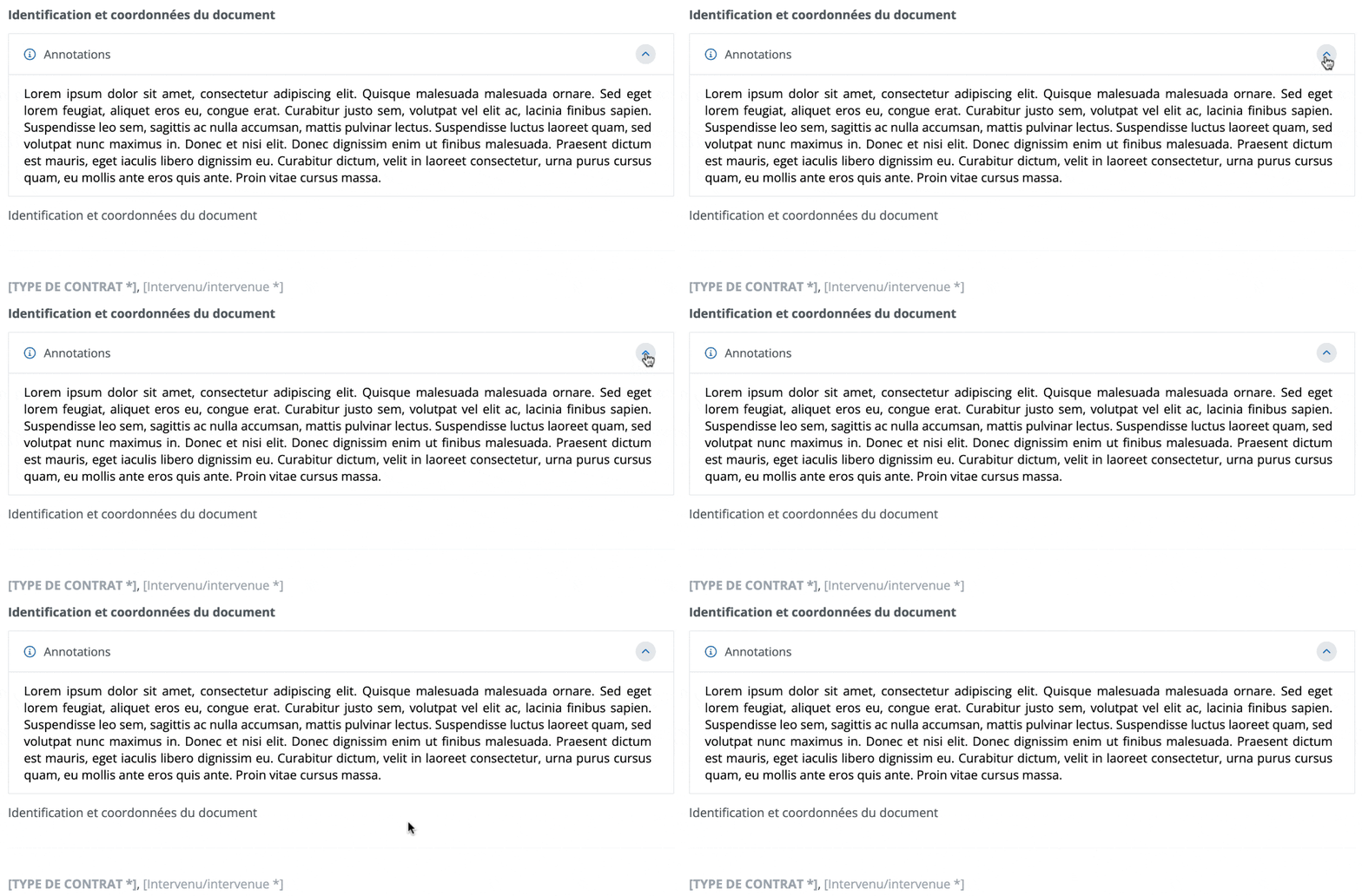
Mandatory annotations are fully visible in a document and cannot be hidden.
Non-mandatory annotations annotations are displayed by clicking the drawer’s open button. You can hide them again by clicking the drawer’s close button.
Add Annotations to Content
Annotations can be added to the following types of content items:
-
Section title,
-
Content of a clause or schedule,
-
Paragraph content of a clause or schedule.
Annotations can be edited in content that has the following statuses:
-
Published,
-
Draft of published,
-
Draft.
Create Annotations
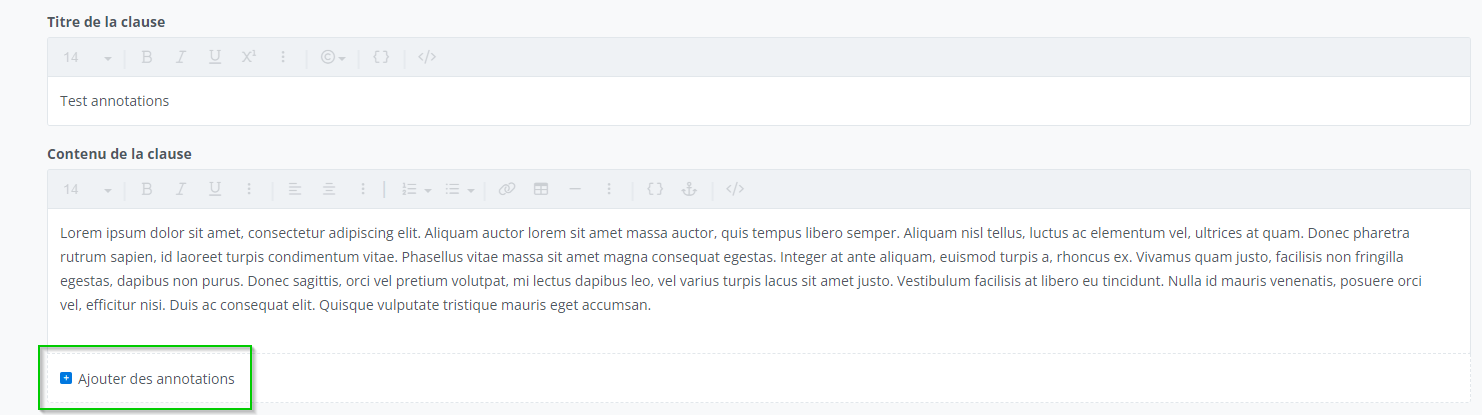
To open the annotations editor, click Add annotations.
Annotation content can be formatted using the tools in the editing toolbar.

Annotation text will always be displayed in italics.
Changing the Annotation Status
You can change the mandatory status of an annotation by clicking the toggle button at the bottom of the annotations.

Who can use this feature?
View in a document
Template Programmer Profile
Template Programmer Profile - Customized
Legal Drafter Profile
Legal Drafter Profile - Customized
Corporate Drafter Profile
Reader Profile
Draft in a document
Template Programmer Profile
Template Programmer Profile - Customized
Legal Drafter Profile
Legal Drafter Profile - Customized
❌ Corporate Drafter Profile
❌ Reader Profile