
Access to Feature
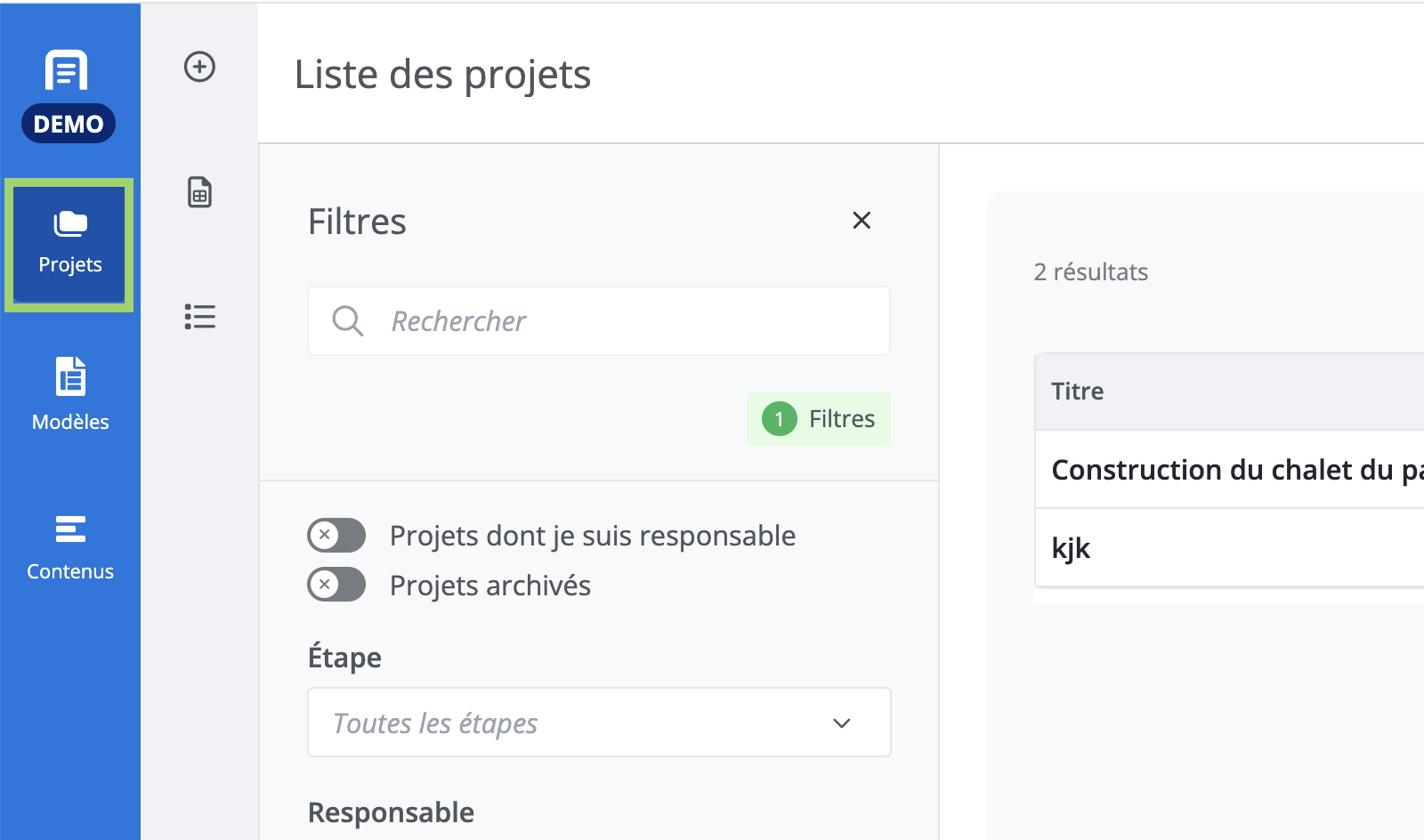
Click on Projects in the main menu (in blue, on the far left).
Description of the Feature
The project list allows you to access and create projects.
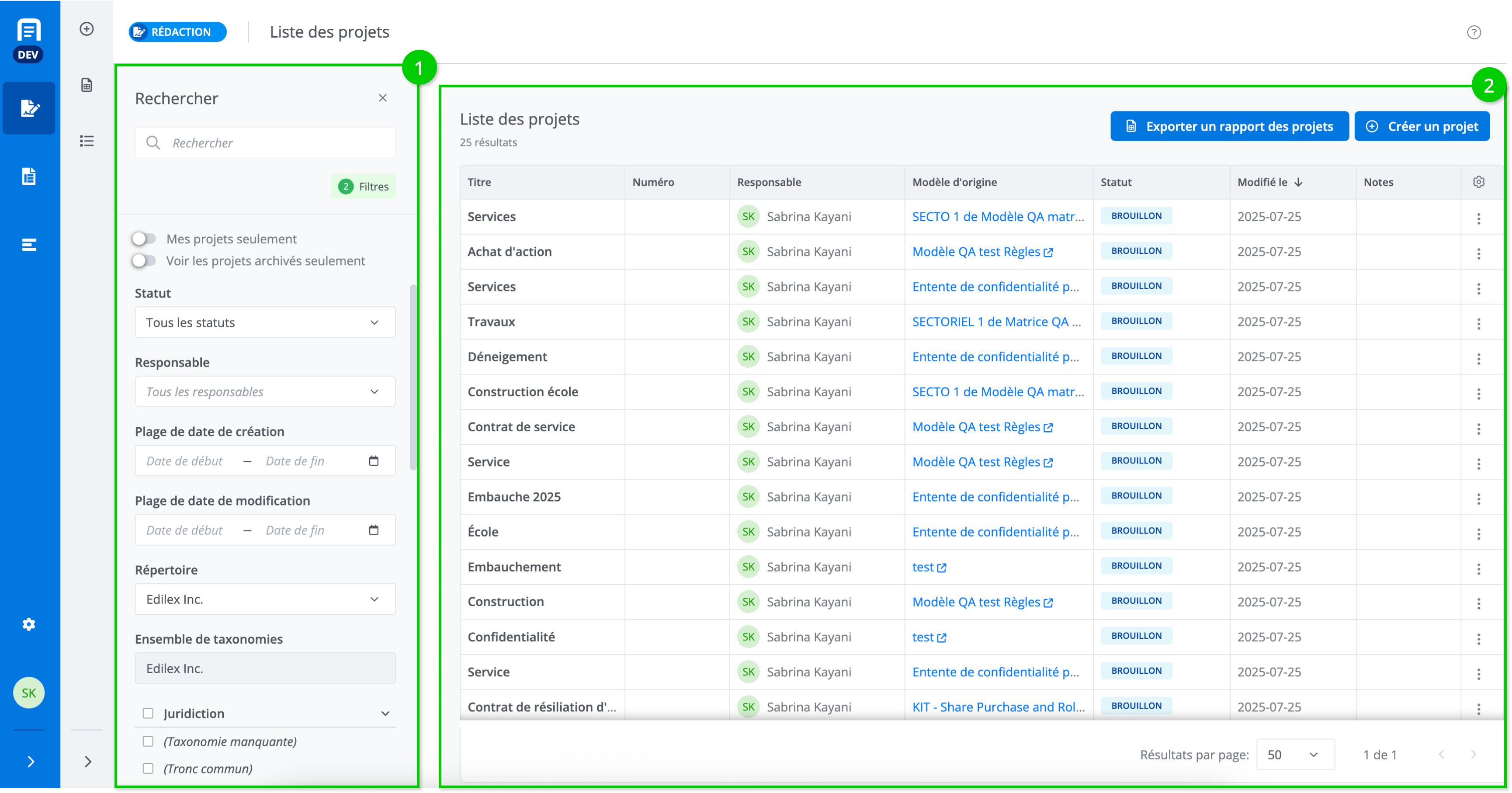
The filter panel (2) allows you to search by keyword and apply filters.
Configure columns
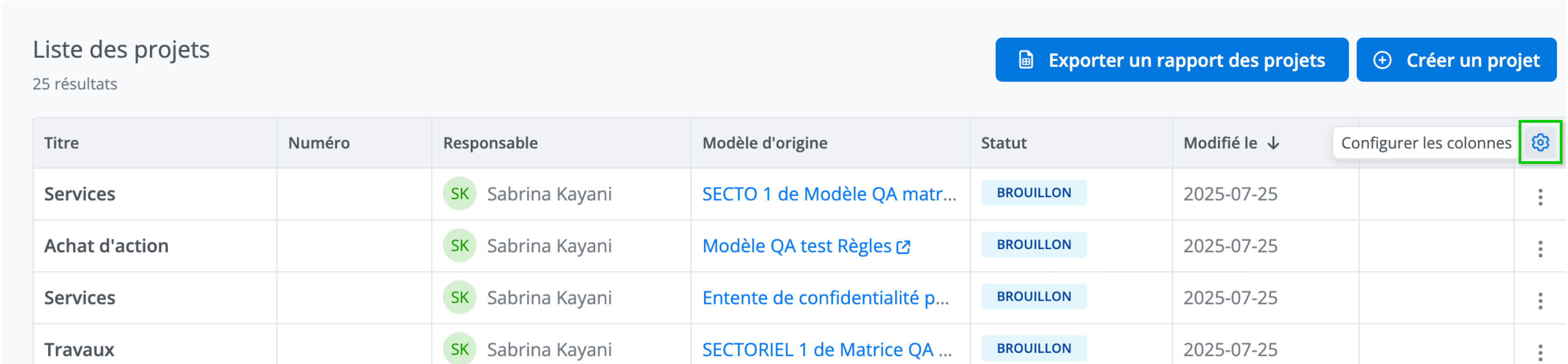
From the project list, each user can customize the displayed columns. To do this, click Configure Columns in the top right corner of the table.
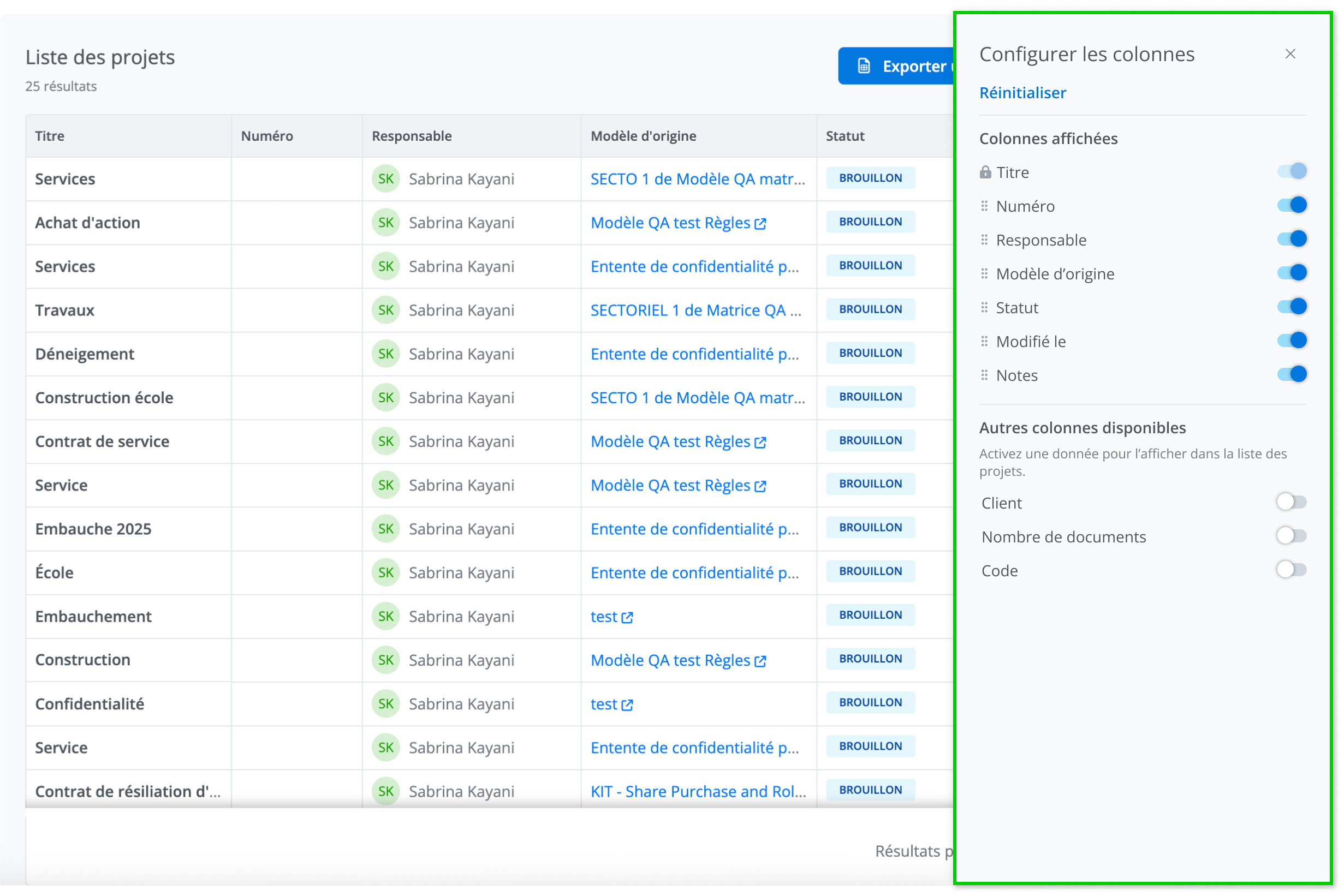
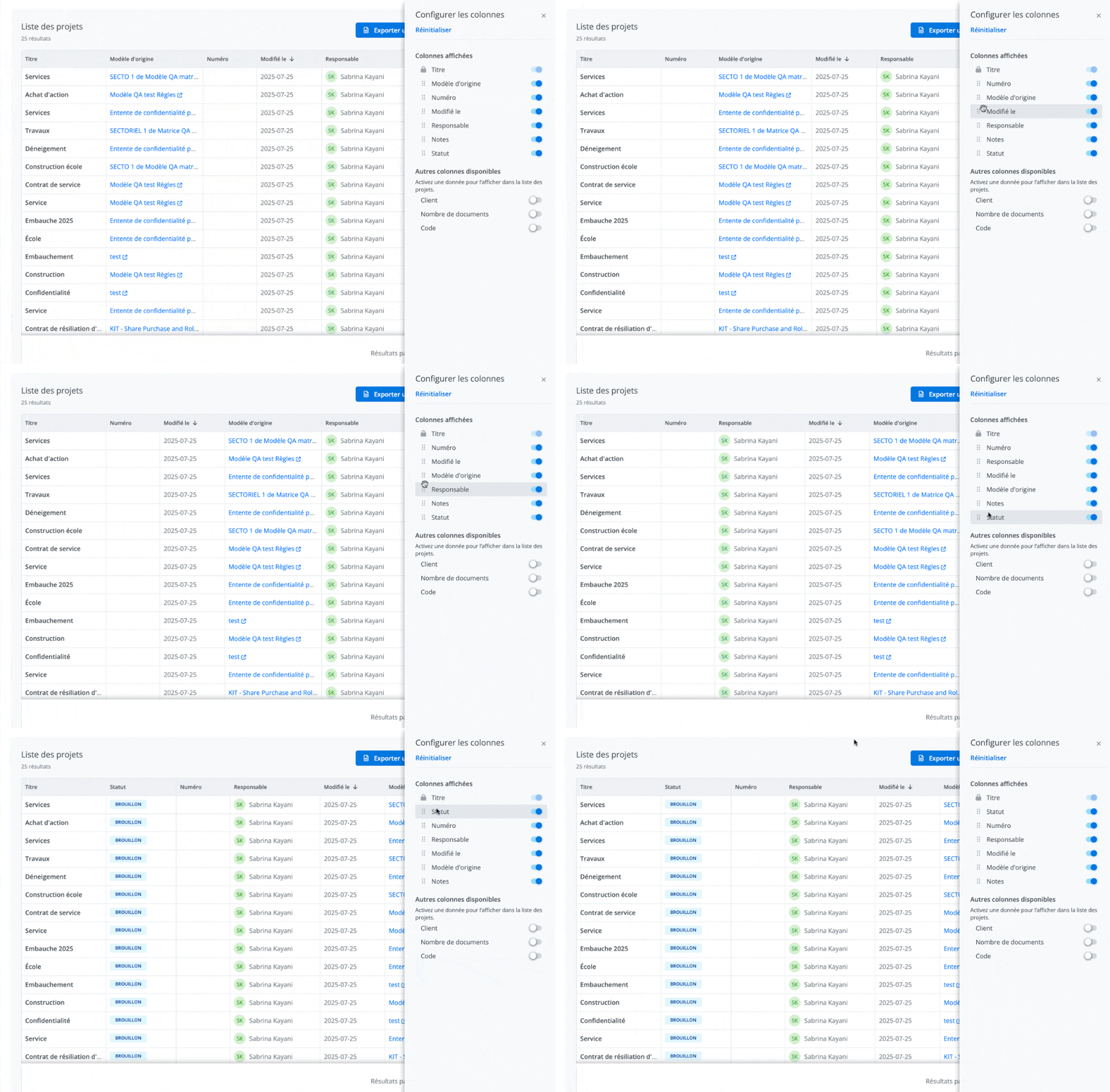
Change order of the columns
You can change the order of the table columns by dragging and dropping using the handle icon.
Show or hide columns
You can show or hide columns using the toggle located to the right of each item.
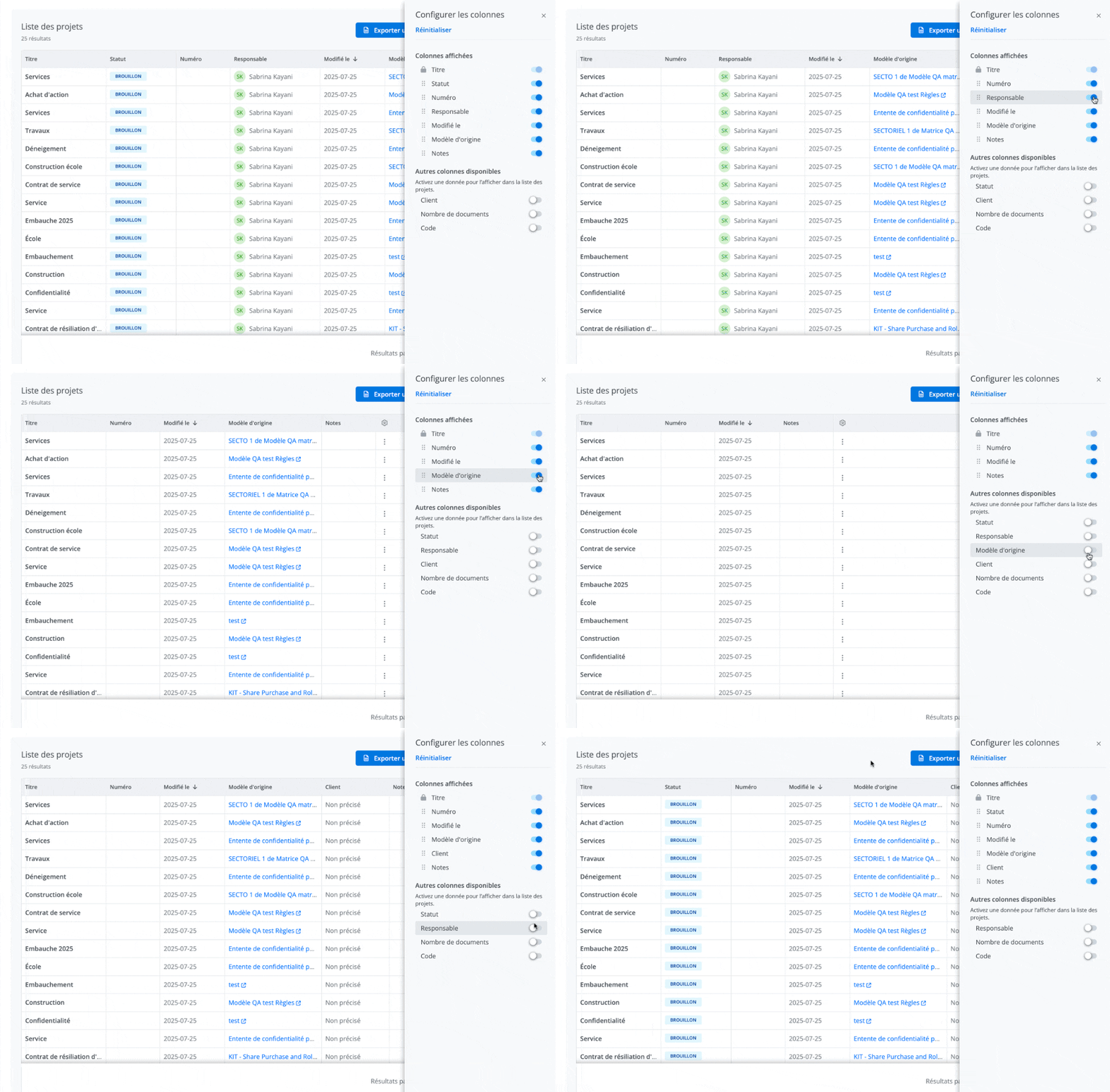
The Title column is always visible and cannot be moved. Its position is fixed to ensure better readability of the table.
Filter projects
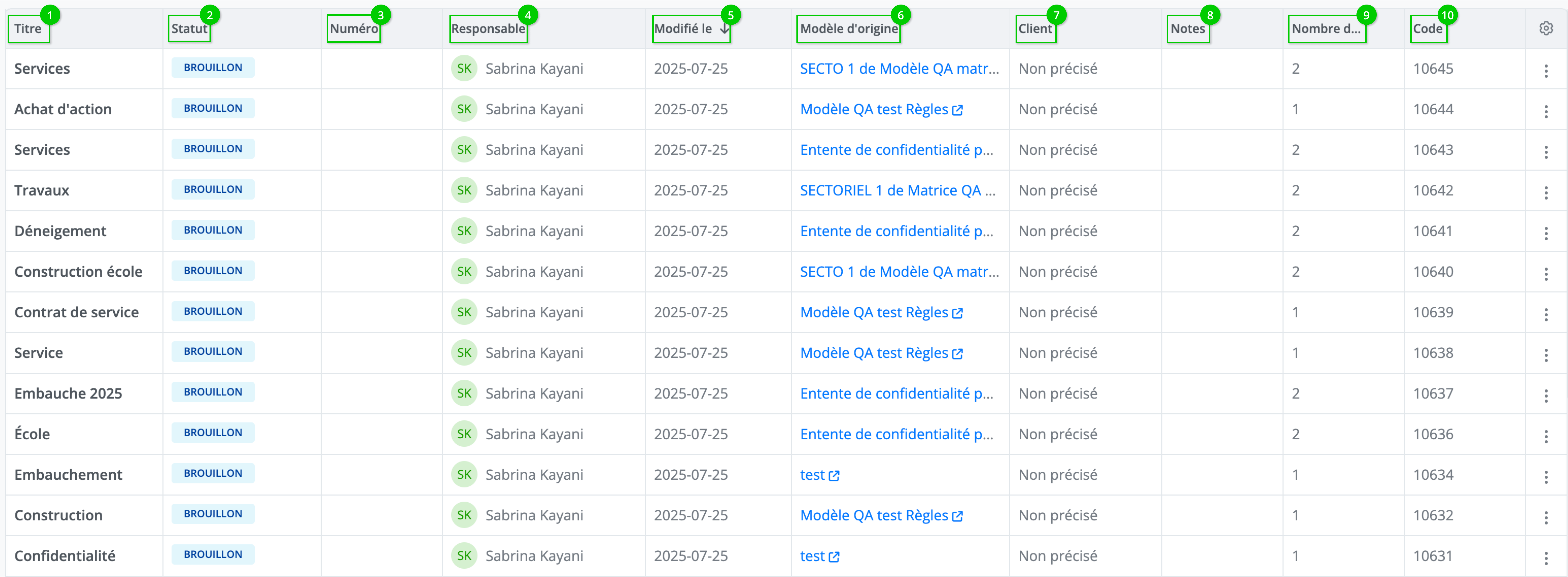
In the project list, click on the column name to apply a sort.
The names of the Title, Number, and Client columns can be modified by the system administrator from the client settings. The image above does not necessarily represent the interface for all users.
See the article on client settings for more information.
Related articles