Summary Description of the Feature
The usage window allows you to see the different places where a piece of content (section, clause, schedule) is used.
Access to Feature
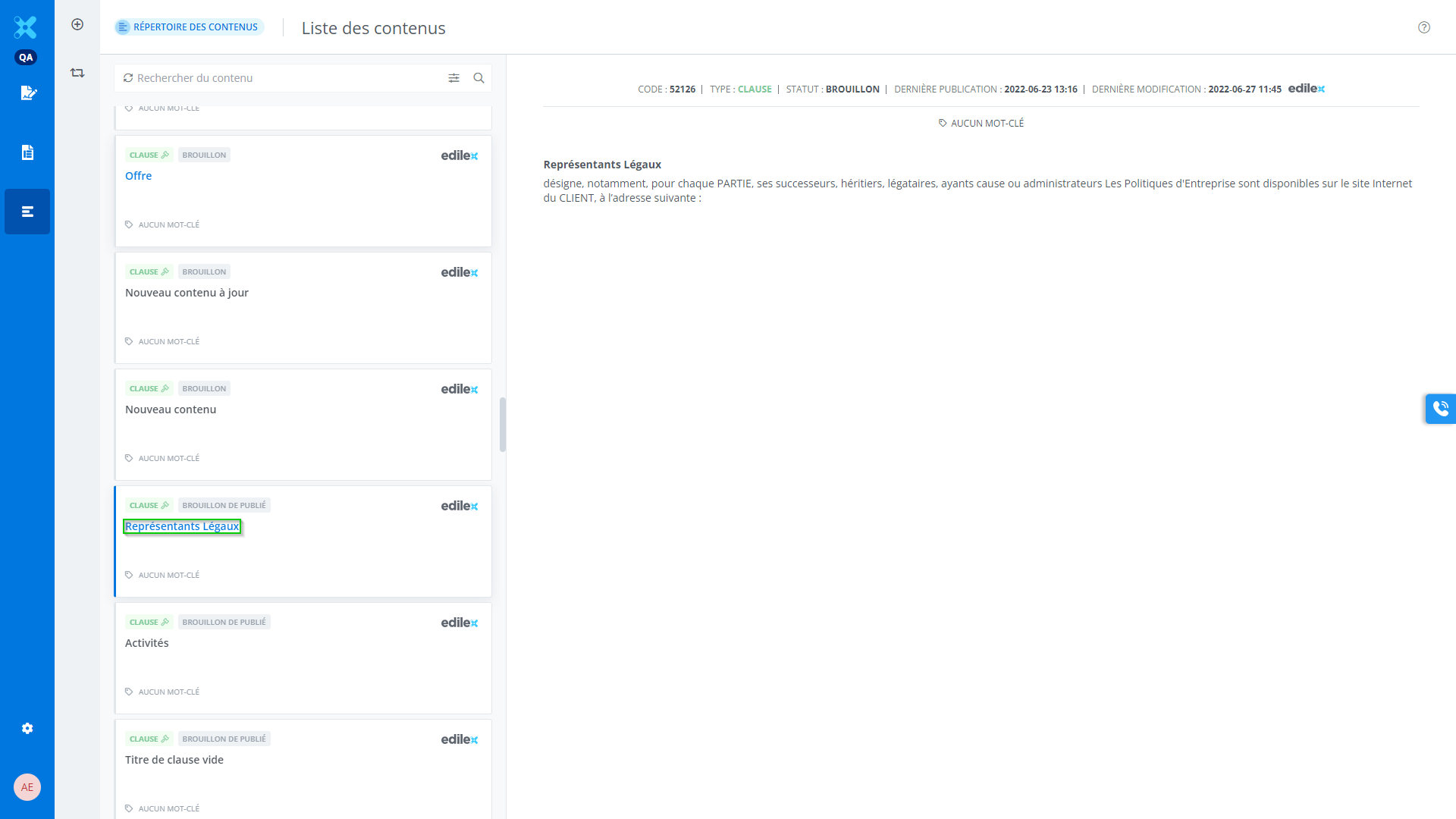
In the Contents Library window, click on a content item (section, clause, schedule) to open the Content editor:
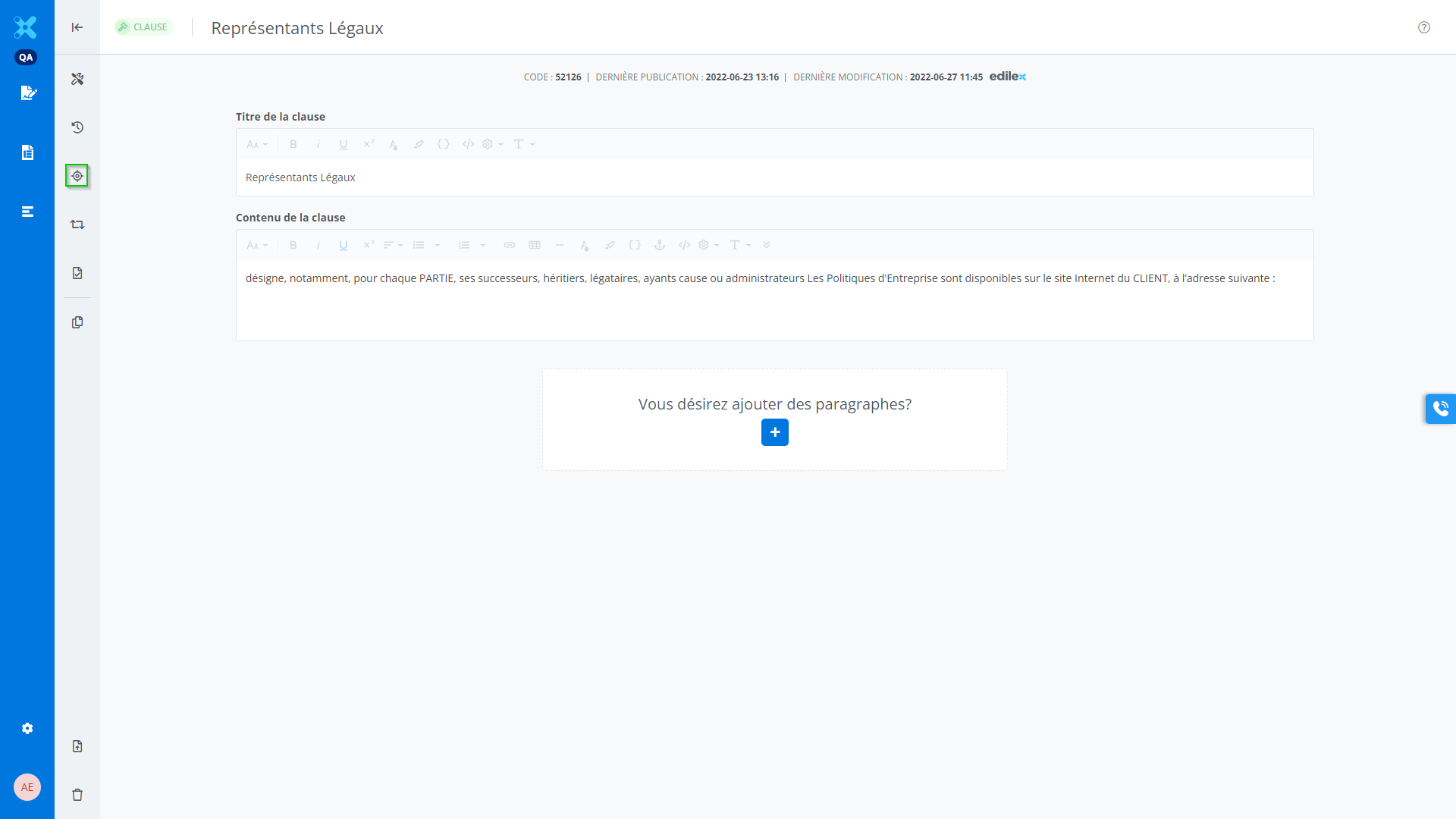
Then, click the content usage button:
Detailed Description of the Feature
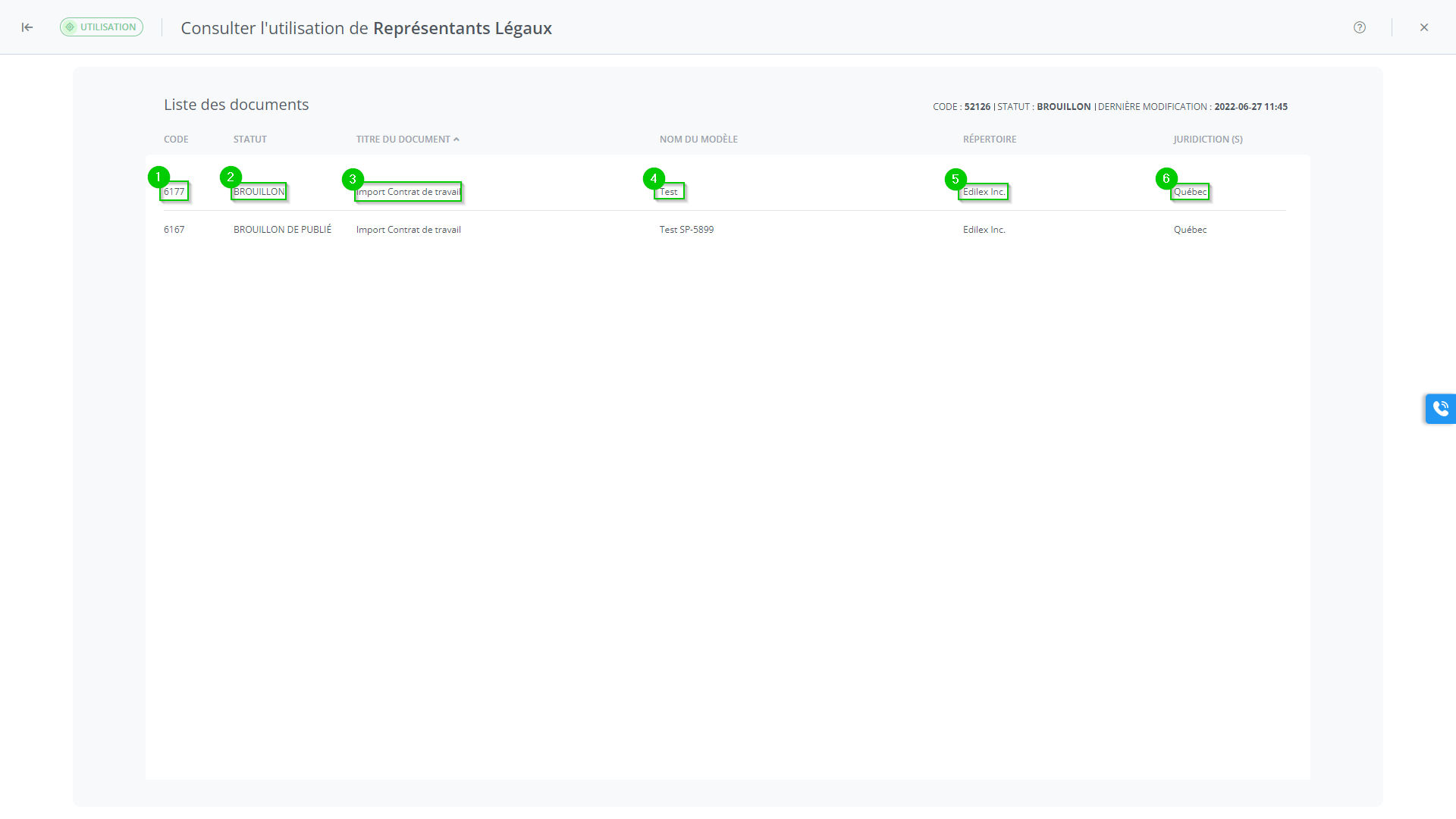
This window allows you to view the usage of the content in the various documents within the application. The following information is displayed:
-
Code: unique identifier for the content usage;
-
Status: publication status of the content (e.g., draft, published, etc.);
-
Title of the document: document in which the content is used;
-
Template title: template in which the content is used;
-
Repository: repository in which the document containing the content is located;
-
Jurisdiction: jurisdiction of the content.