
Access to Feature
Access the custom template management window by clicking on the custom template's title or the Open button in the details panel of a custom template found in the templates list.
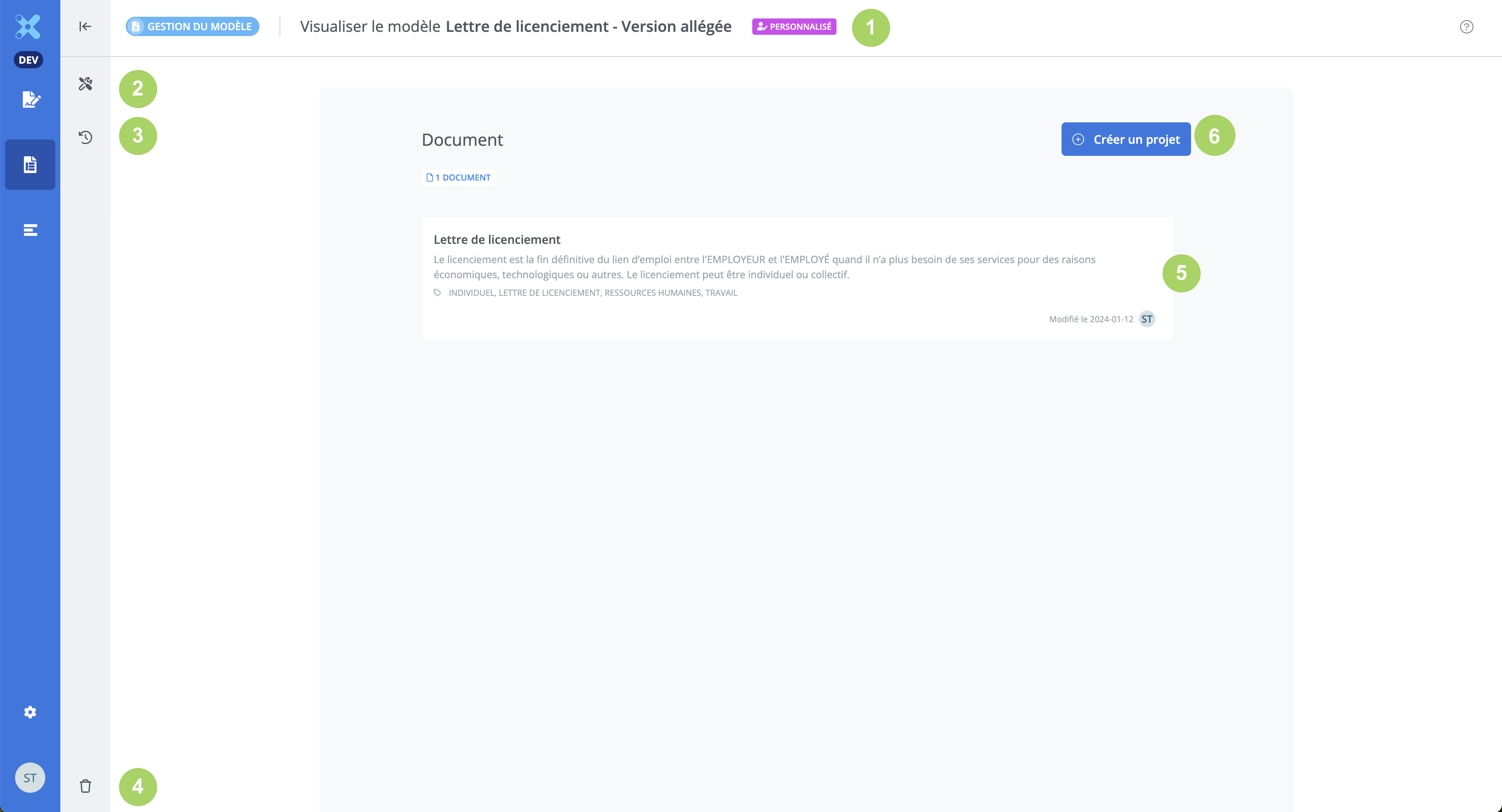
A Customized badge is displayed next to the custom template's title (1). It is possible to view and edit the custom template's Properties (2). It is possible to view the History of changes made to the custom template (3). It is possible to Delete a custom template (4). The list of documents in the custom template, viewable in read-only mode (5). It is possible to create a project from the custom template (6).
Customized template properties
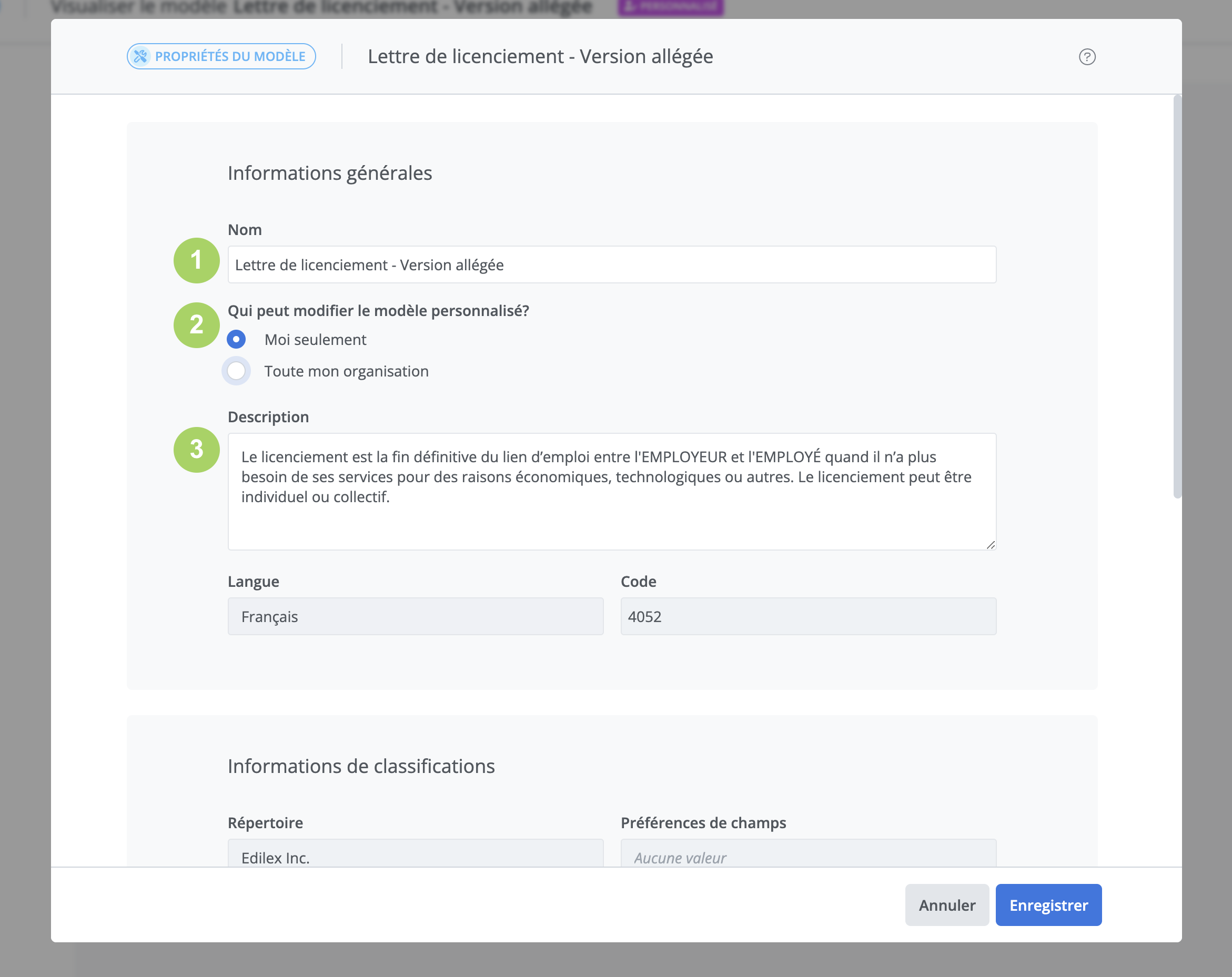
It is possible to modify the Name (1), the editing permission (2), and the Description (3) from the custom template's Properties window.