Description of the Feature
The 3-level architecture ensures that changes made to a source template propagate automatically, or in a controlled manner, to the templates that depend on it. This allows you to:
-
Maintain consistency between templates
-
Effectively manage adaptations at each level of the hierarchy
-
Minimize errors during updates
-
Ensure complete traceability of changes
-
And work more efficiently.
To achieve this architecture, two new template types have been added:
Matrix Template
-
The matrix template corresponds to a specific contractual framework
-
Serves as the basis for the common core content for sectoral templates
-
Allows the creation of sectoral templates using the Manage Sectoral Templates interface
-
Linked by a parent/child relationship with the sectoral template
Sectoral Template
-
A specialized variant of the matrix template, adapted to a specific sector
-
Contains all the common core content from its matrix, plus the sector-specific differences
-
Also linked by a parent/child relationship with the matrix
Permissions
Note that only Edilex legal experts can see matrix templates.
Matrix Templates
The matrix template is the template for a given contractual framework. It contains all the common core clauses and serves as the shared foundation for all sectoral templates derived from it. It contains no sector-specific content; it is the standard canvas on which future variants are built.
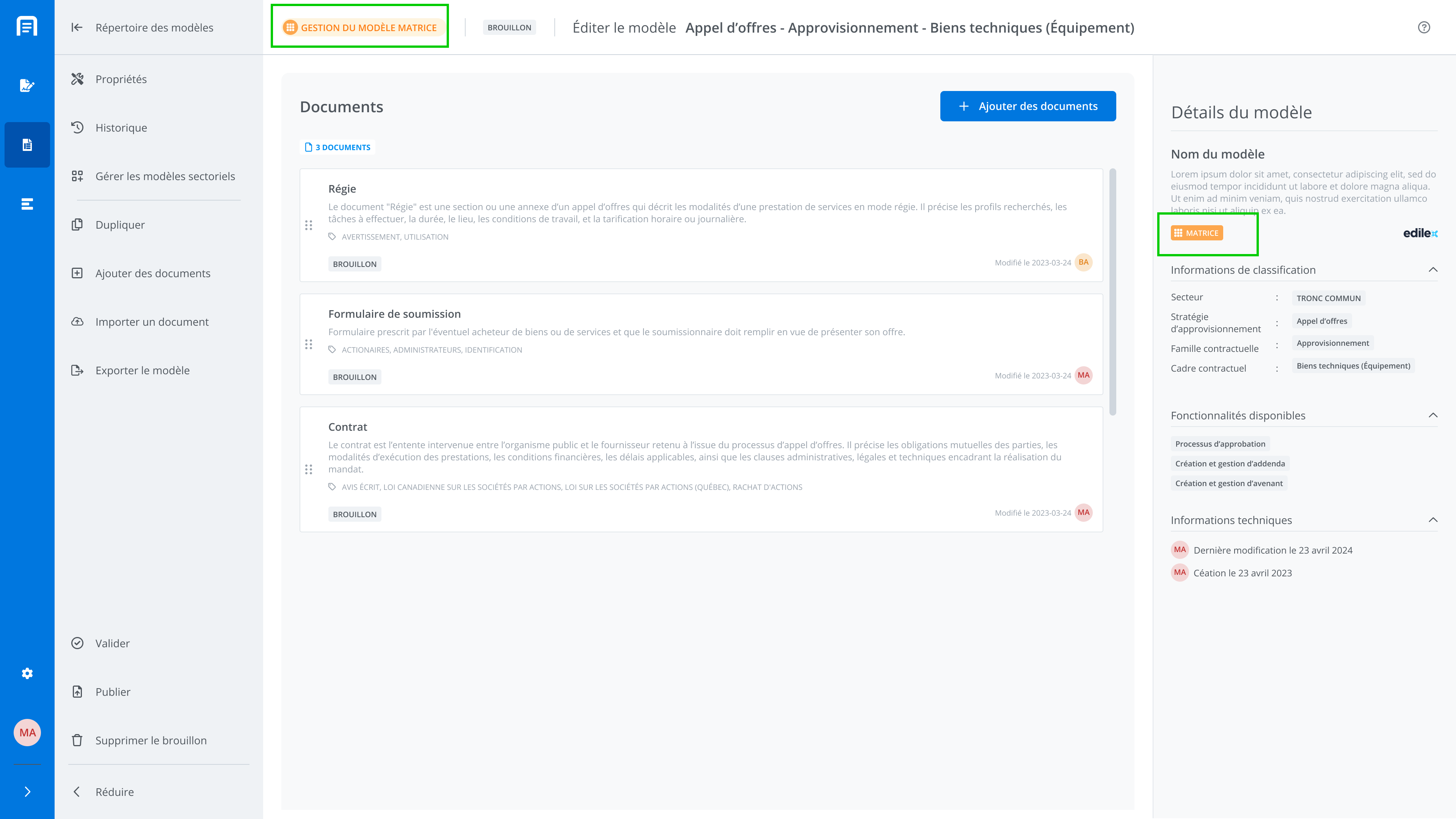
You can identify a matrix template by its matrix badge, either in full or in its compact version, throughout the application. Filters are also available in the directory.


Create a Matrix Template
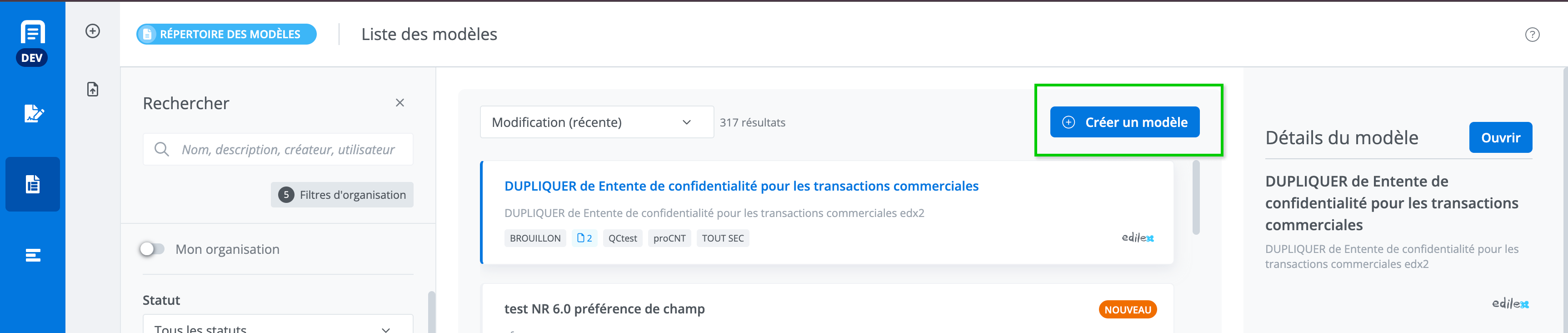
A matrix template is created using the standard template creation button from the template directory. Create a Template
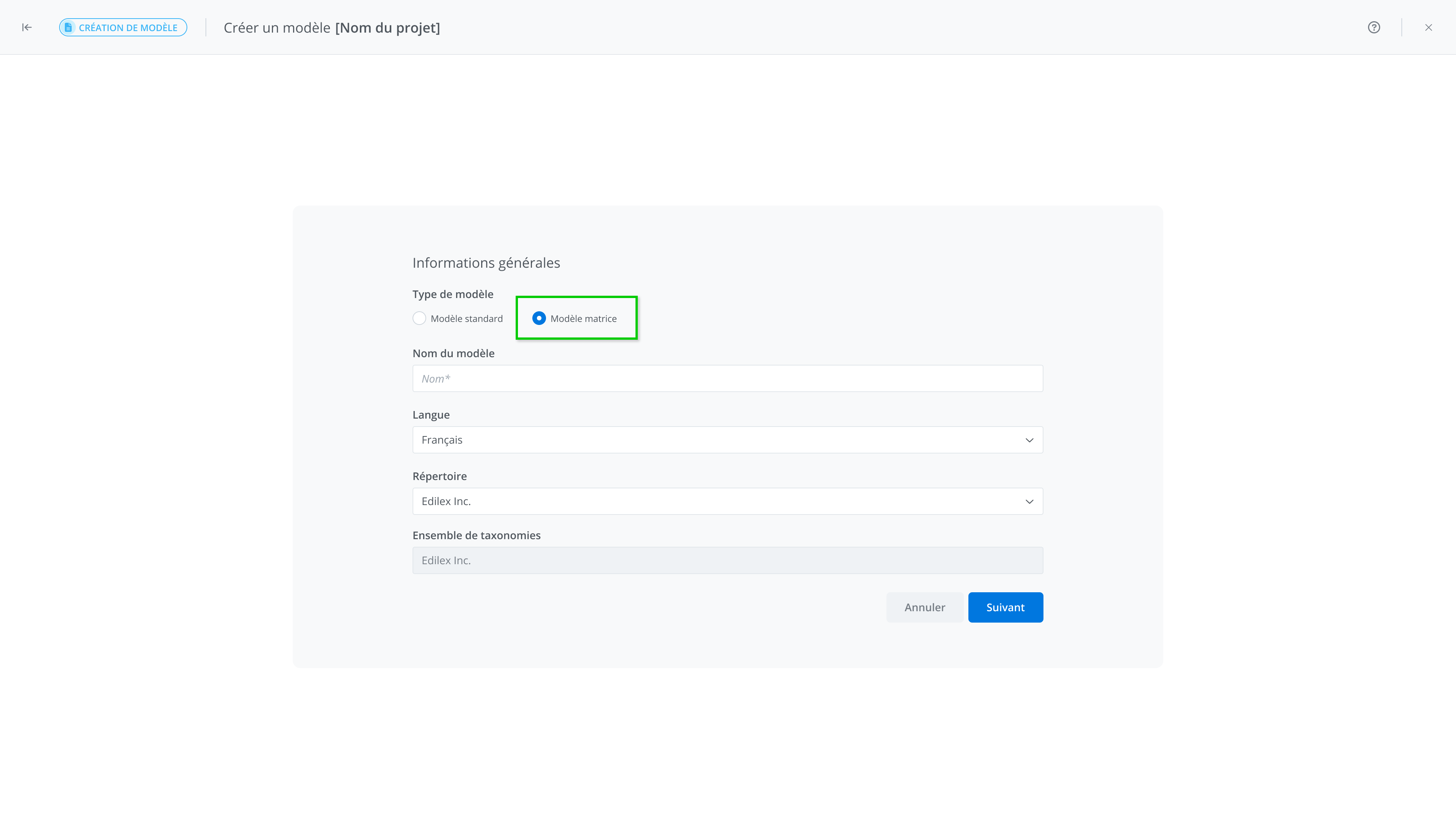
On the template’s general information screen, simply select the template type Matrix Template.
Managing the Matrix Template
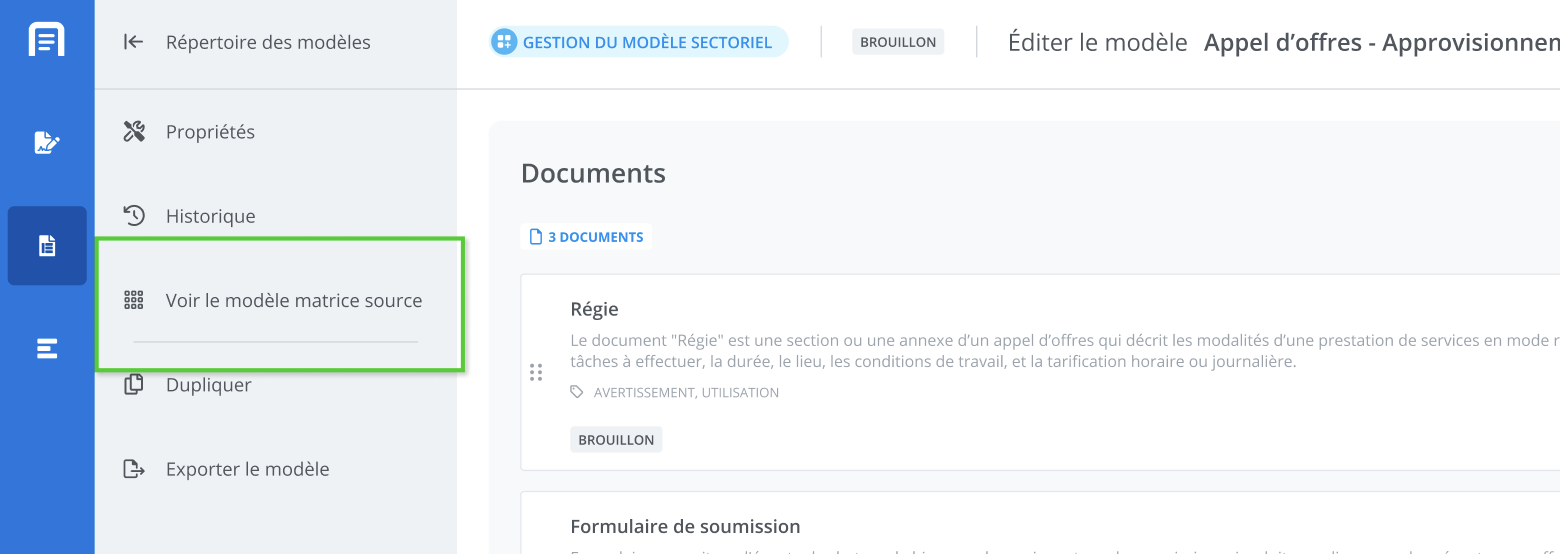
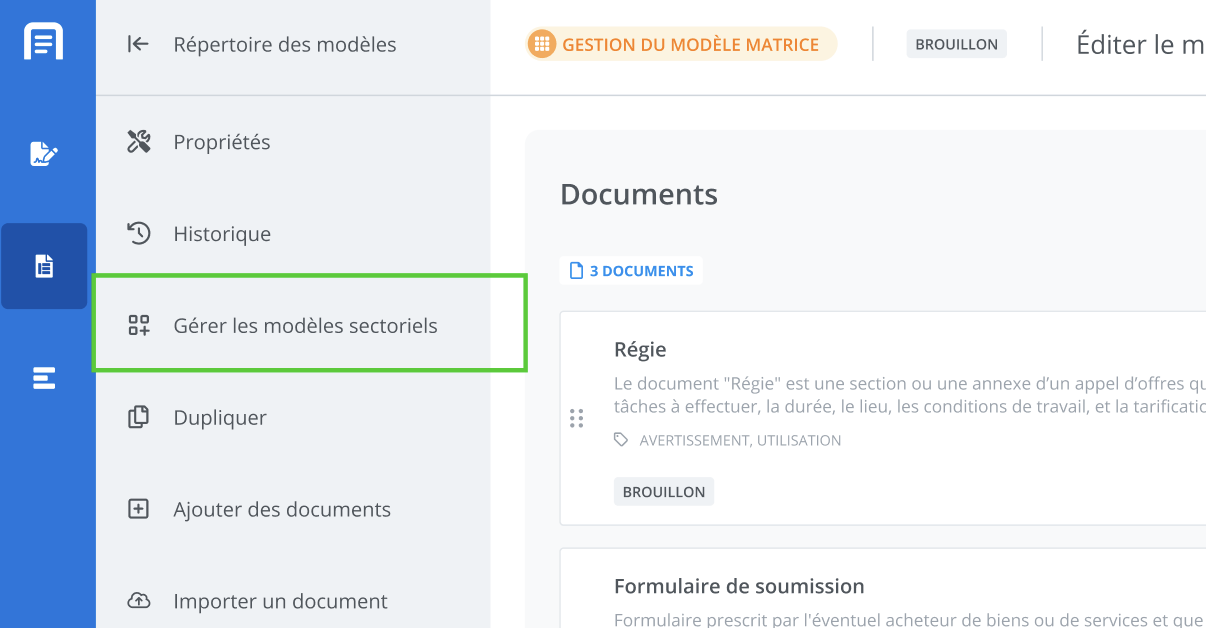
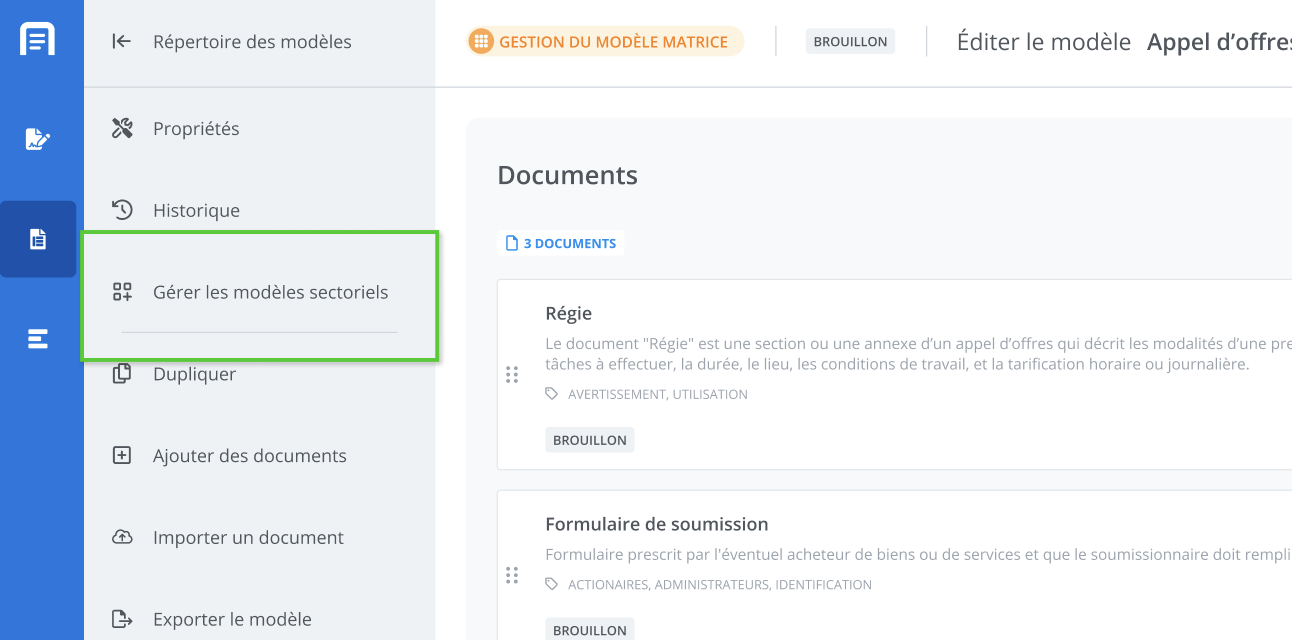
Managing the matrix template is distinguished by its “matrix” indicators, as well as by a feature unique to it that allows you to create sectoral template variants; this feature is accessible using Manage Sectoral Templates located in the template management features menu.
Sectoral Templates
The sectoral template is a specialized type of matrix template. It allows the contractual framework to be adapted to the needs of a specific sector (e.g., education, healthcare, construction, etc.).
This template contains all the common core elements from the matrix, as well as the elements that differ and distinguish it: the rules, clauses, or content that apply only to a given sector. This helps maintain a clear, modular architecture that is easy to update.


Manage Sectoral Templates
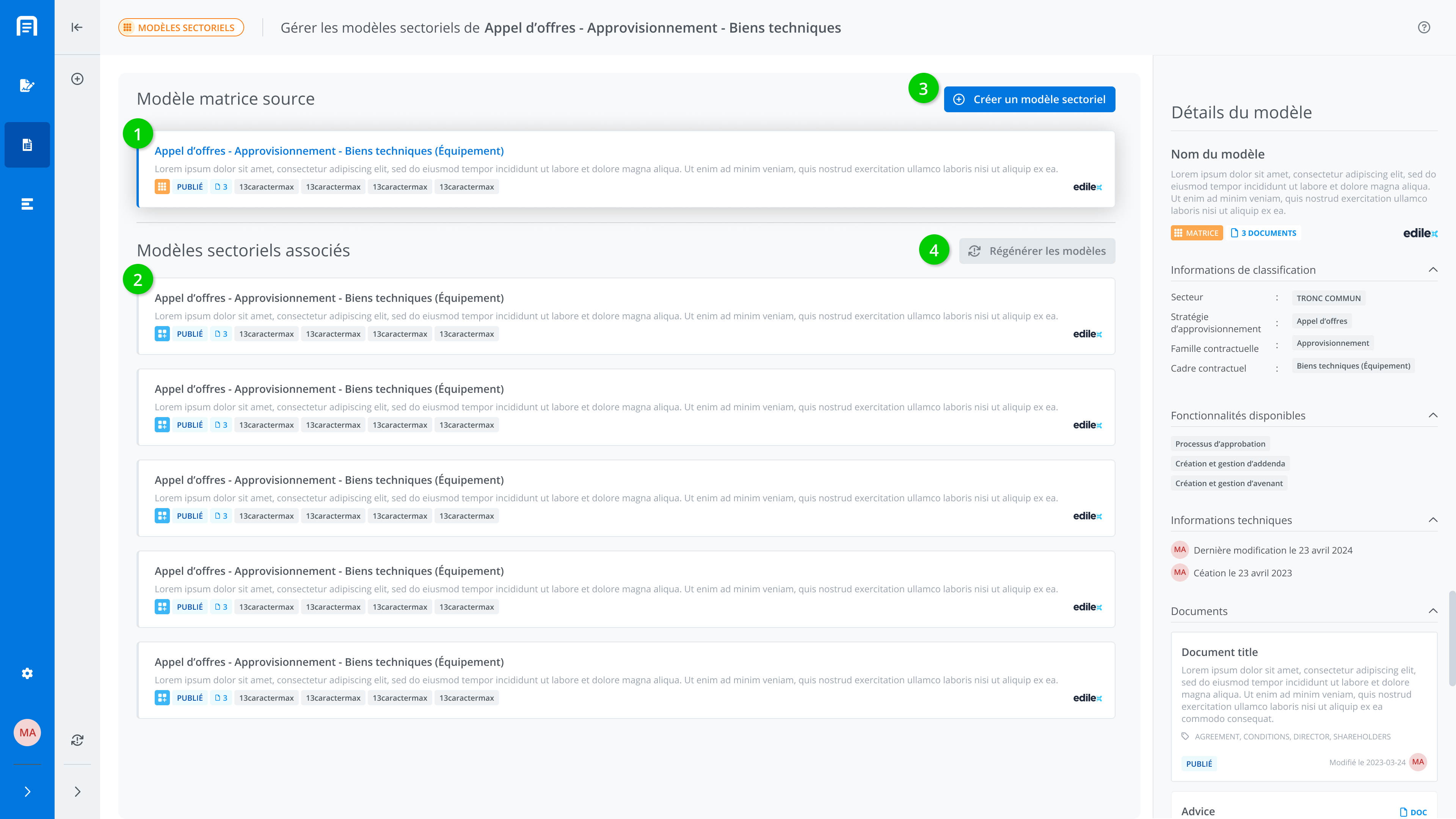
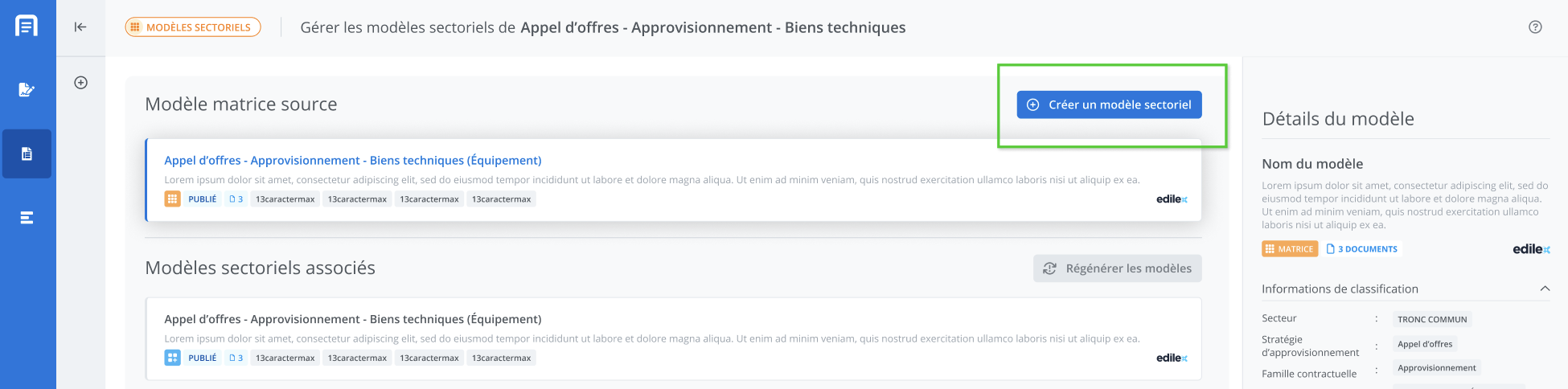
In the sectoral template management window, accessible from a matrix, you will find the following elements:
-
The source matrix template
-
The sectoral templates associated with the matrix
-
The sectoral template creation button, which lets you add a sectoral variant of the matrix.
-
The button to regenerate the list of sectoral templates associated with the matrix.
Regenerating Sectoral Templates
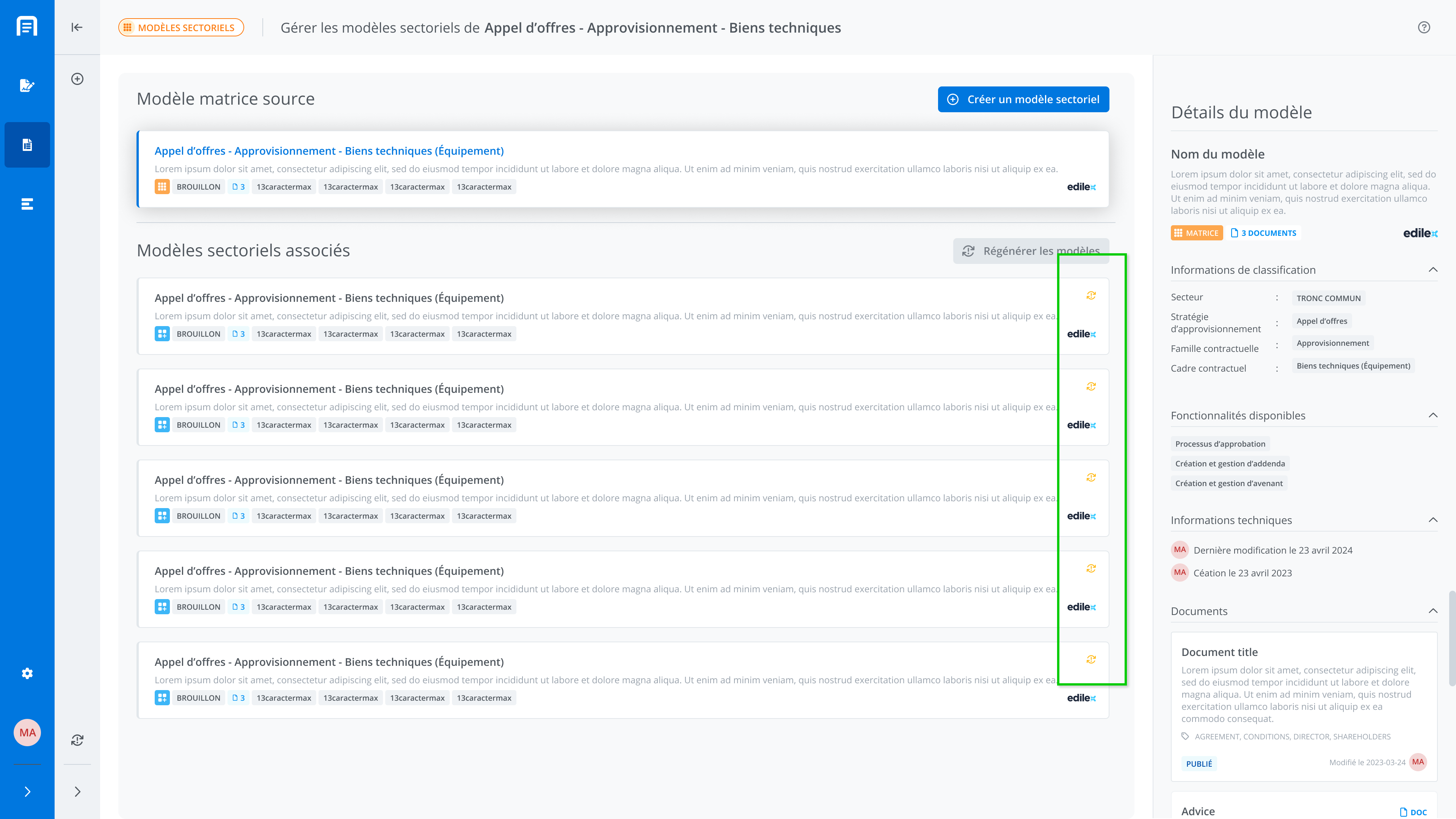
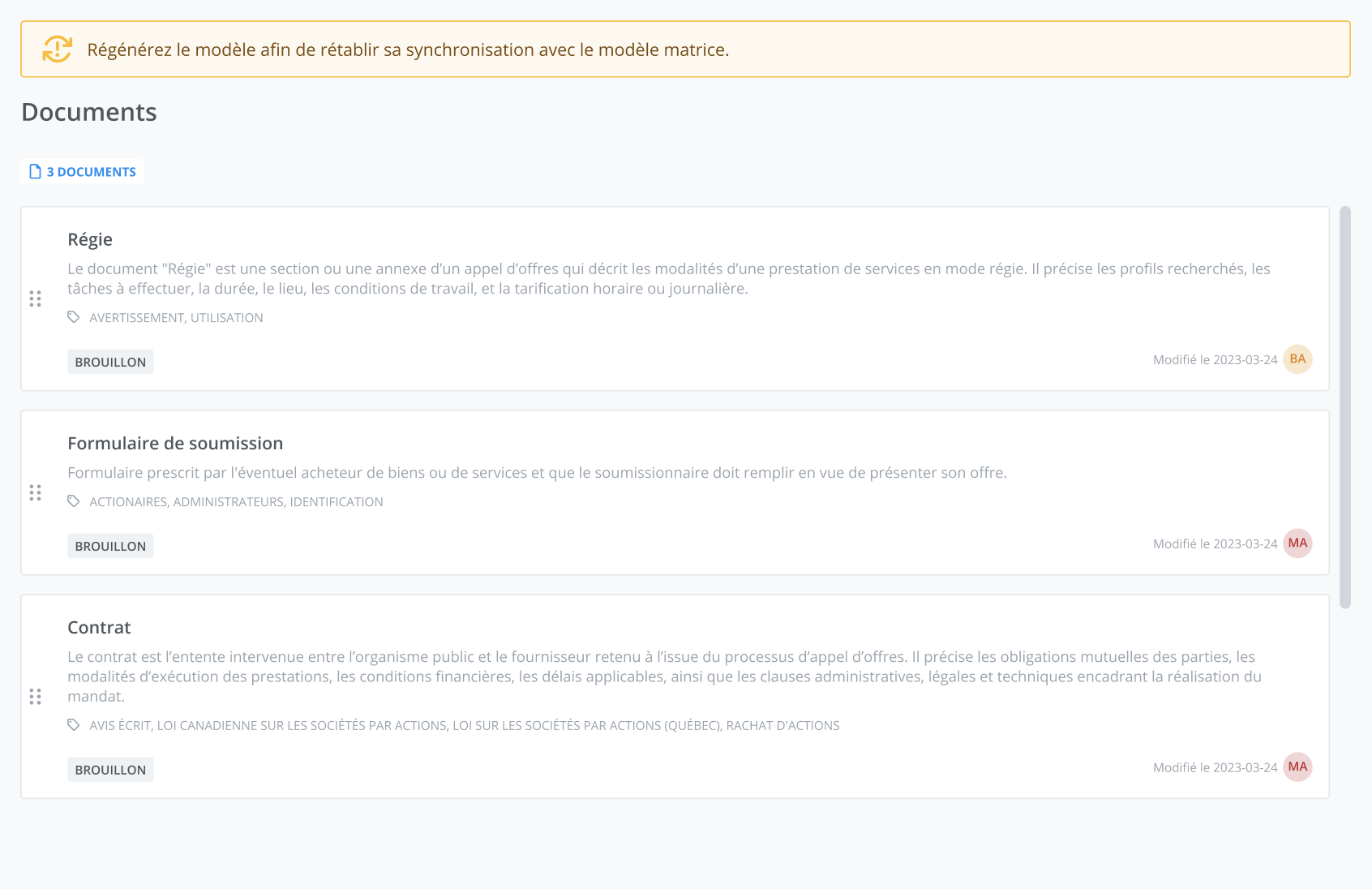
Regenerating templates restores synchronization between a sectoral template and the matrix template. When synchronization is broken, a visual indicator appears on the tiles in the list, and a regenerate button becomes available.
It is also possible to regenerate a template either from the template management interface, or via the centralized sectoral template management accessible from the matrix template.
Create a Sectoral Template
To create a sectoral template, click Manage Sectoral Templates from the matrix template for which you want to create a variant.
Then click Create a Sectoral Template.
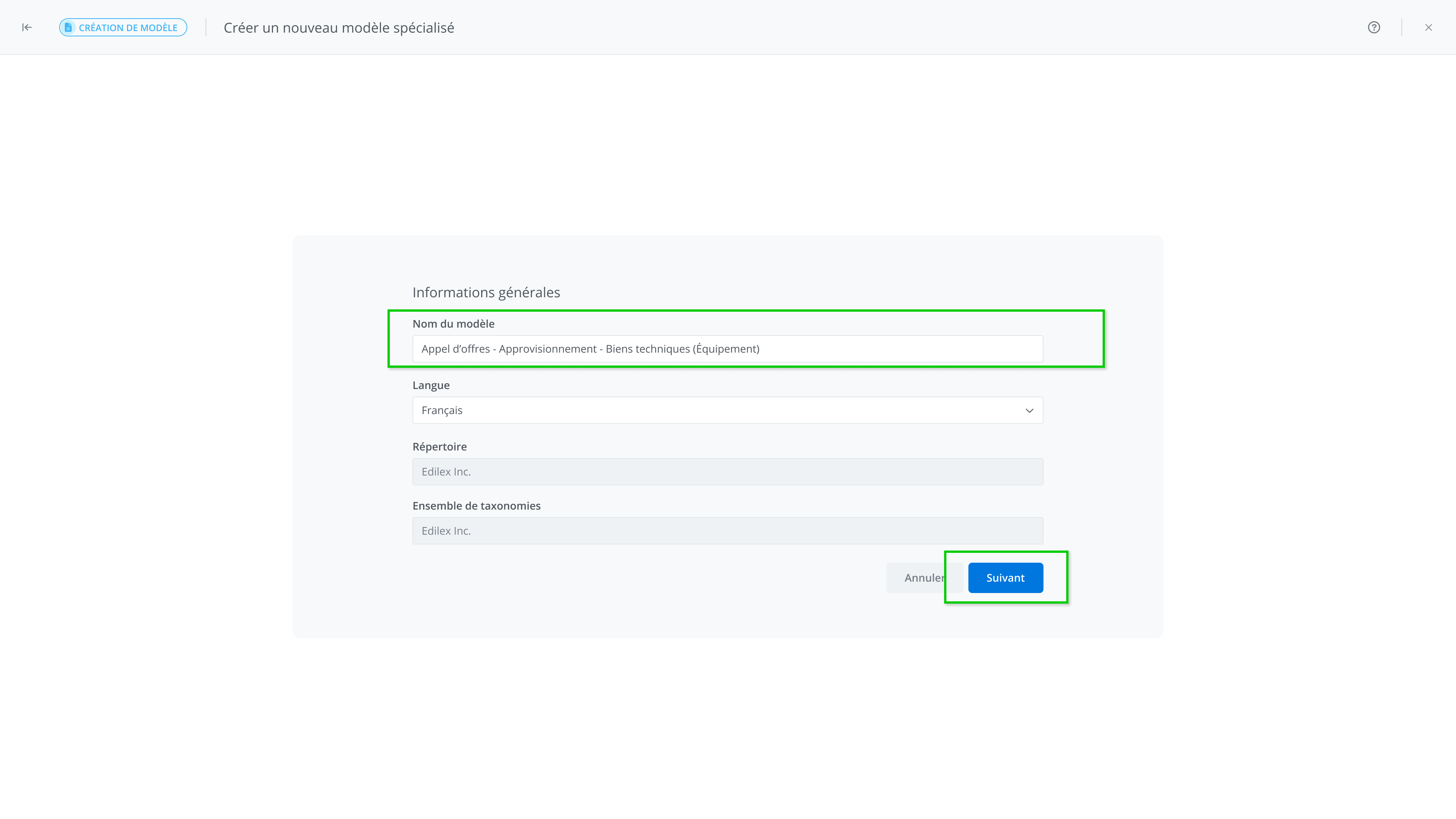
In the information window, it is recommended to change the template’s name to make it easier to identify. Then finish creating it by clicking Next.
Managing the Sectoral Template
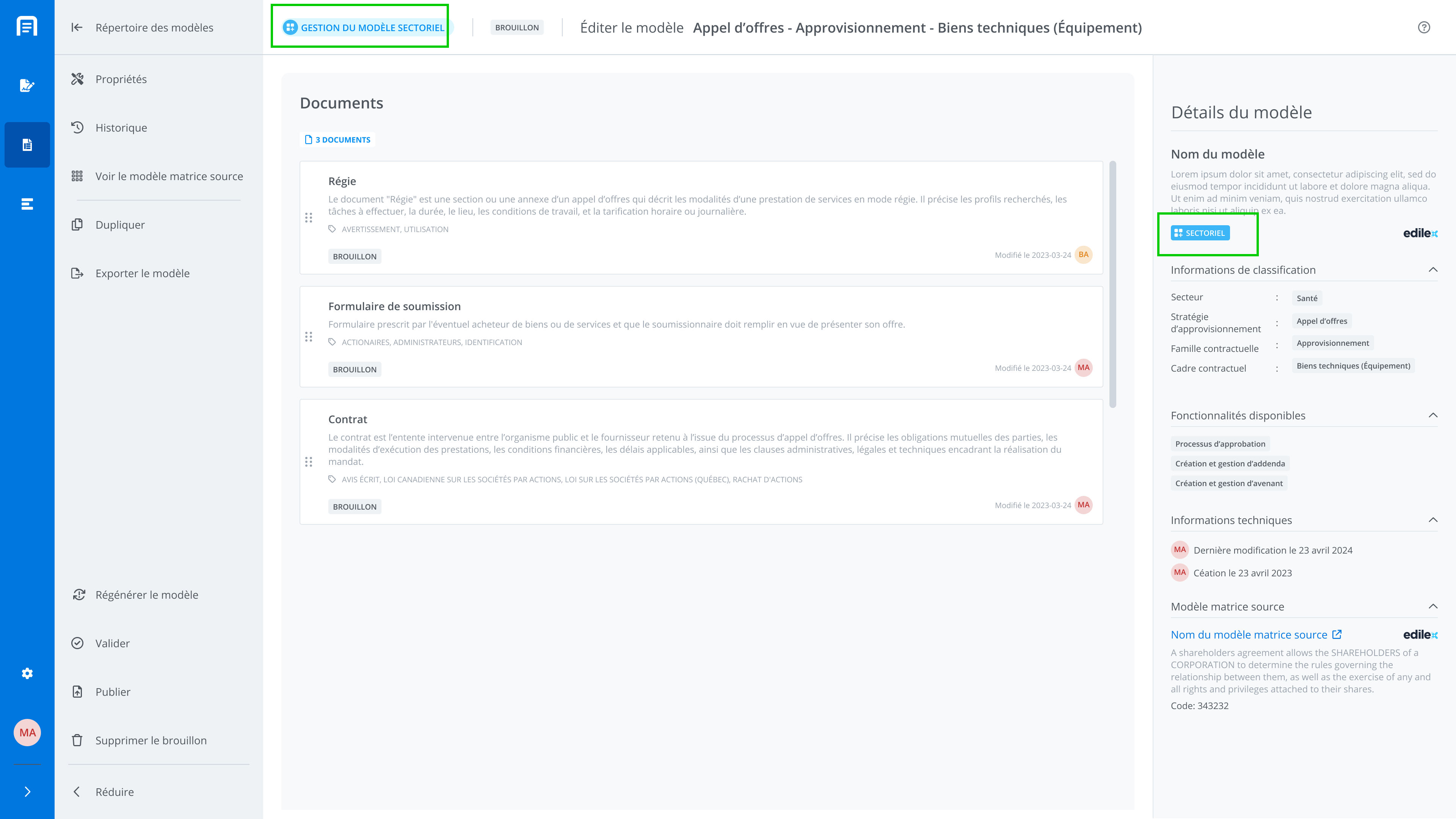
The sectoral template contains all the common core clauses from the matrix it was created from. It is an exact copy of the matrix, to which you can add sector-specific content.
From the Matrix to the Sectoral Template
The relationship linking the matrix to its sectoral templates is a parent/child relationship. The advantage of this relationship is that when a change is made to the matrix (for example, a new clause or a wording adjustment), this update can then be propagated to the sectoral templates derived from it.
Each sectoral template can then incorporate this change while retaining its own specific adaptations.
From the Edilex Sectoral Template to the Client Sectoral Template
The sectoral template, which contains only the differences specific to a given sector, depends directly on the matrix template. An update to the Edilex sectoral template, once validated, can be passed on to the corresponding sectoral template.
You can then choose to adopt, modify, or reject these changes to your sectoral template depending on their relevance to its sector.