
Description of the Feature
Allows a clause and its properties (tags and description) to be modified after it has been created.
Access to Feature
Click on the title of the draft clause to be edited from the content library.
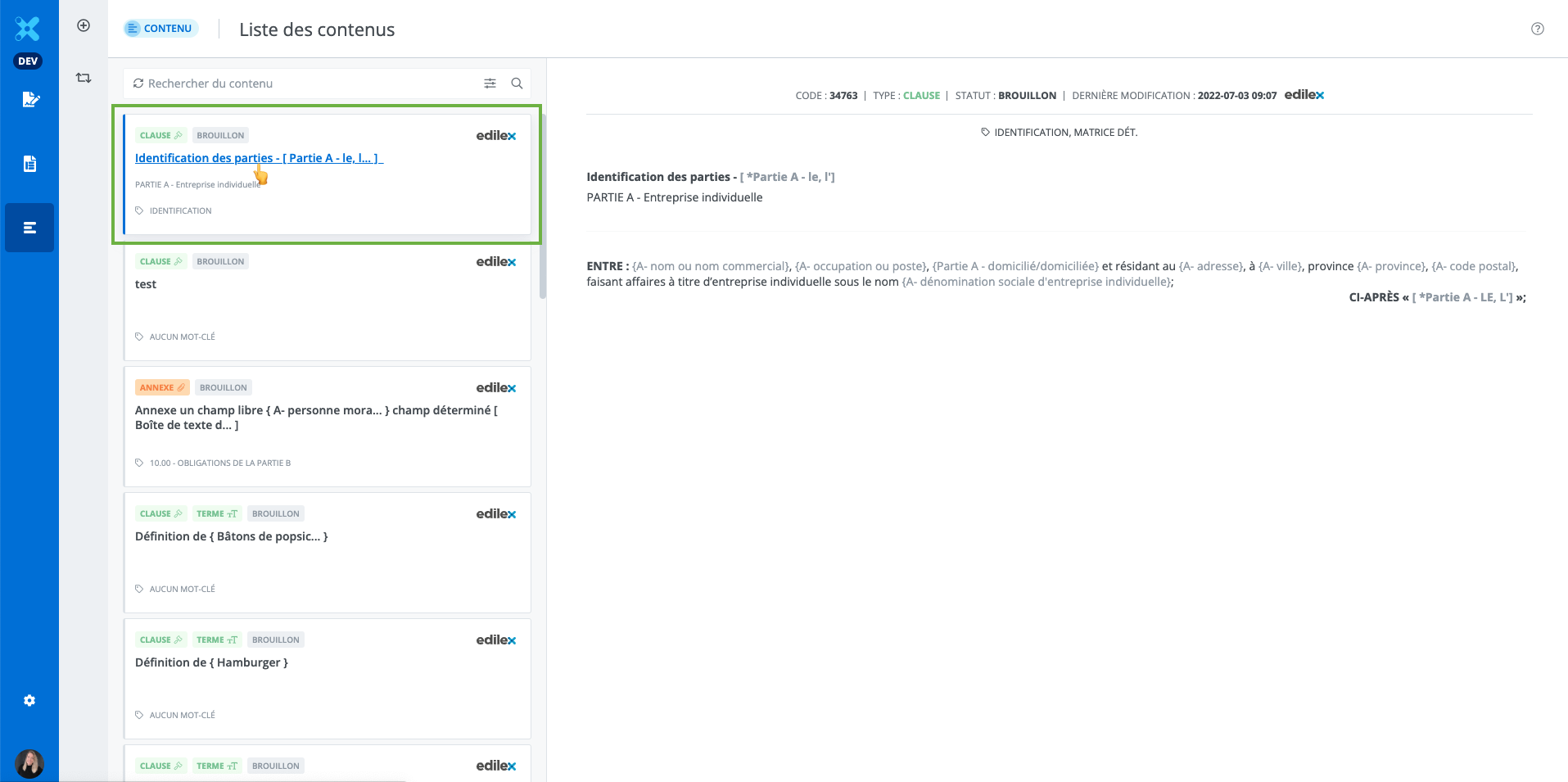
Content edition window
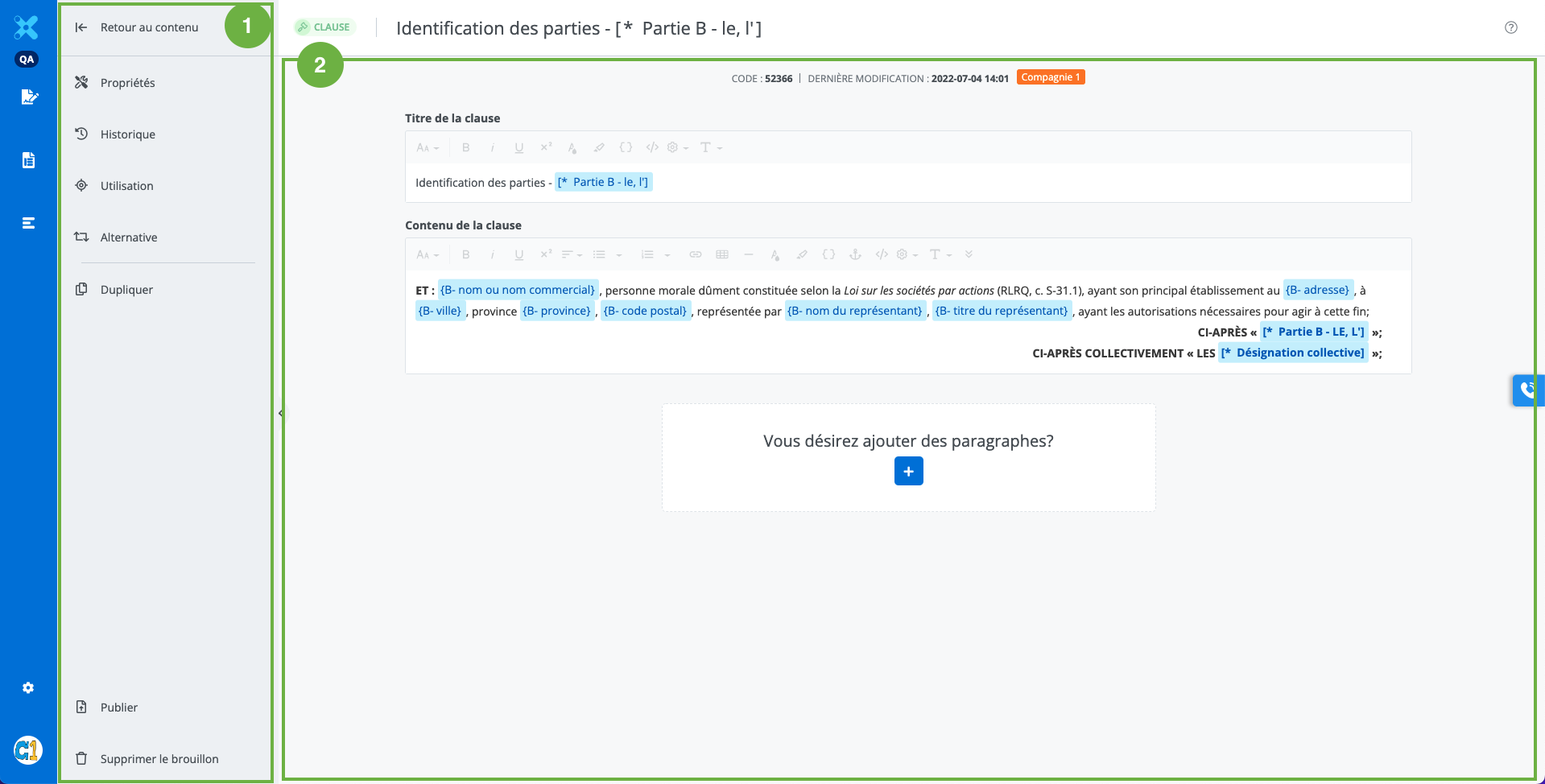
-
The features toolbar:
-
View the properties of the clause;
-
-
View the Usage of the clause in templates;
-
Access alternatives management, where it is possible to view and add an alternative to the document;
-
The option to duplicate the clause;
-
The option to publish the clause to add it to documents;
-
The option to delete the clause.
-
-
Clause content edition window
Modify a draft clause
-
Modify the title, content, and paragraphs of the clause as desired;
-
To add paragraphs, click Add a paragraph;
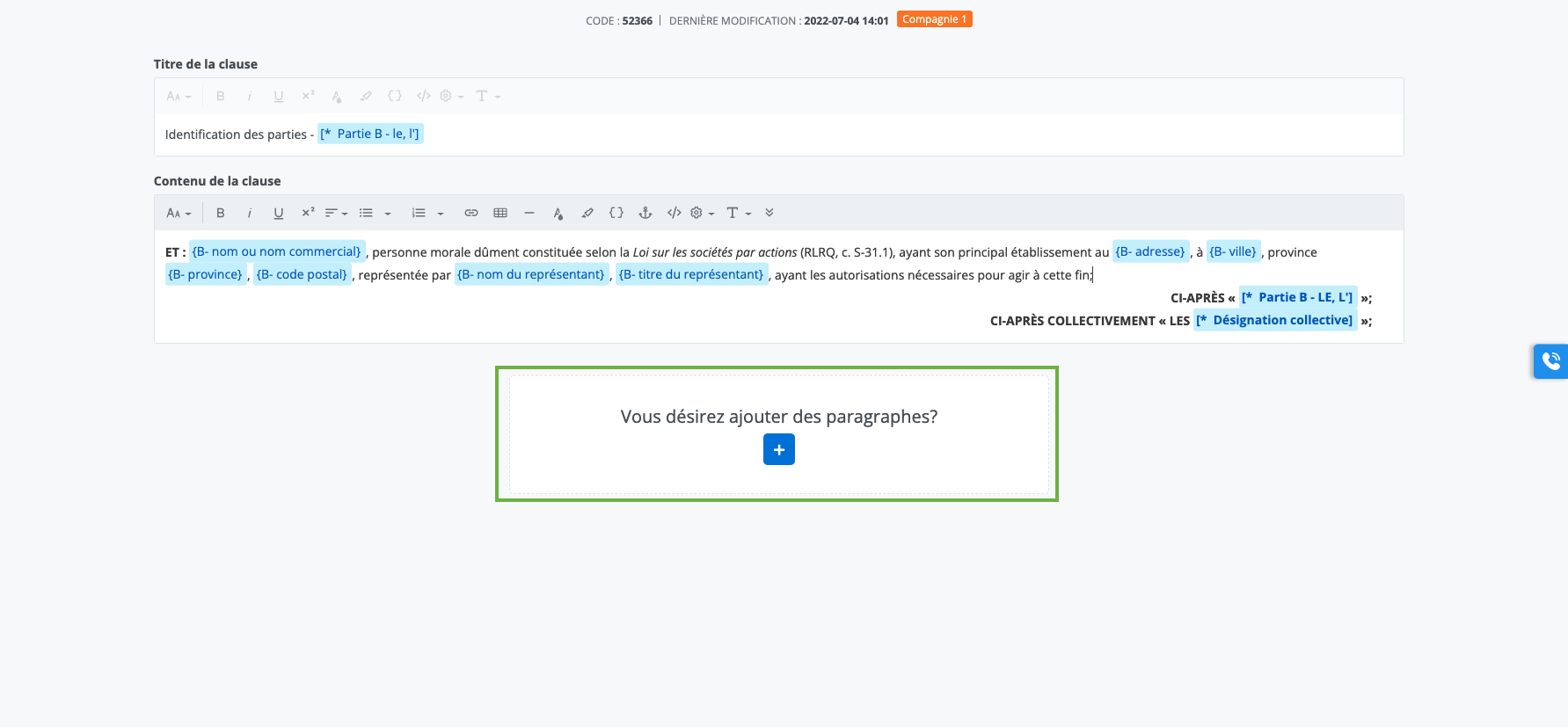
-
A paragraph can have a title, content, or both, but must have at least one of the two.
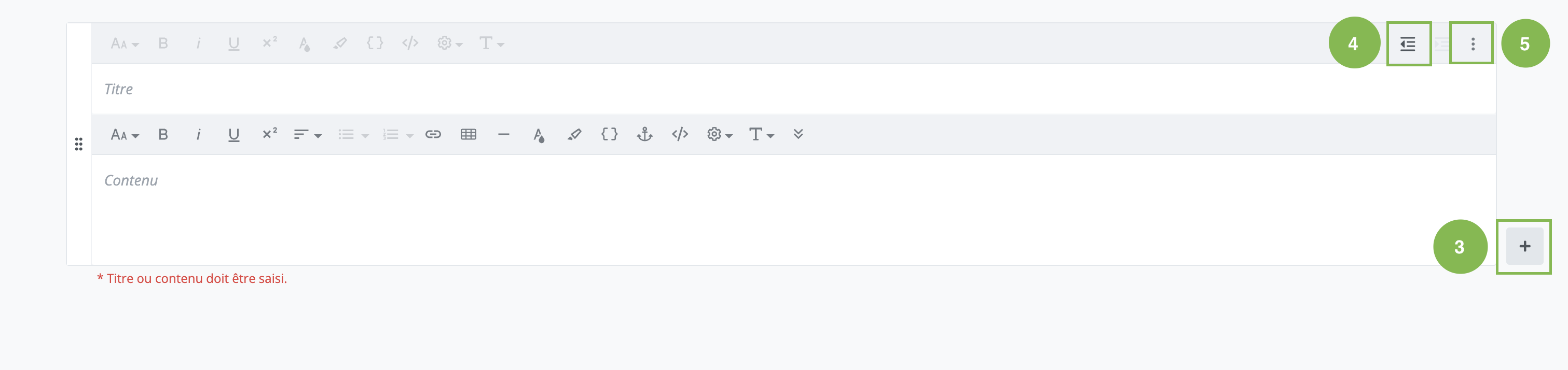
-
To indent or return to the margin, click Indentation;
-
To add numbering to a paragraph, click Manage clause content, then click Set as numbered paragraph.
-
To remove numbering from a paragraph, click Manage clause content, then click Set as paragraph.
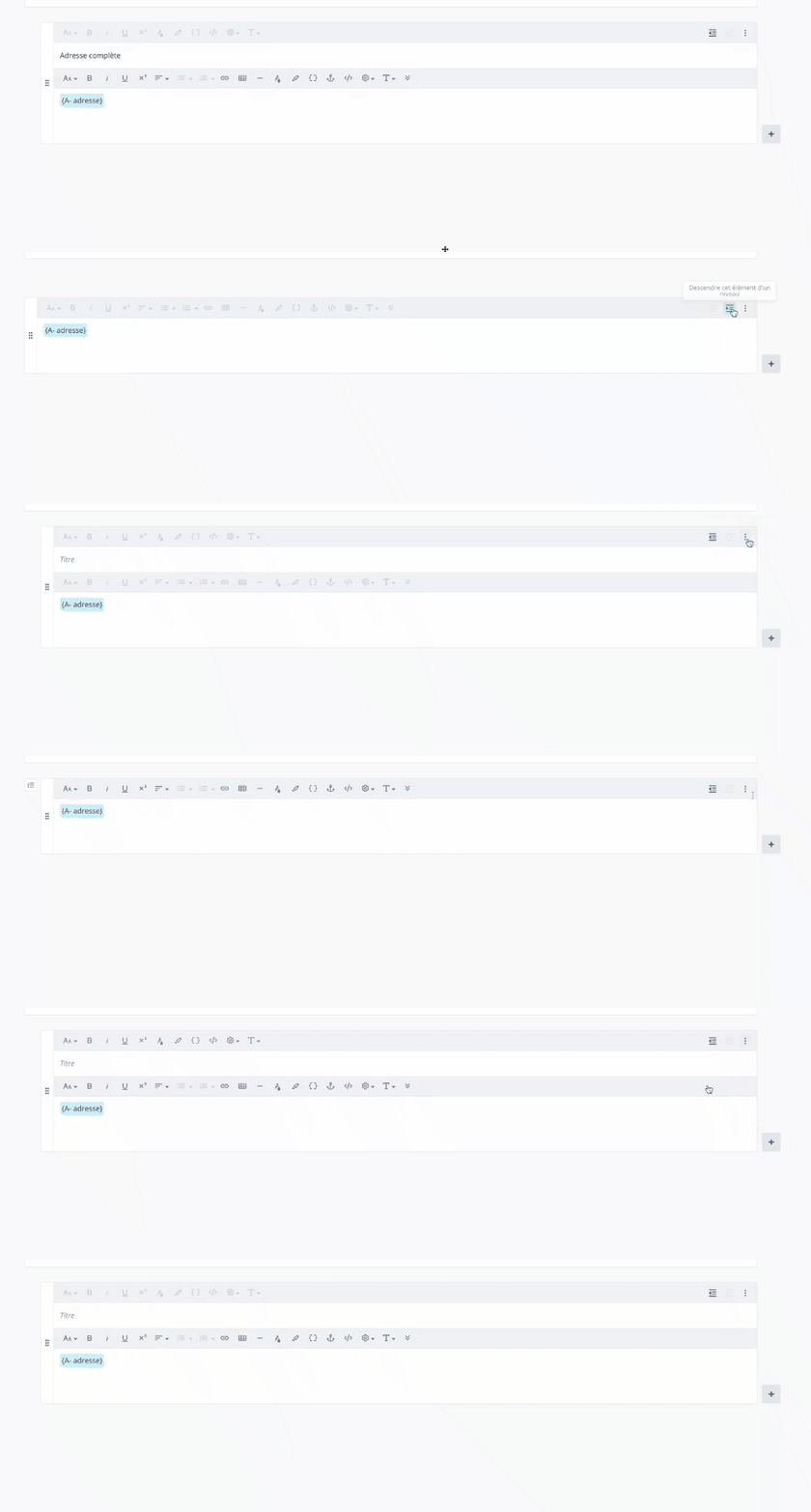
-
Then, click Save.

Note: The Save button appears when a change is made to the clause. The Cancel button cancels the changes made to the clause.
Paragraph indentation
Numbered paragraph
To learn more about drafting features
Read the following articles to learn more about the drafting features available to draft a clause.
https://edilexpro.atlassian.net/l/c/GvMkpe8U
Modify a published clause
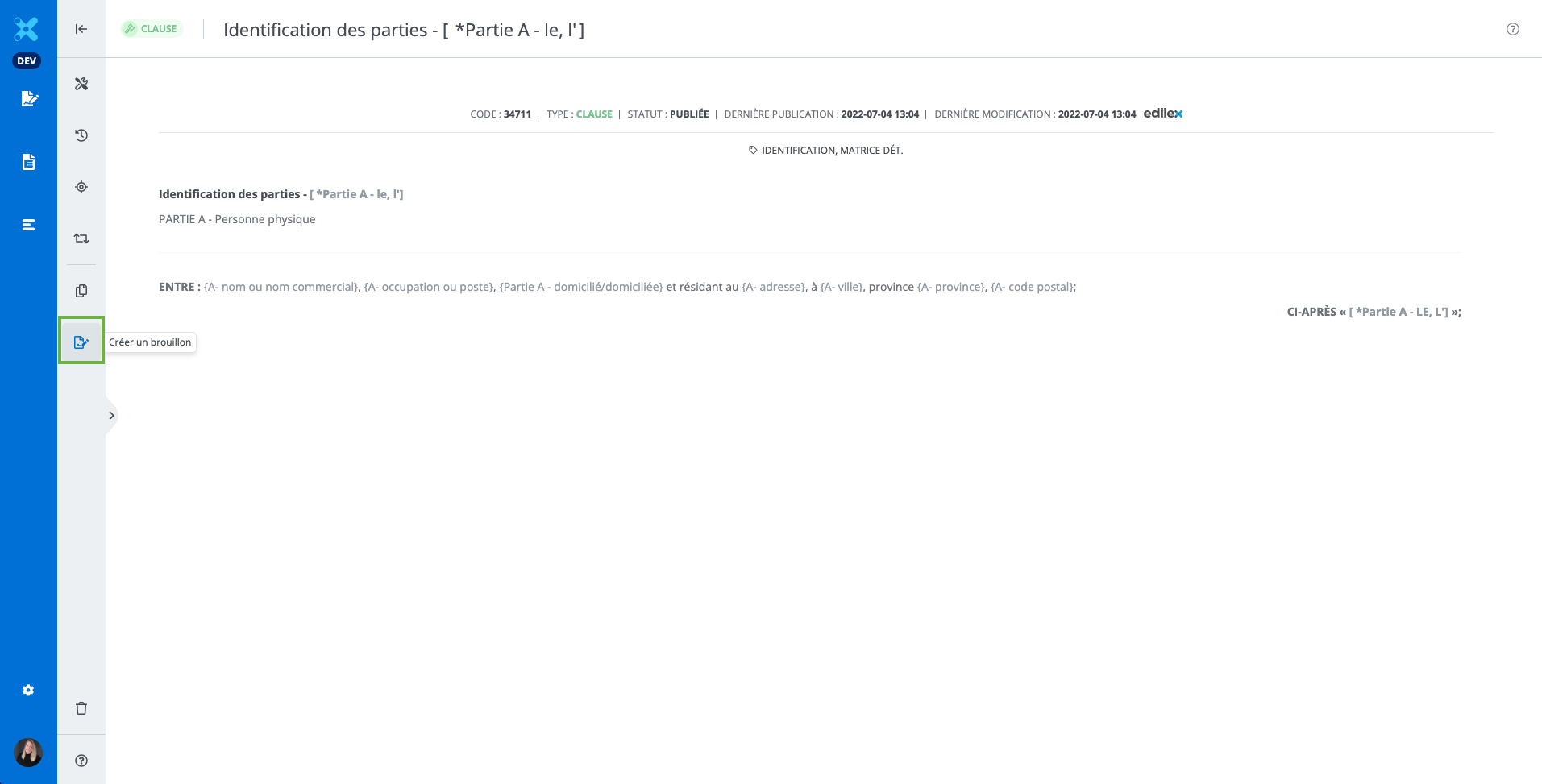
If the clause is published and does not have a draft: Click Create a Draft in the toolbar. This creates a draft of published version of the clause.
Important Notice
-
If the edited clause is published, it is essential to replace the old version with the new one in all templates where it appears. See the section Updating Content in a Template.
-
It is possible to obtain different numbering levels depending on the structure of the clause and where it will be added within the template or document.
-
It is possible to delete the draft version of a clause without affecting the published version.