
Description of the Feature
Properties allow you to assign tags to a clause and add a description to it. Tags and the description are useful when searching for the clause, as they make it easier to locate.
-
Tags make it possible to provide more details about the use of a clause.
-
The description makes it possible to distinguish between alternatives or to clarify the content of a clause that is not an alternative to another.
Access to Feature
Click on Properties in the features bar.
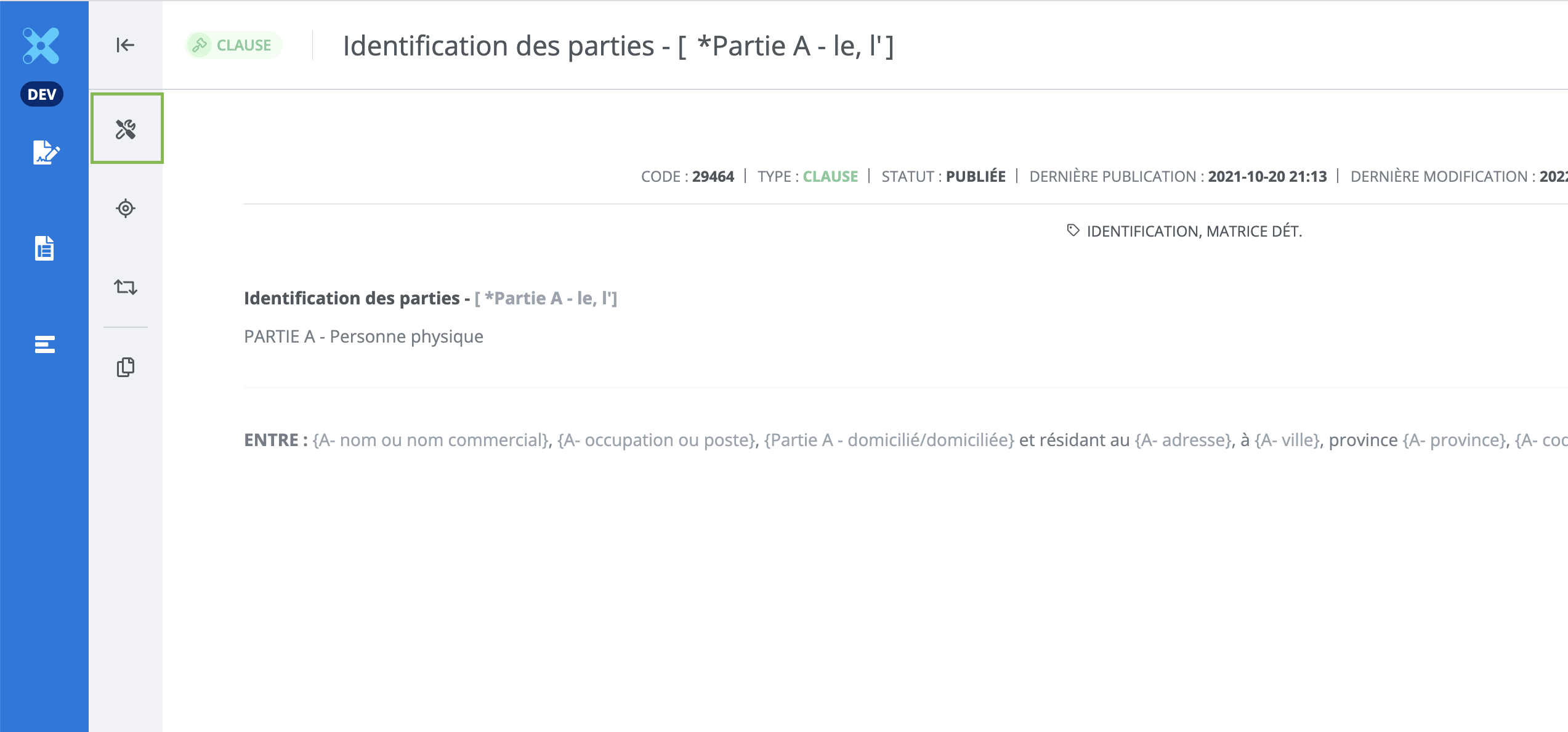
Properties Window
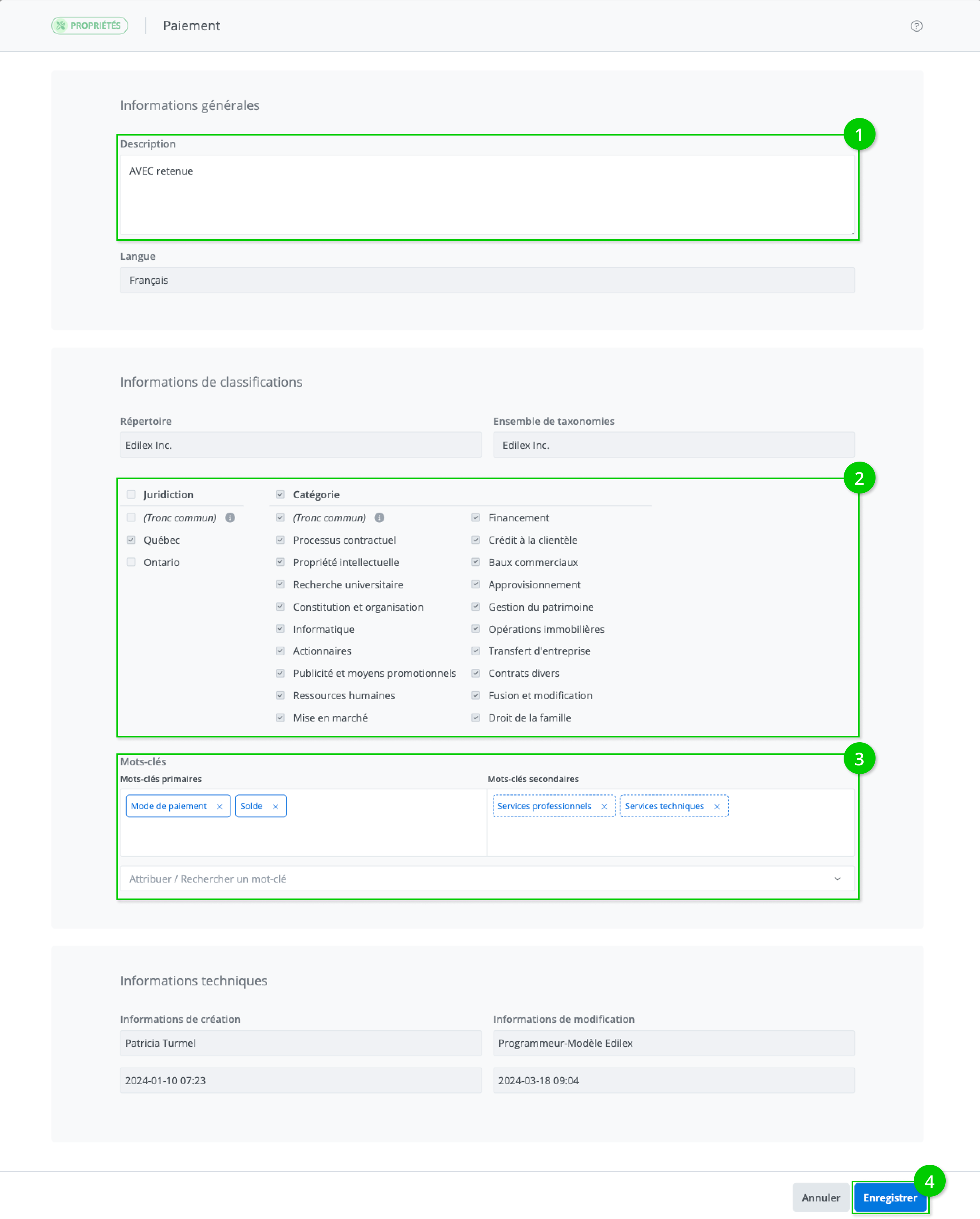
It is possible to modify the following properties for a clause:
-
Description: editable for a published and draft clause
-
Taxonomies: editable for a draft clause
-
Tags: editable for a published and draft clause
After making changes, you can save them by clicking the Save button (4).
Assign taxonomy values to the clause
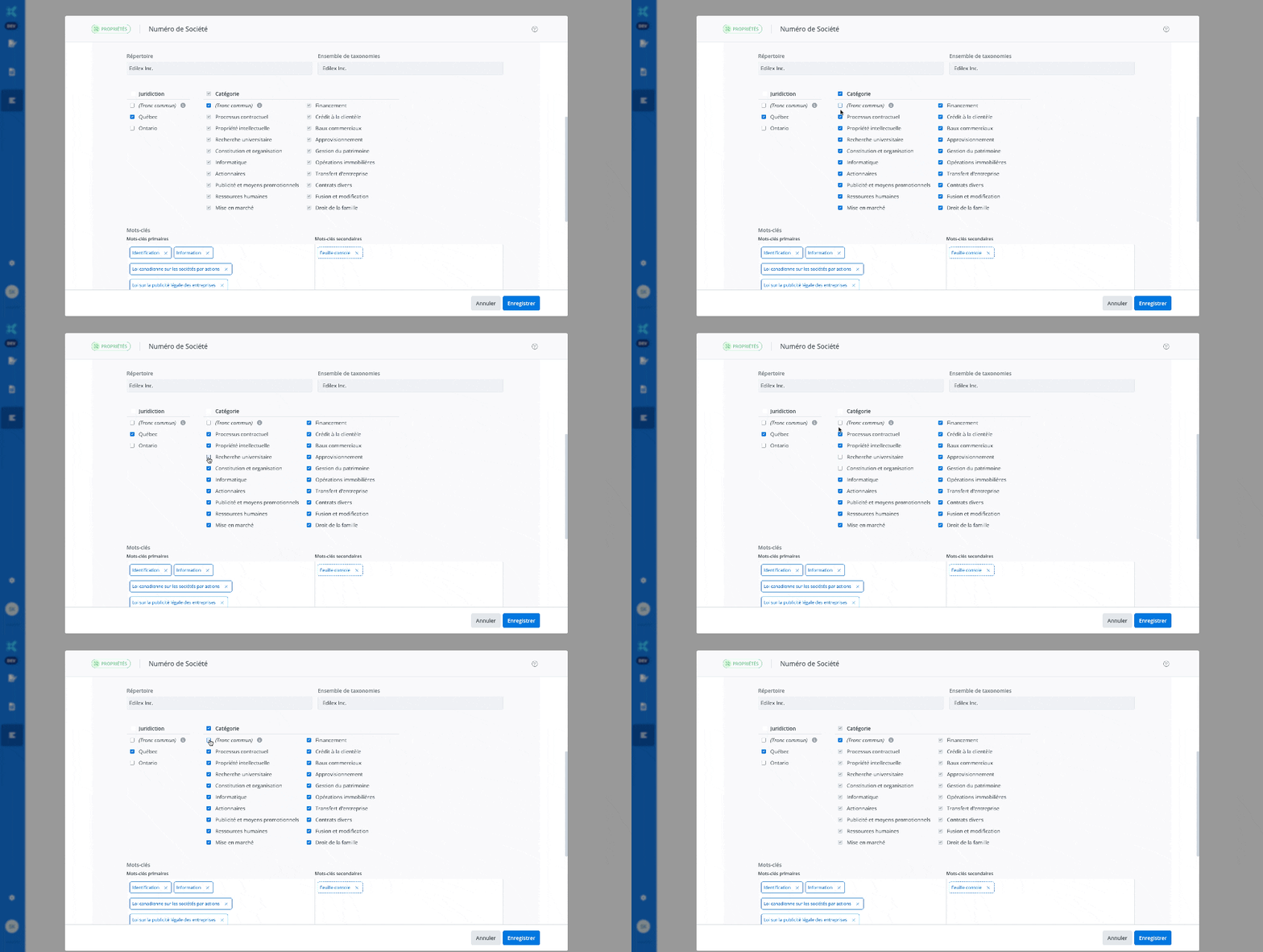
For a draft clause, it is possible to modify the selection of taxonomy values assigned to the clause.
-
Taxonomy values are automatically displayed in the drafting language of the clause created.
-
It is possible to select and deselect taxonomy values by clicking the checkboxes.
-
The Common core option allows the clause to be associated with all present and future values of the taxonomy.
-
It is mandatory to assign at least one value from each taxonomy to the clause.
Add and move tags
-
Tags are automatically displayed in the drafting language of the created clause.
-
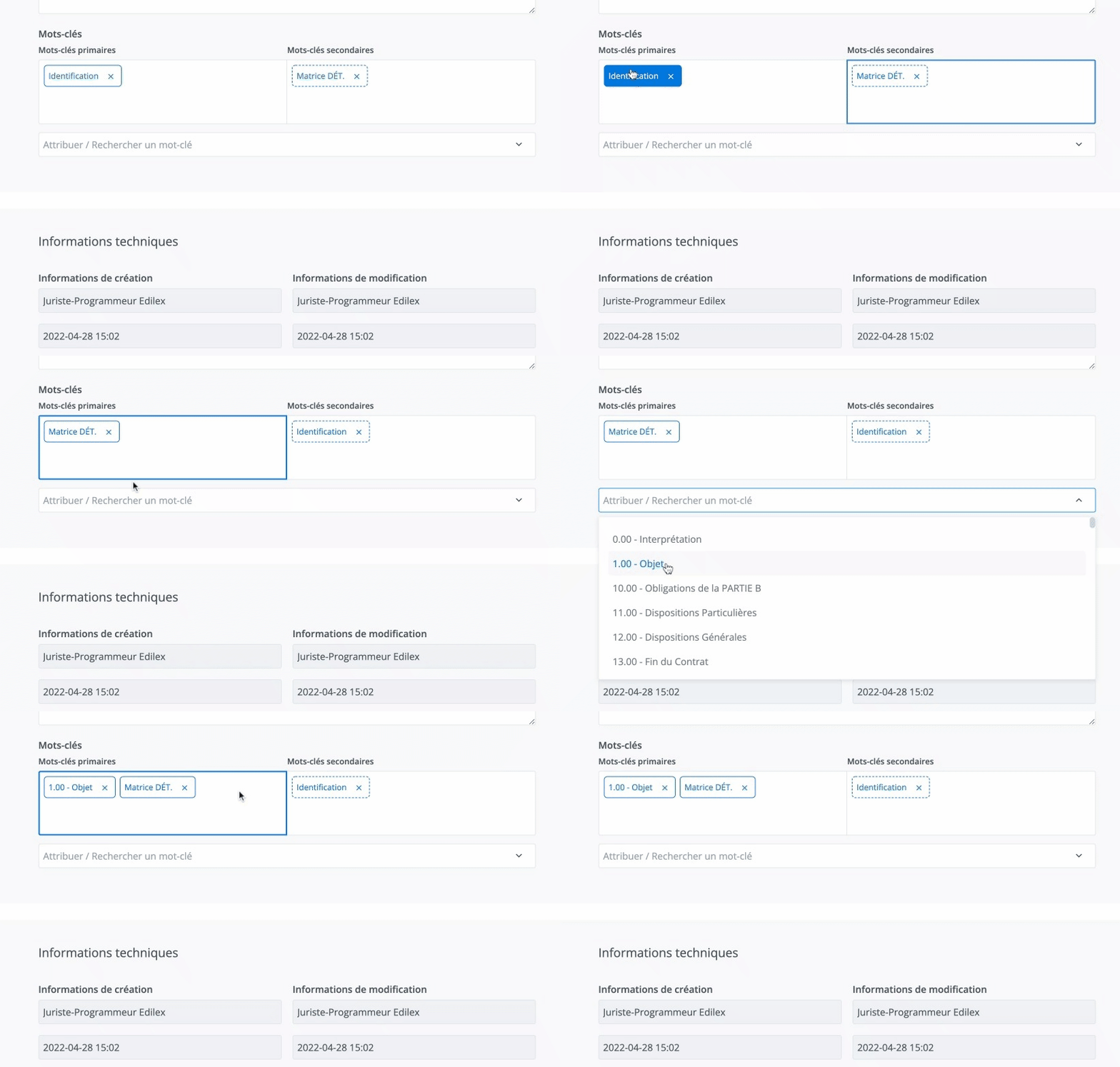
There can be up to four primary tags and about a hundred secondary tags.
-
It is possible to move primary or secondary tags using the drag-and-drop function.
Important Notice
-
The clause properties also provide information about its creation and most recent modifications.