
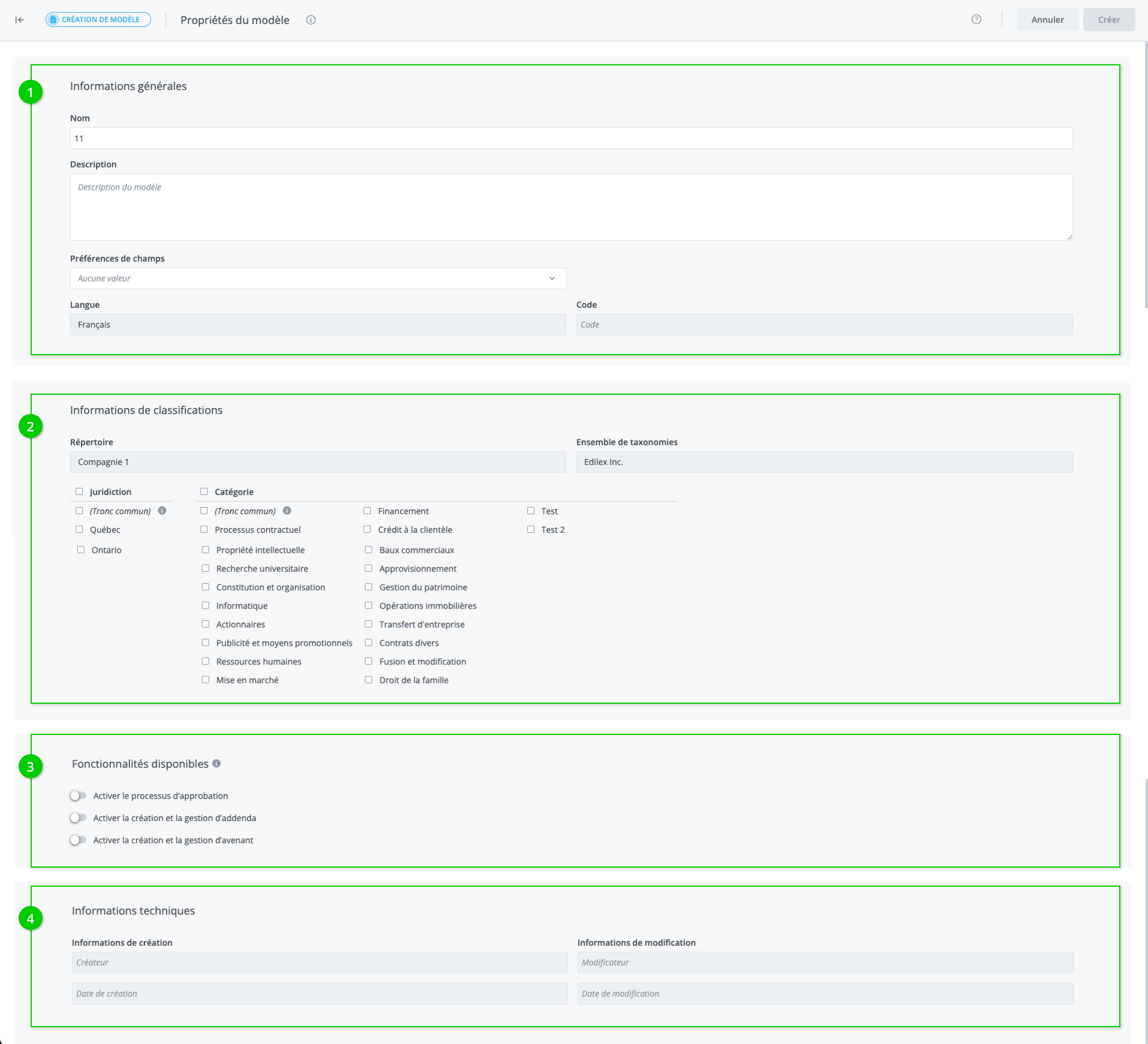
Allows you to view and assign a template's properties. The window is divided into three sections: general information (1), classification information (2), available features (3), and technical information (4).
-
The General information section contains the following information:
-
Name
-
Description
-
Language
-
Code (unique numerical code assigned to each template)
Important Notice
The template's language adapts to the language of the documents contained within it, and only takes the value "bilingual" when there are both English and French documents present.
2. The Classification information section contains the following information:
-
Repository
-
Taxonomy
3. The Available Features section contains the following information:
-
The approval process feature
-
Creation and management of addenda
-
Creation and management of amendments
The features you activate will impact the progress steps of projects created from the template.
For example, if you have access to the approval process feature and you activate it, the approval steps will be added to the project's progress workflow.

4. The Technical information section contains the following information:
-
Creation information (user, date, and time)
-
Modification information (user, date, and time)
Steps to follow to assign template properties
-
Modify the properties as desired
-
Save the modifications.
Warning
The properties are only editable when the template is in draft mode.