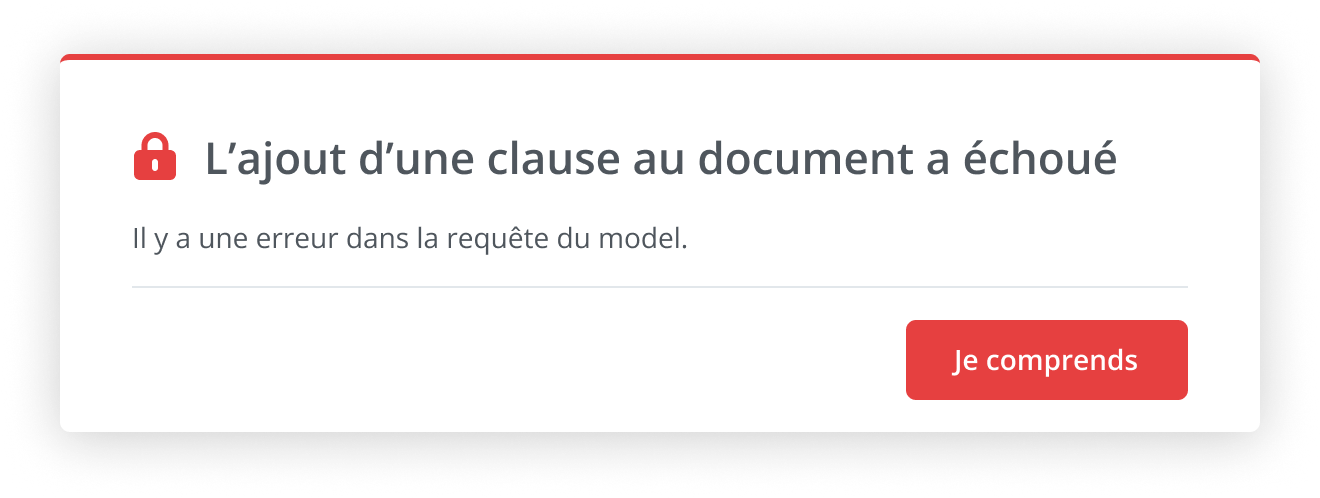
Description of the Feature
Allows a super administrator to improve content indexing and generate error codes to test the application.
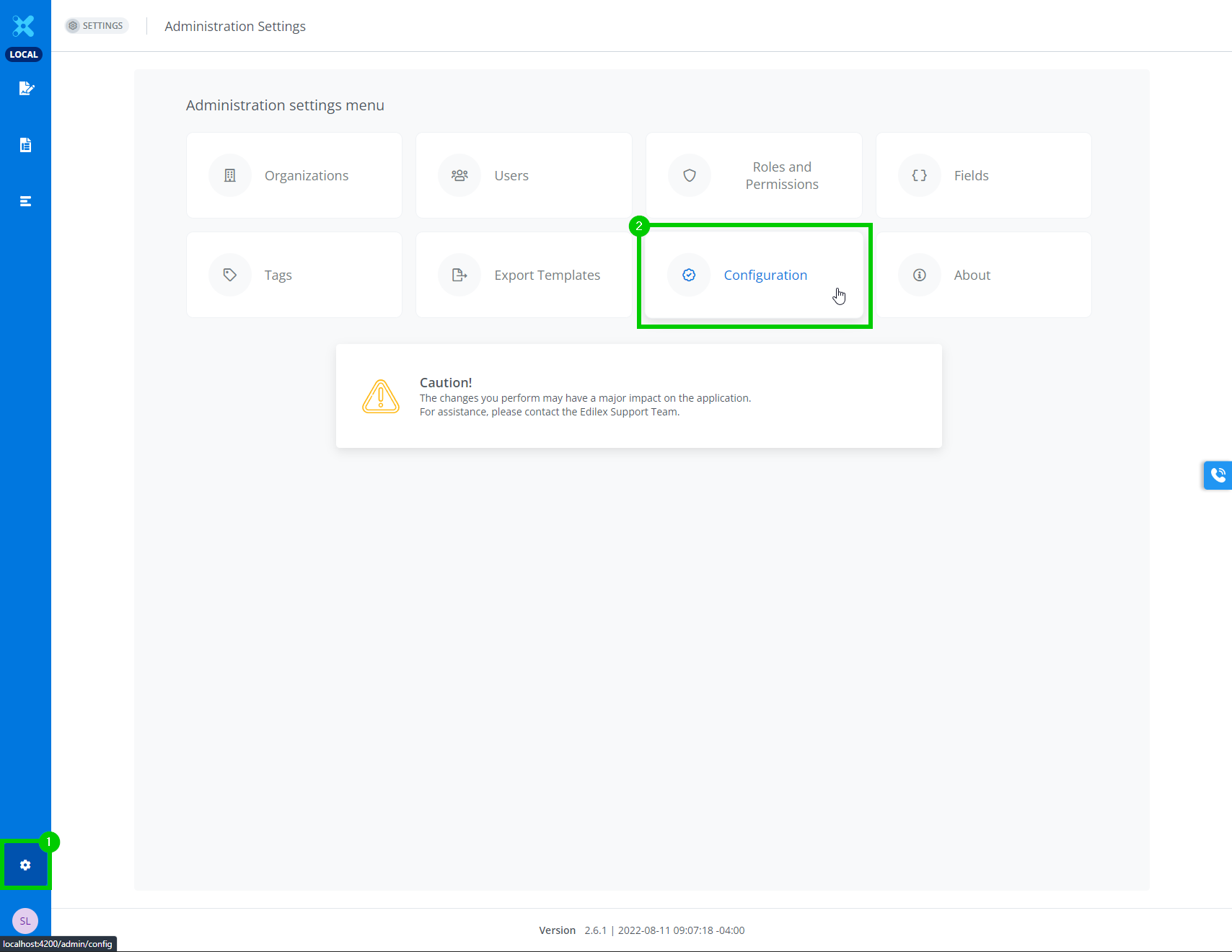
First step, browse to the configuration page.
-
In the main menu, click on Settings.
-
Click on Configuration to access the next page.
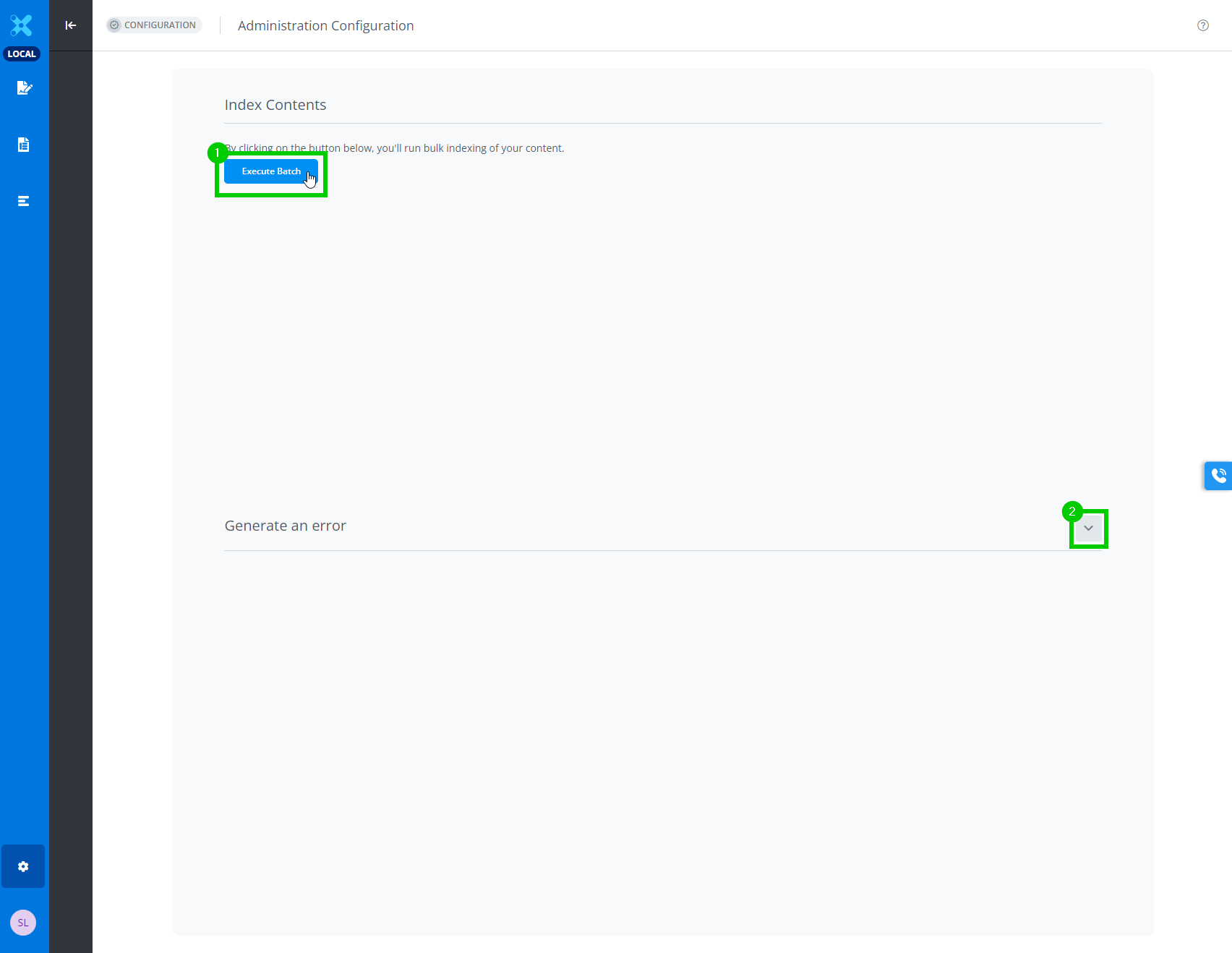
Second step, improve content indexing.
-
Click on Execute batch to reindex content in the application.
-
Click on the toggle button of the drawer for forced error generation.
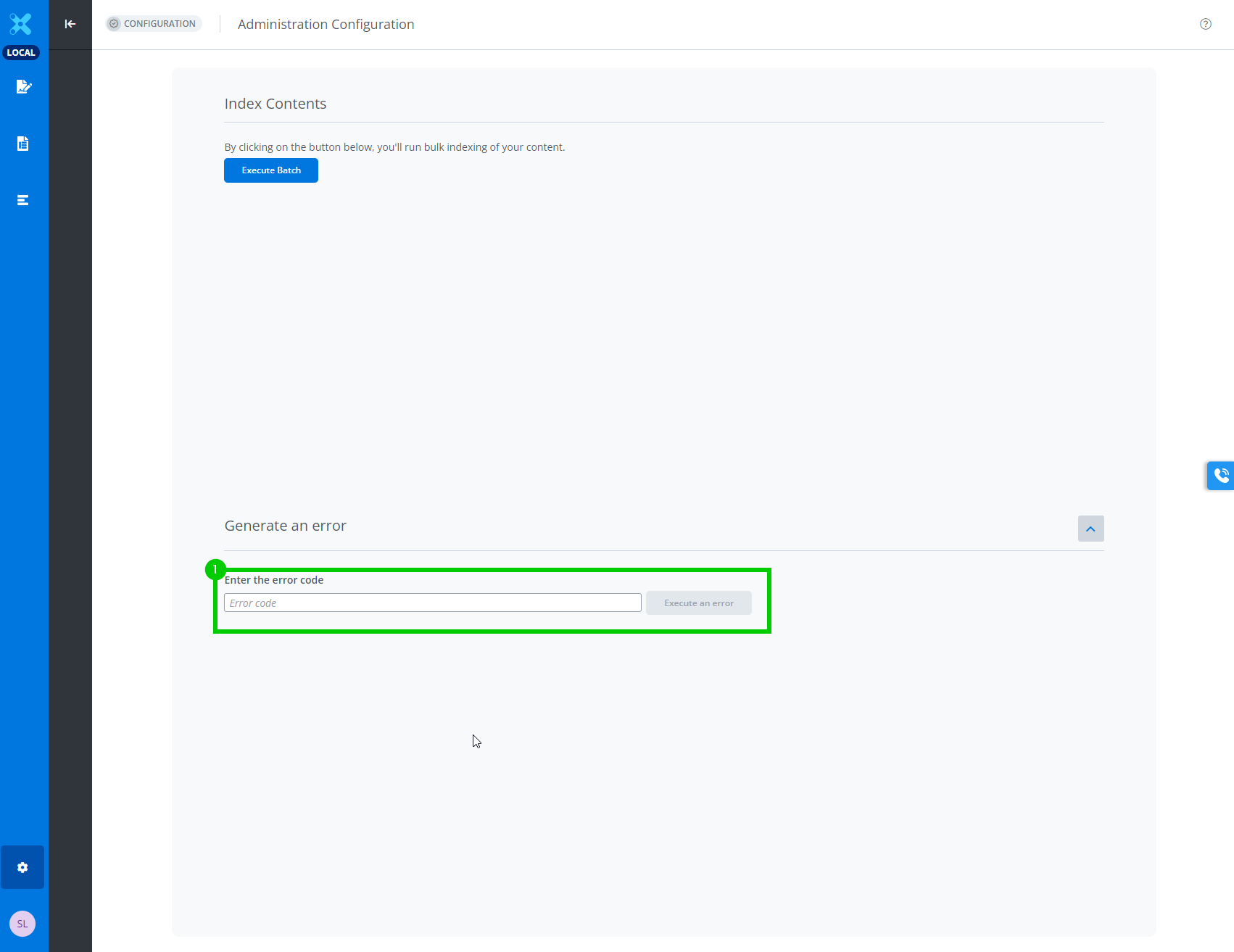
Third step, error generation.
-
Entre the desired error code.
-
Click the error code execution button.