
Description of the Feature
The list of users lets you view all the users in the organization who have a profile in the application.
Access to Feature
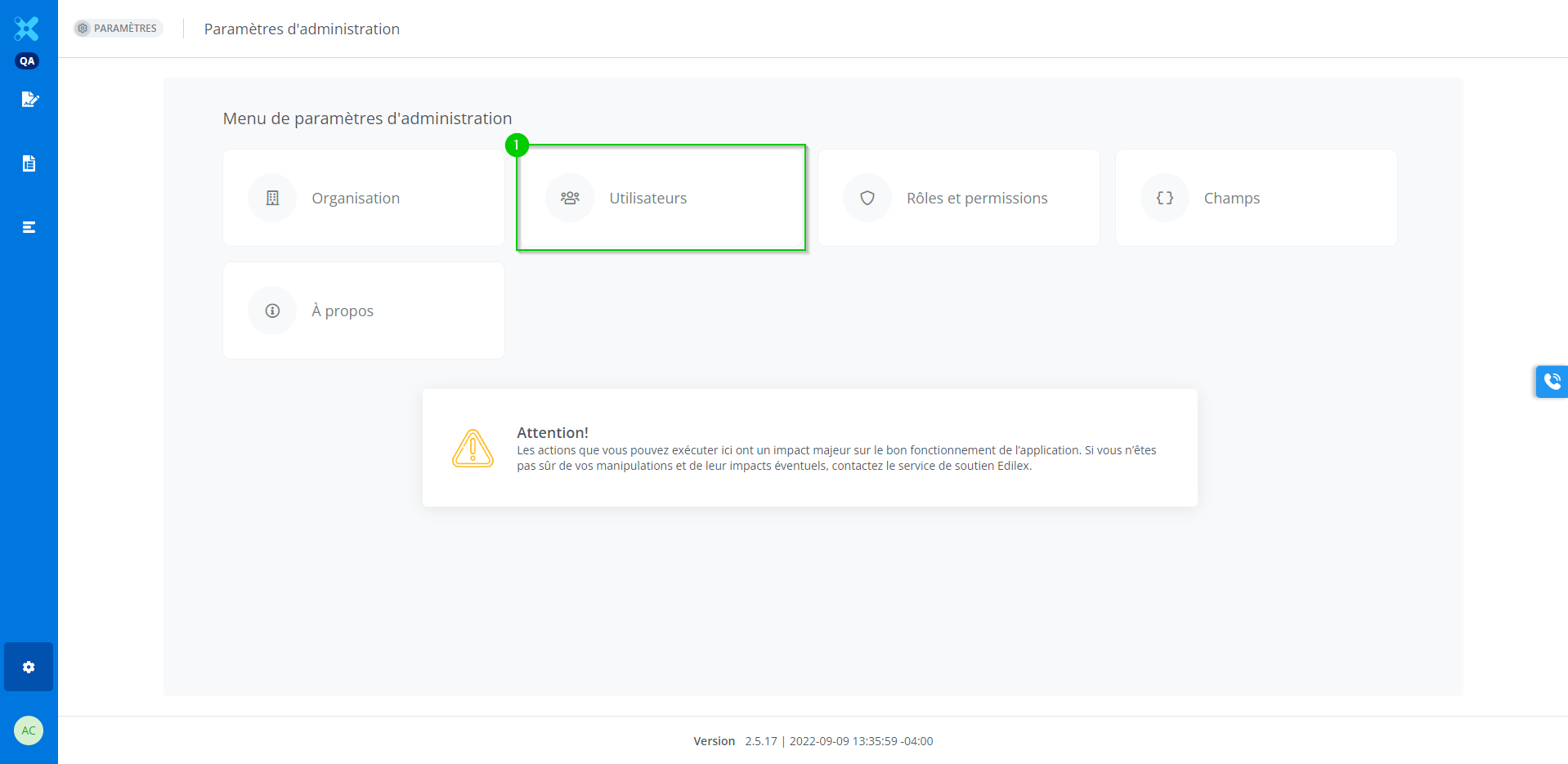
In the Administration settings menu, click Users (1).
Detailed Description of the Feature
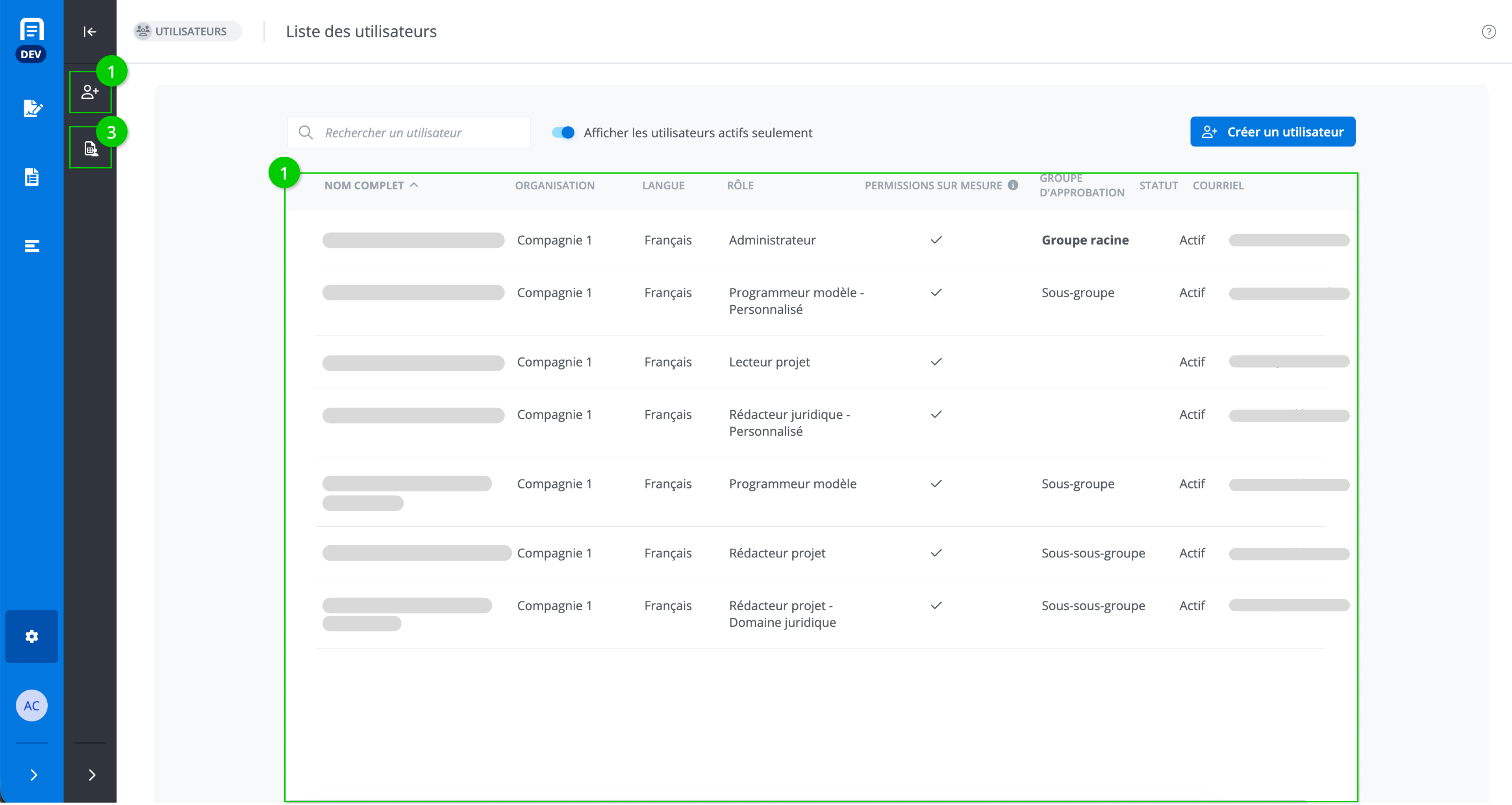
This window displays the list of users found in the application. It includes:
-
The list of users of the application;
-
Create a user;
-
User report.
The list of users of the application
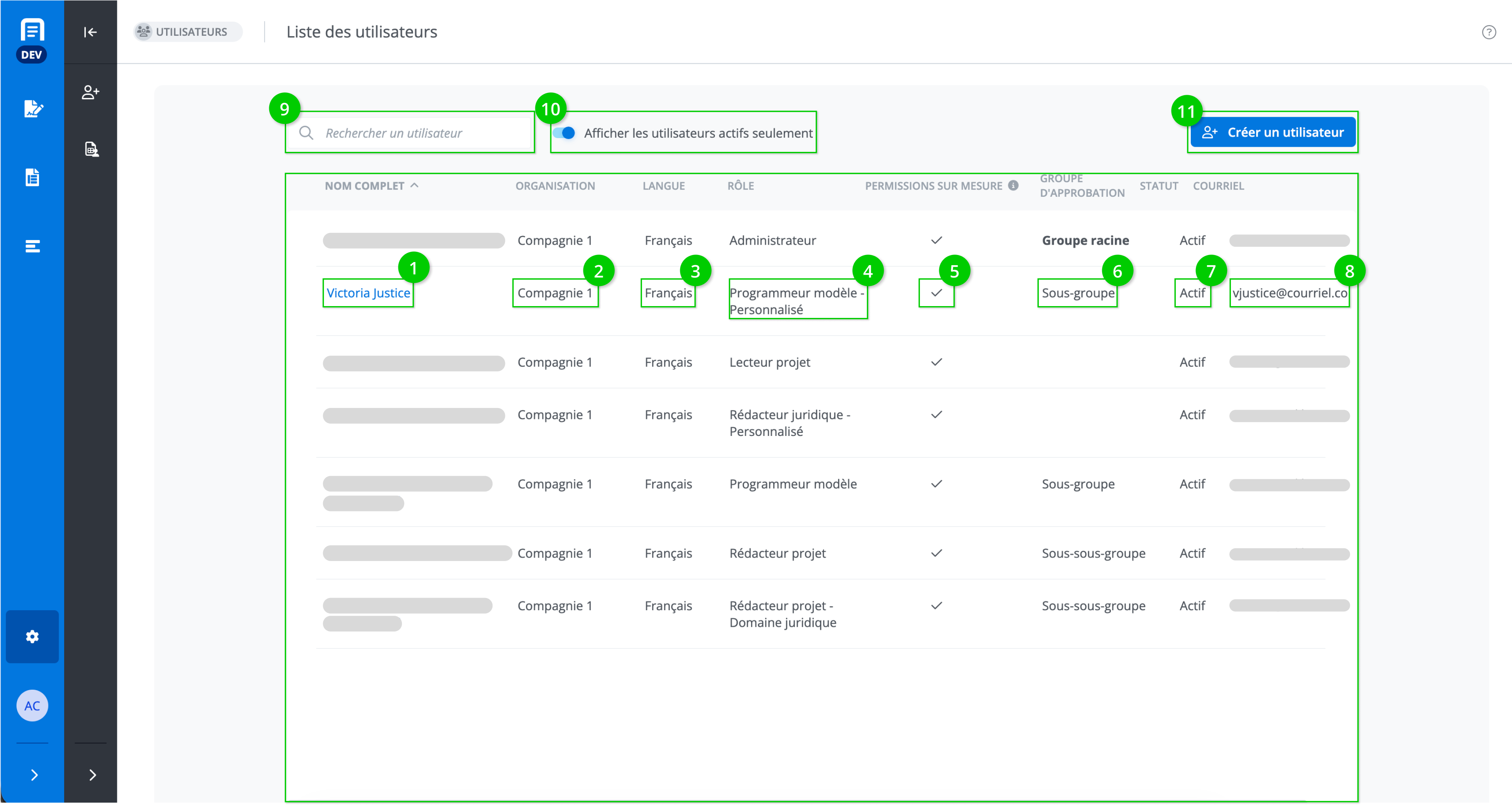
This page displays the list of users registered in the application. The following information is shown for each one:
-
User’s full name;
-
Name of the organization;
-
User's language preference;
-
User's role;
-
Whether the user has custom permissions,
-
The approval group to which the user belongs
-
User's statys;
-
User’s email address;
It is also possible to search for a user (9), display active users only (10), and create a user (11).
Create a User
See https://edilexpro.atlassian.net/l/cp/92ZGa1i4.
Modify a User
See Modify information on a user.