Summary Description of the Feature
This window allows you to view a user's permissions.
Access to Feature
Start from the User Profile window.
Detailed Description of the Feature
This window allows you to view a user's permissions. It contains the following information:
-
The user's role
-
The user's permissions
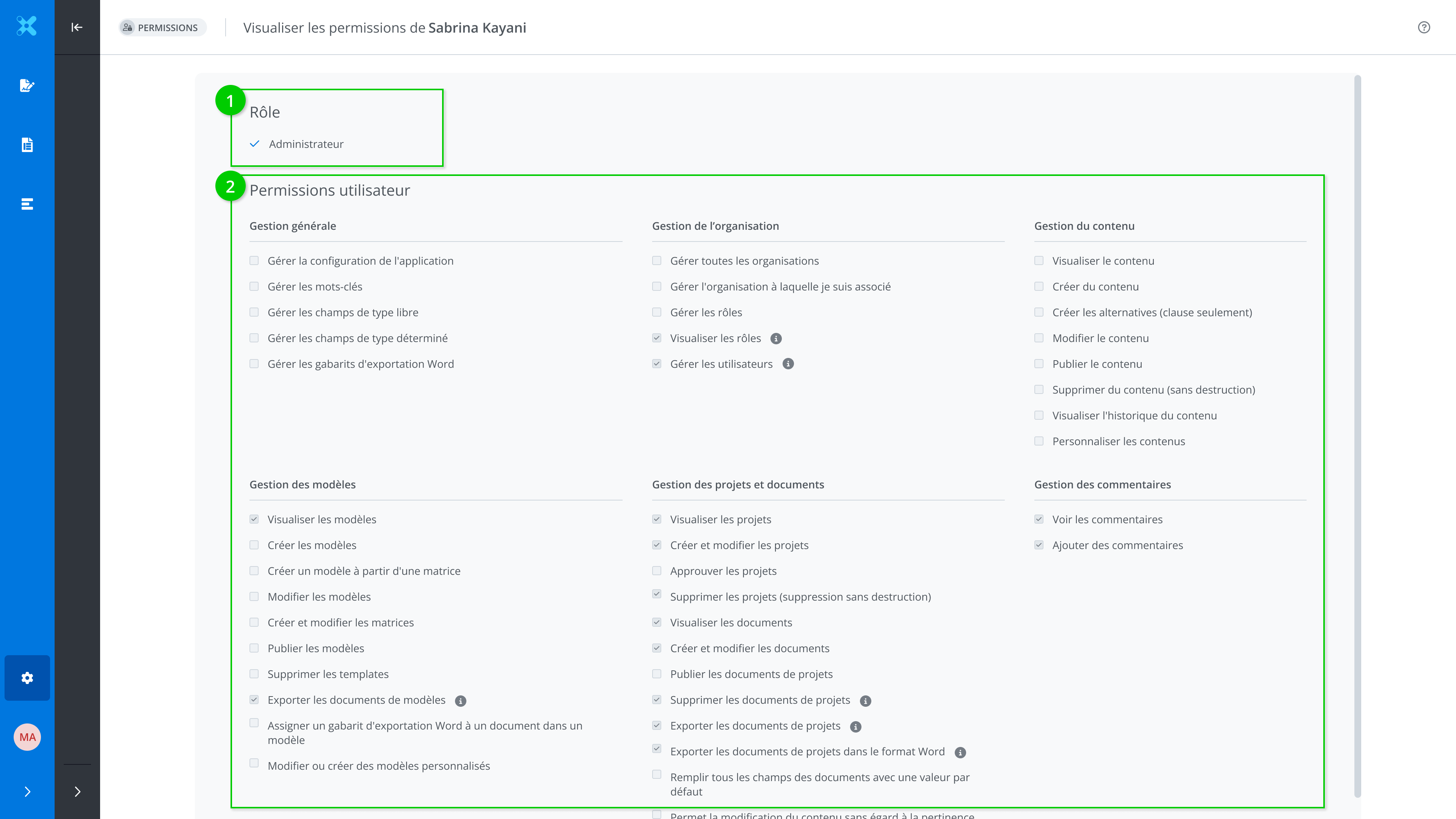
Only the System Administrator can modify the permissions of a user.
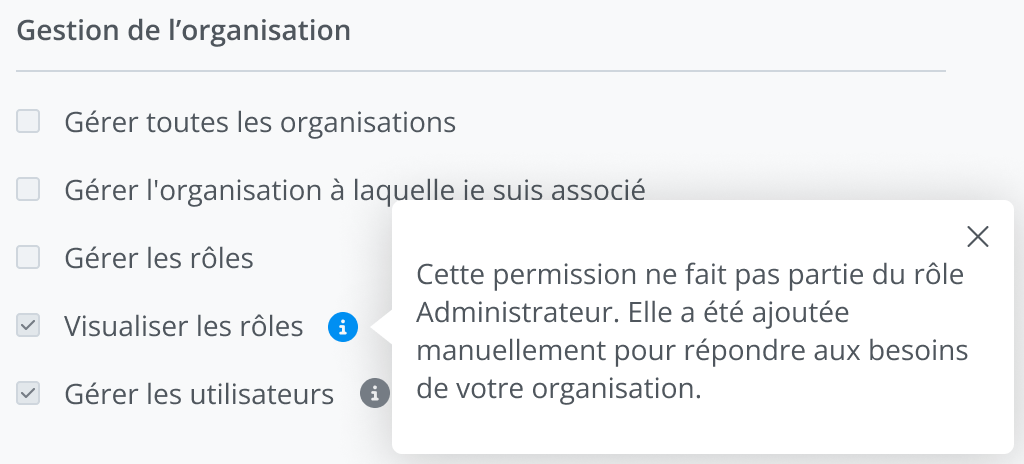
Manually added permissions
Some permissions are not part of the role assigned to you. They are added manually to meet the organization's specific needs. These permissions are indicated by a tooltip.