
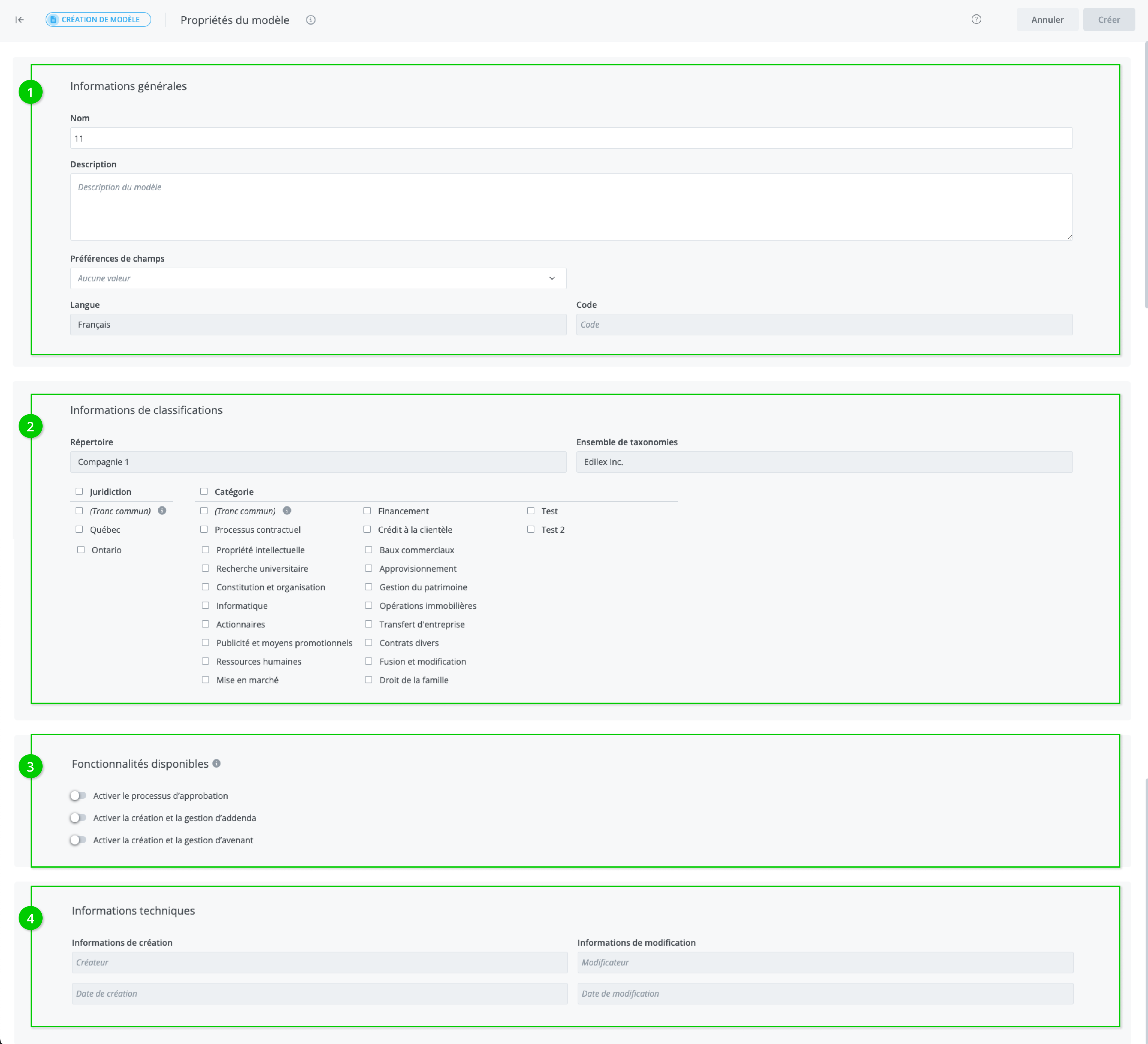
Allows you to view and assign a template's properties. The window is divided into three sections: general information (1), classification information (2), available features (3), and technical information (4).
-
The General information section contains the following information:
-
Name
-
Description
-
Language
-
Code (unique numerical code assigned to each template)
2. The Classification information section contains the following information:
-
Repository
-
Taxonomy set and values
3. Available features
-
Contract management
-
Creation and management of addenda
-
Creation and management of amendments
-
The Technical information section contains the following information:
-
Creation information (user, date, and time)
-
Modification information (user, date, and time)
Steps to follow to assign template properties
From an existing template:
The properties of the existing template are copied when the new template is created, but they are editable.
-
Enter a Name (required)
-
Enter a Description (required)
-
Select a Category (optional)
-
Select a Jurisdiction (optional)
-
Click on Create.
From a blank template:
-
Enter a Name (required)
-
Enter a Description (required)
-
Select the drafting Language (required);
-
Select the Taxonomy values (required)
-
Click on Create.
Warning
It is possible to add keywords to a template, but only after it has been created. To do so, access the template and click Properties.