
Description of the Feature
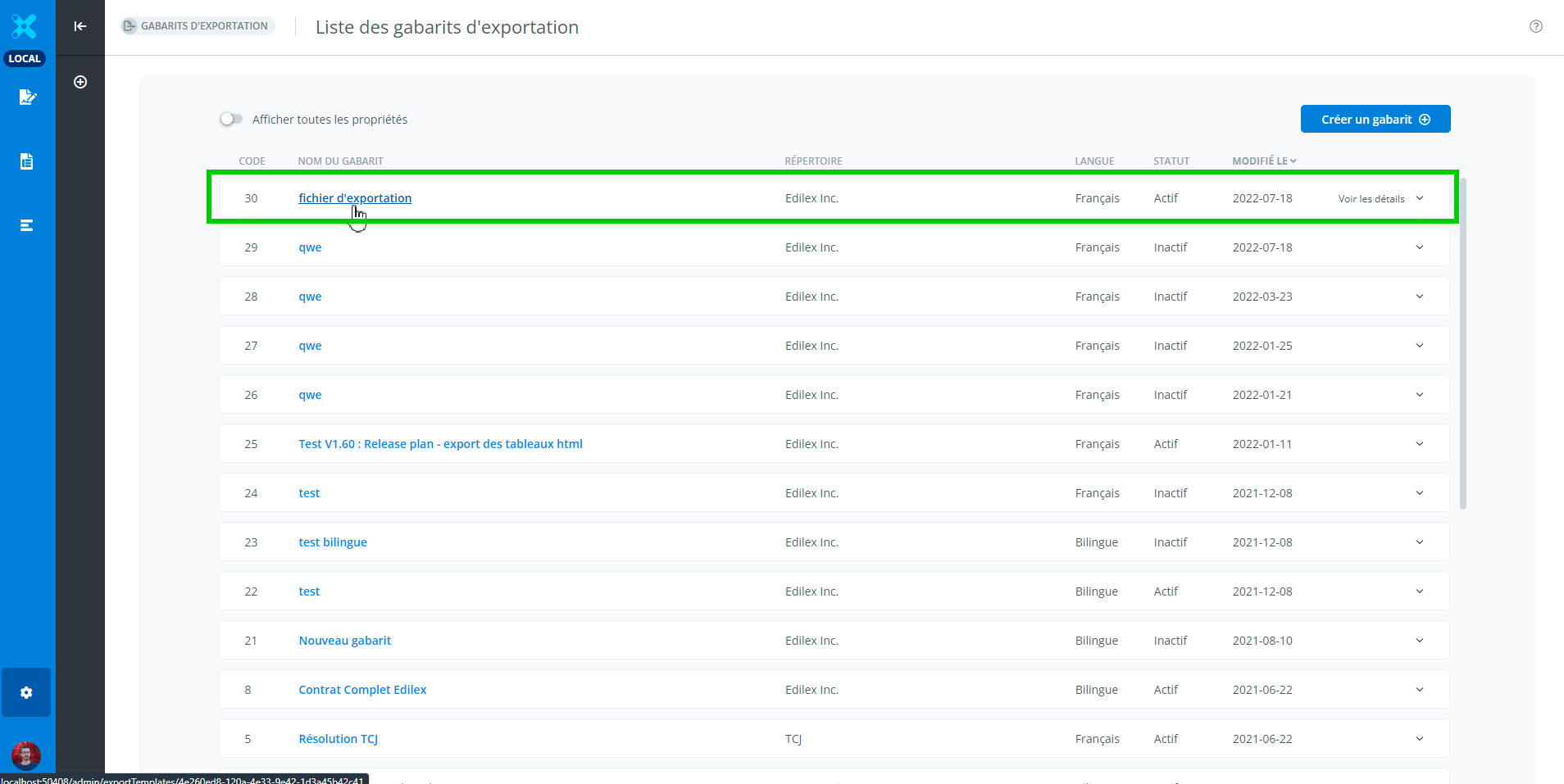
It is possible to edit an export template from the list of export templates.
List of export templates
Export template editing window
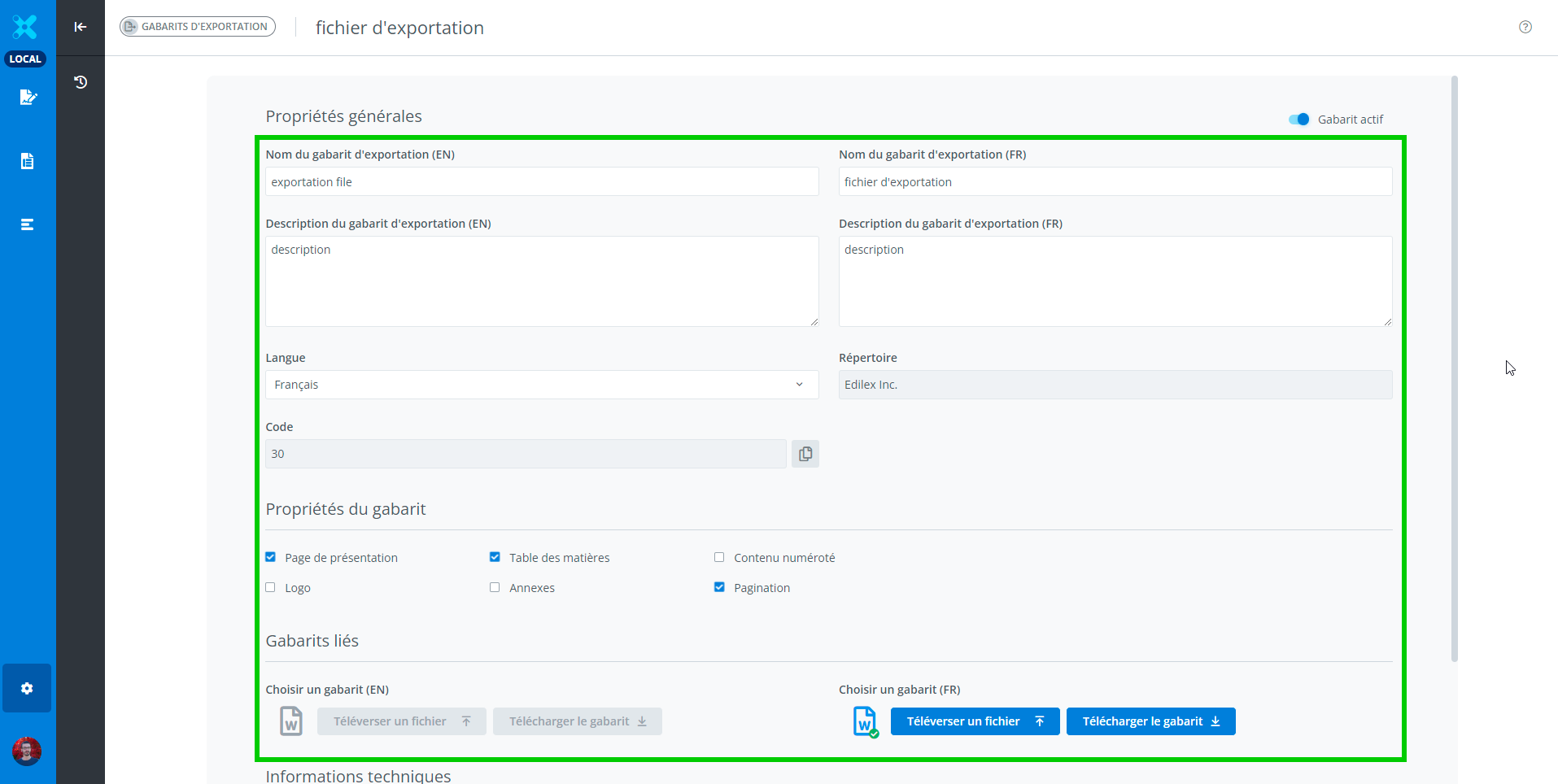
Modify an export template
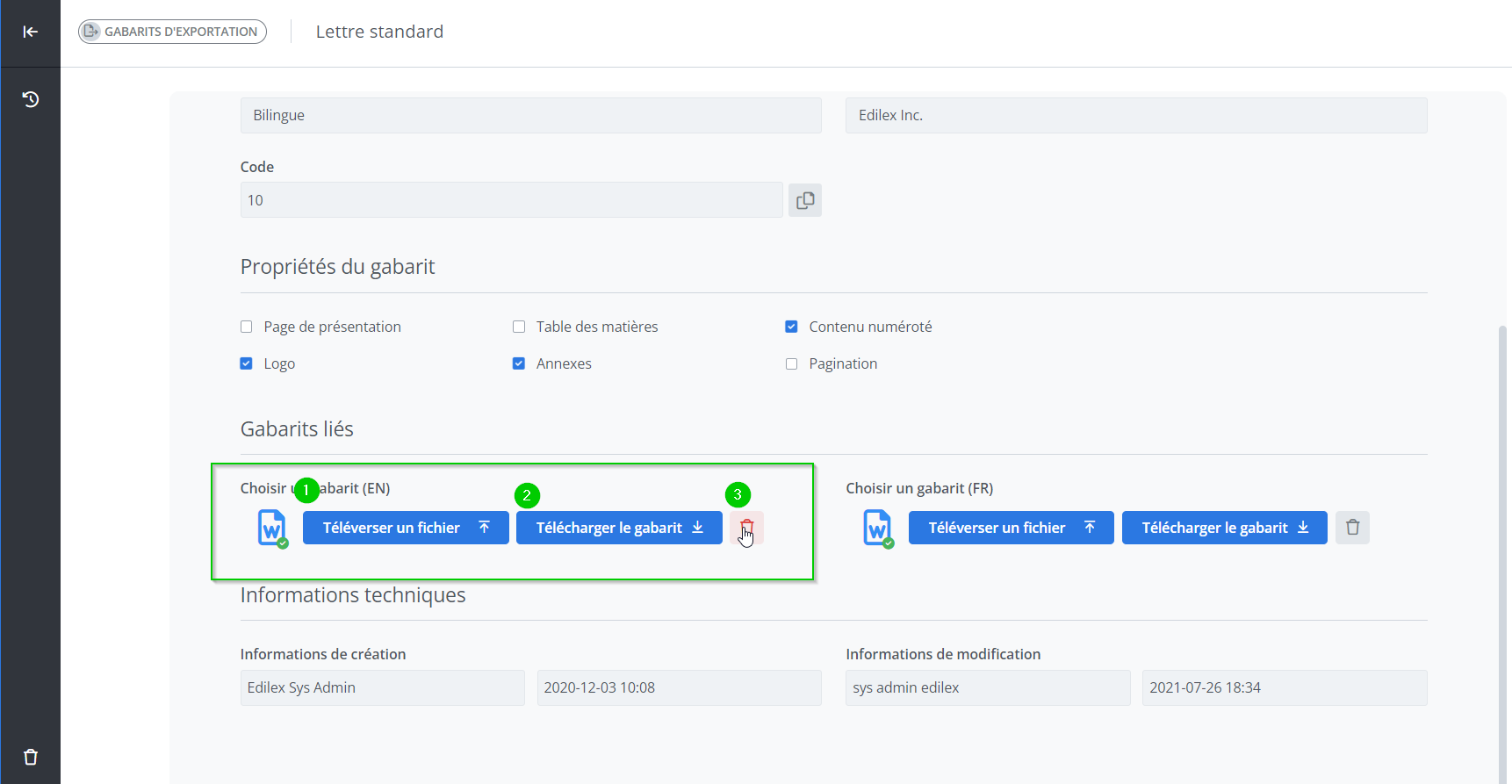
For export purposes, it is necessary to associate a Word template file for each language in which the export template can be used.
-
To associate a file with a template, use the "Upload a File" button (1), which opens a window to select a file.
-
It is possible to download the template associated with the export template using the "Download Template" button.
-
It is possible to delete a template file associated with an export template at any time by clicking the trash icon. No validation is performed before deleting a file.
Important Notice
-
Not all information about the export template is editable.
-
After modifying the information, the save and cancel buttons appear in the top right corner of the window.
-
The repository cannot be modified after creation.
Who can use this feature?
✅ Template Programmer Profile
✅ Template Programmer Profile - Customized
Legal Drafter Profile
Legal Drafter Profile - Customized
Corporate Drafter Profile
Reader Profile