
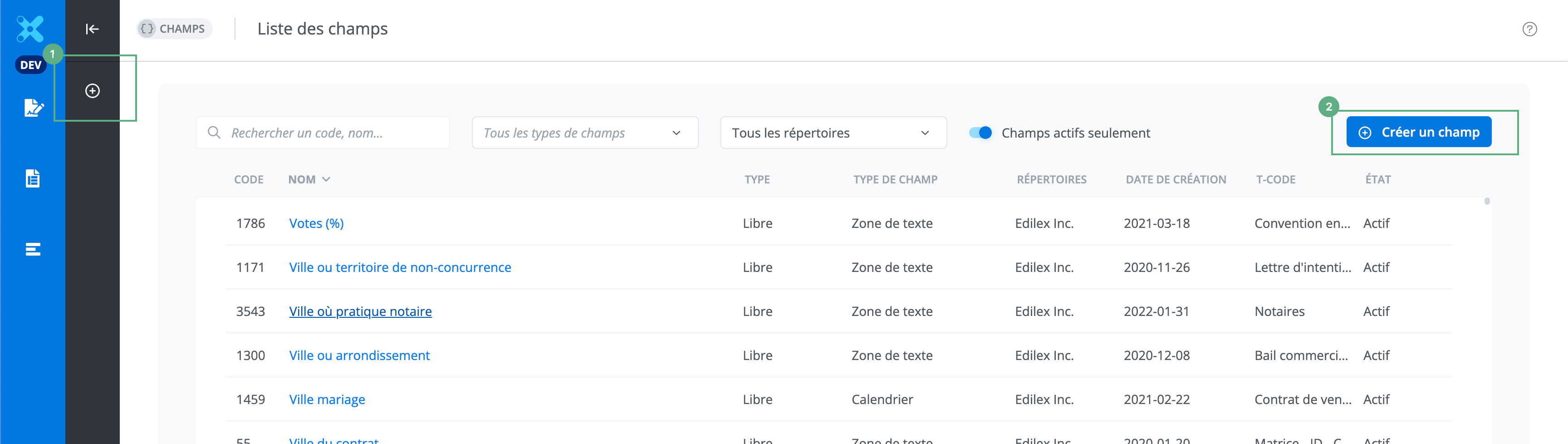
To create a field, click on the + (1) or Create a field (2), which opens a page for entering the information for the new field.
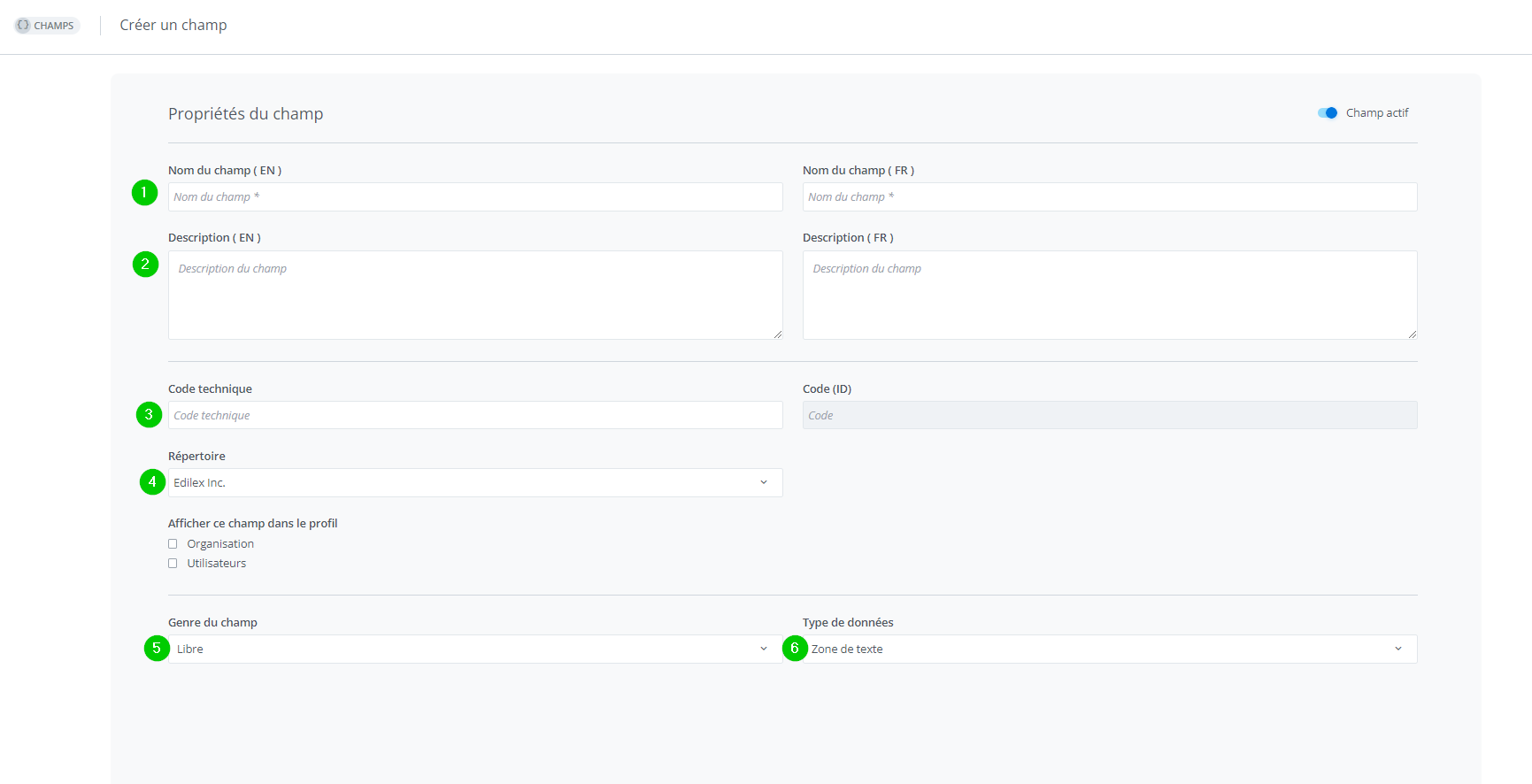
The mandatory information for creating a field is the field name in French and English (1), the directory in which the field can be used (4), the field's gender (5), and the field's data type (6). It is recommended to add a description (2) in both languages to facilitate drafting, but the description is optional. The technical code (3) can help with field searches.
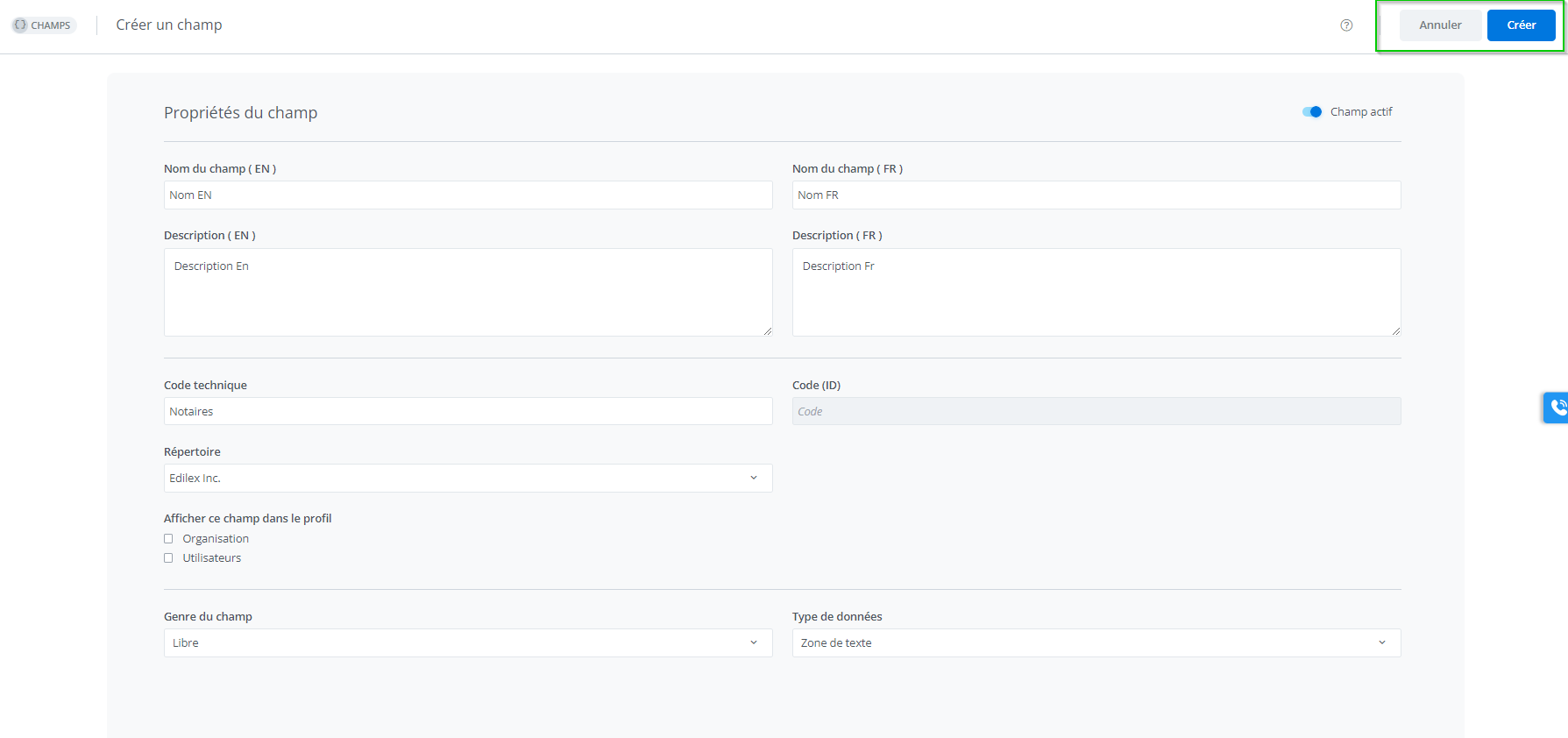
Once the mandatory information has been entered, the "Cancel" and "Create" buttons become available. Clicking "Create" saves the field.
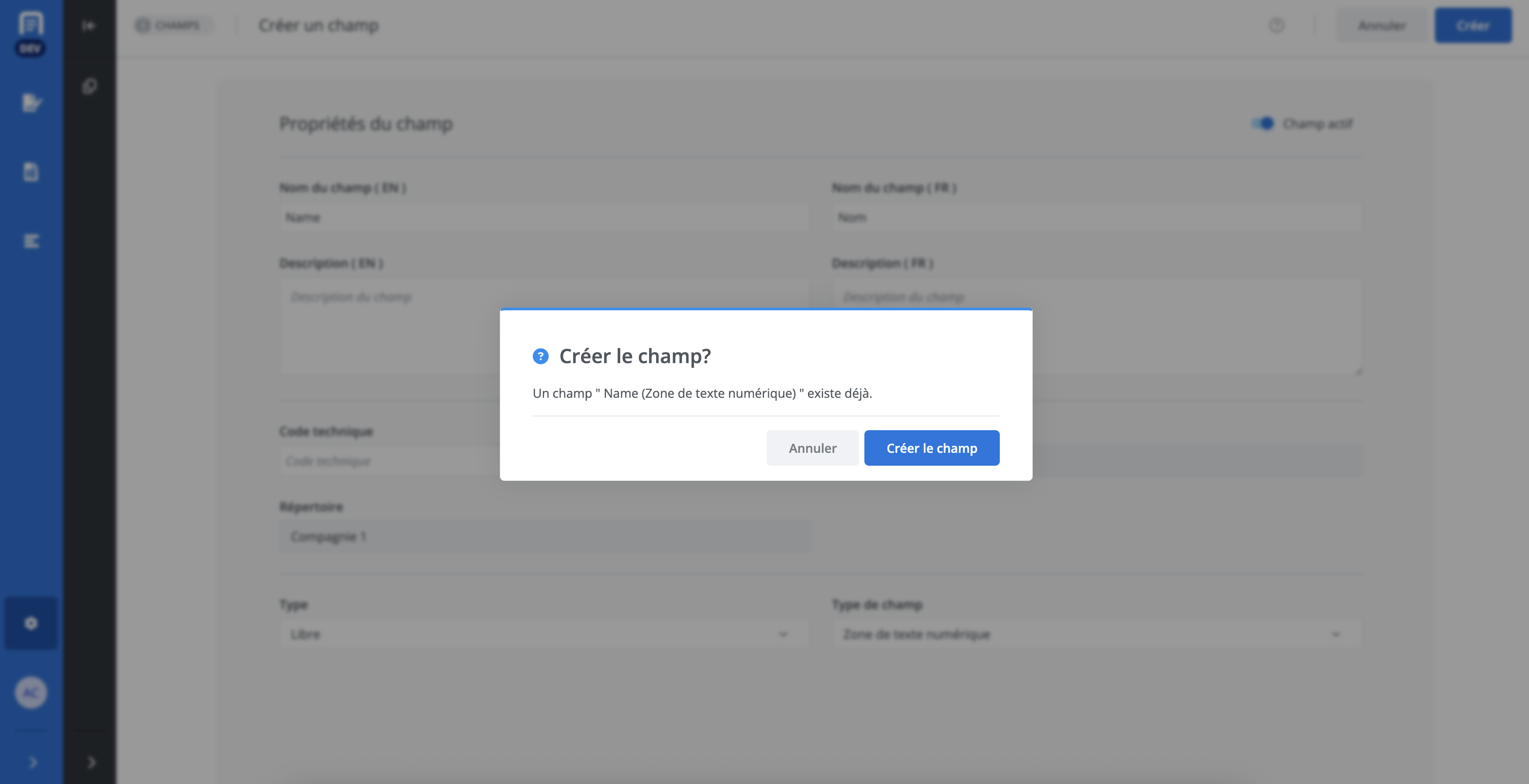
When the name entered in English or French is already used by another field in the directory, a confirmation message appears to indicate the existence of this other field. It is still possible to create it, but it is recommended to avoid creating new fields if it is possible to reuse existing ones.
"Drop-down list” field
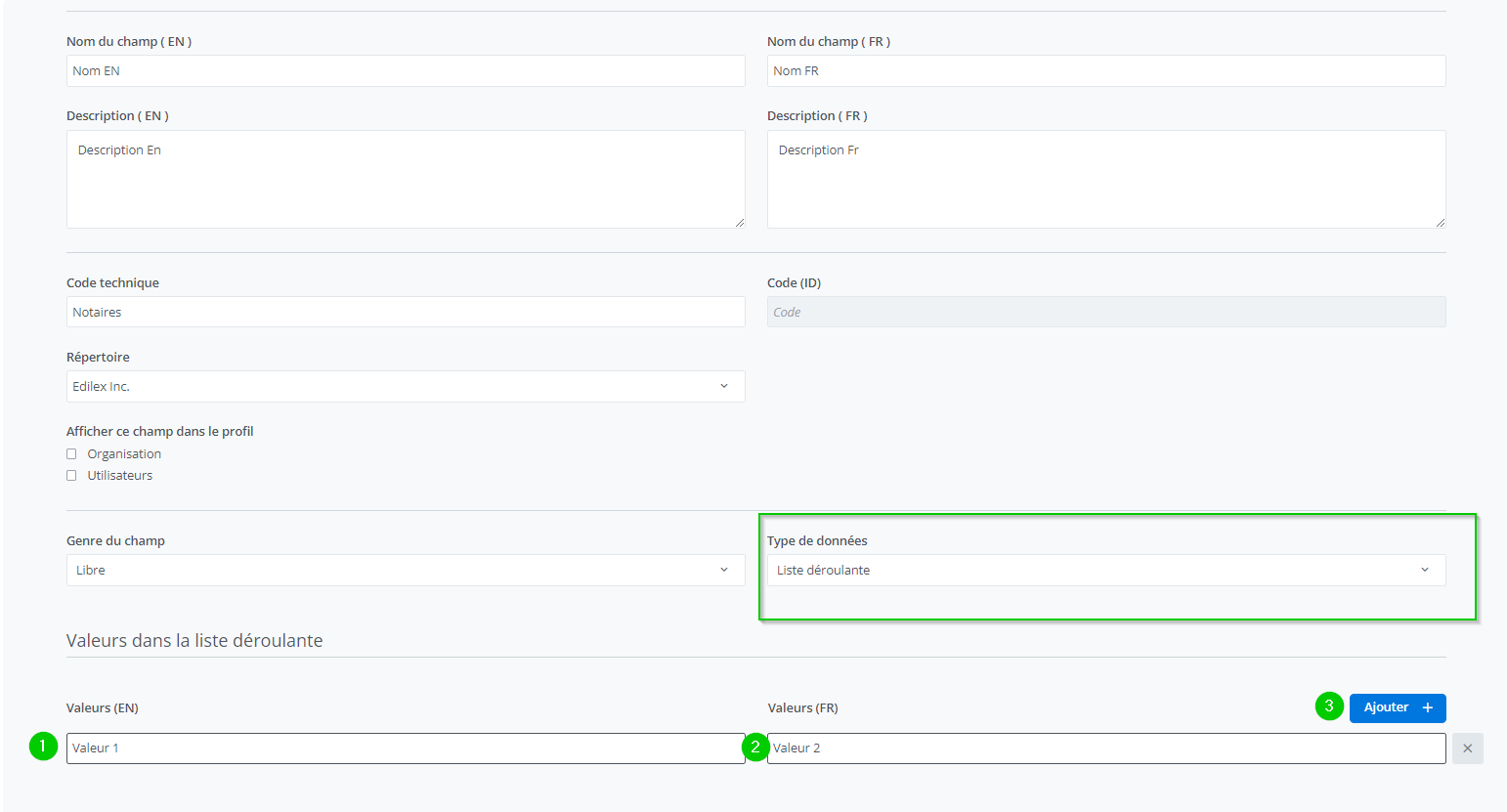
To create a field of type "Drop-down list," you must select "Drop-down list" in the data type. A section for entering the drop-down list values opens at the bottom of the page. You must enter a value in English (1) and a value in French (2). To add a new value, click "Add" (3).
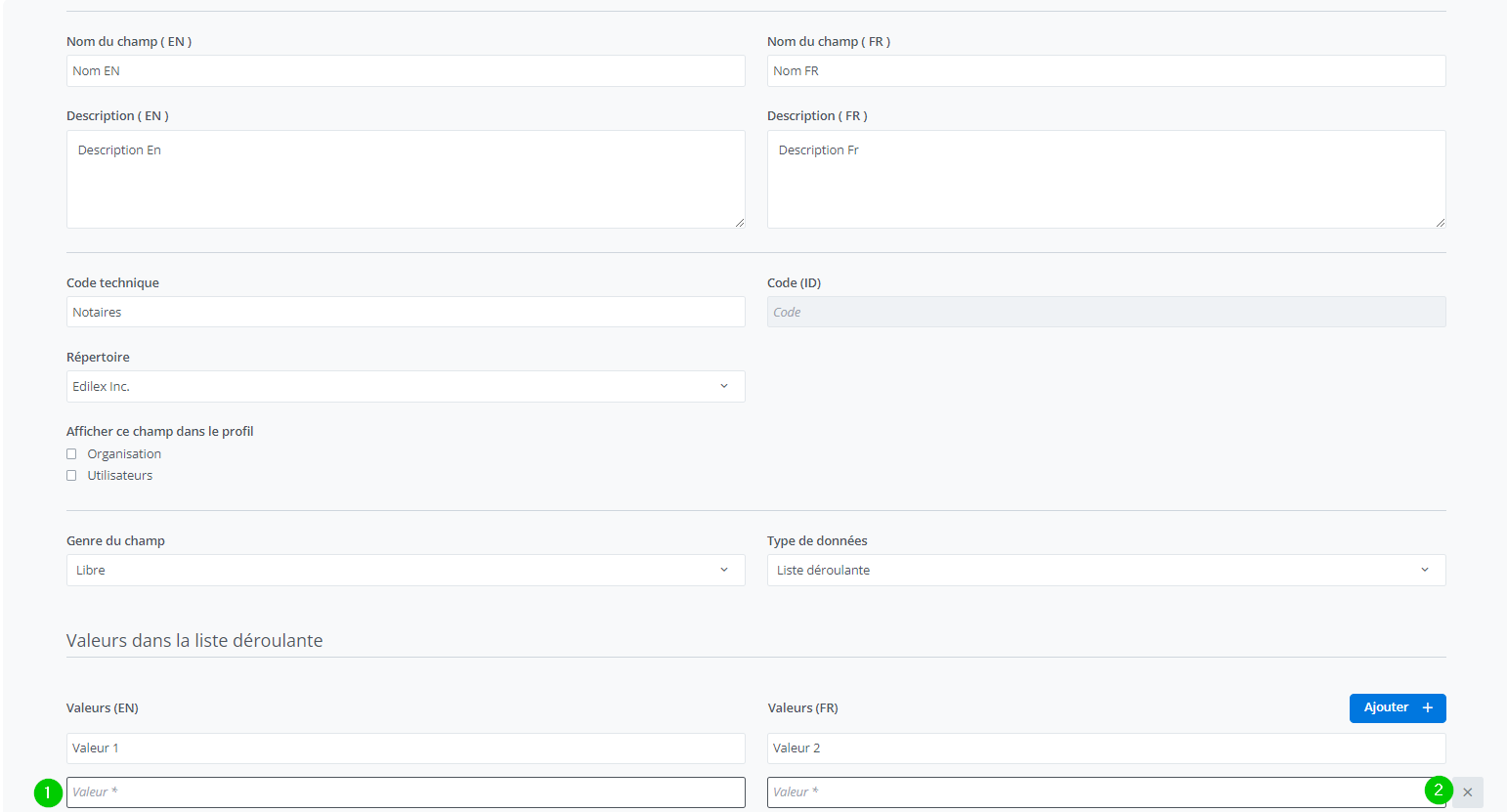
A new value is added below the last entry (1). To remove a value, click on X (2).
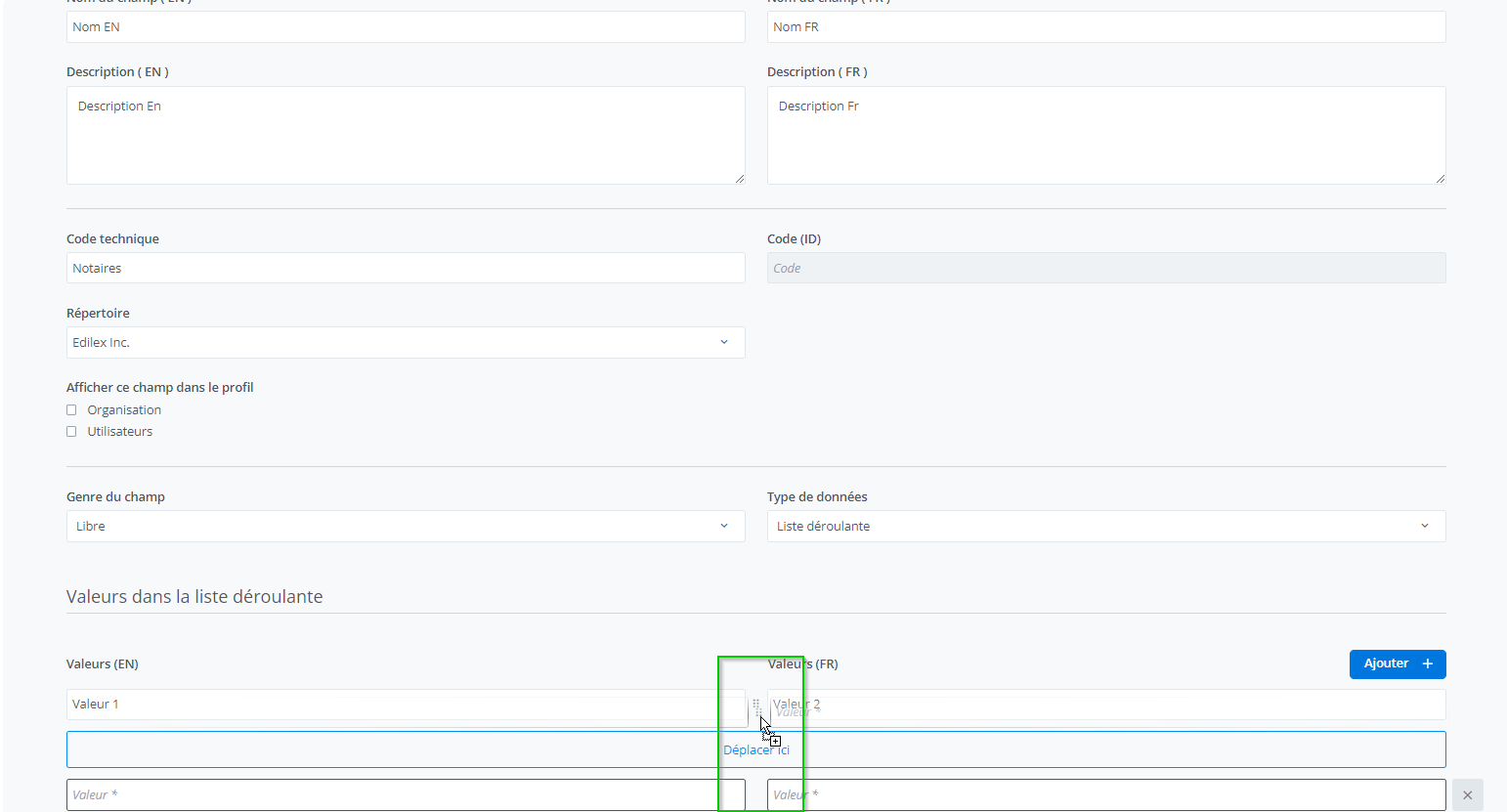
To change the order of the values in the list, select the icon in the middle and move it to the desired position.
"Terminology” field
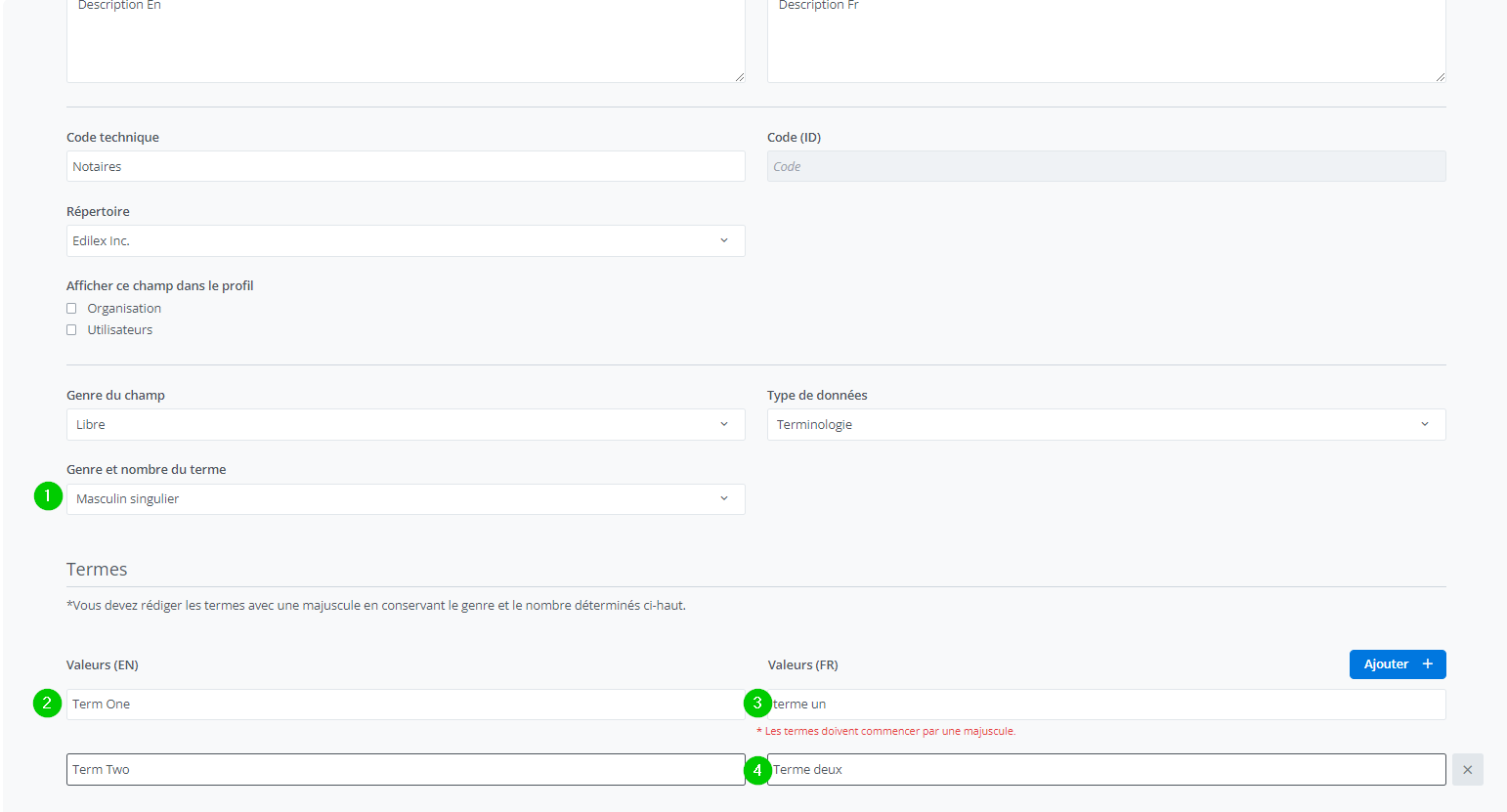
Terminology fields are fields of type "Drop-down list" that also allow automatic adjustment of capitalization and determiners in documents (see Types of fields available in the document).
For the determiner to adjust grammatically, you must identify the gender and number of the term (1). The values entered afterward (2) must all be of the same gender and number.
In documents, defined terms begin with a capital letter and are written as defined when the field was created. The terms entered must be written with a capital letter on the first word (3). The following words may (2) or may not (4) begin with a capital letter.
Warning
The repository cannot be modified after creation.
Related articles
Types of fields available in the document
Fields