
Description of the Feature
This feature allows you to view a template, but does not allow you to edit it. A published template will serve as the basis for creating documents in the drafting module.
First step, viewing the template information.
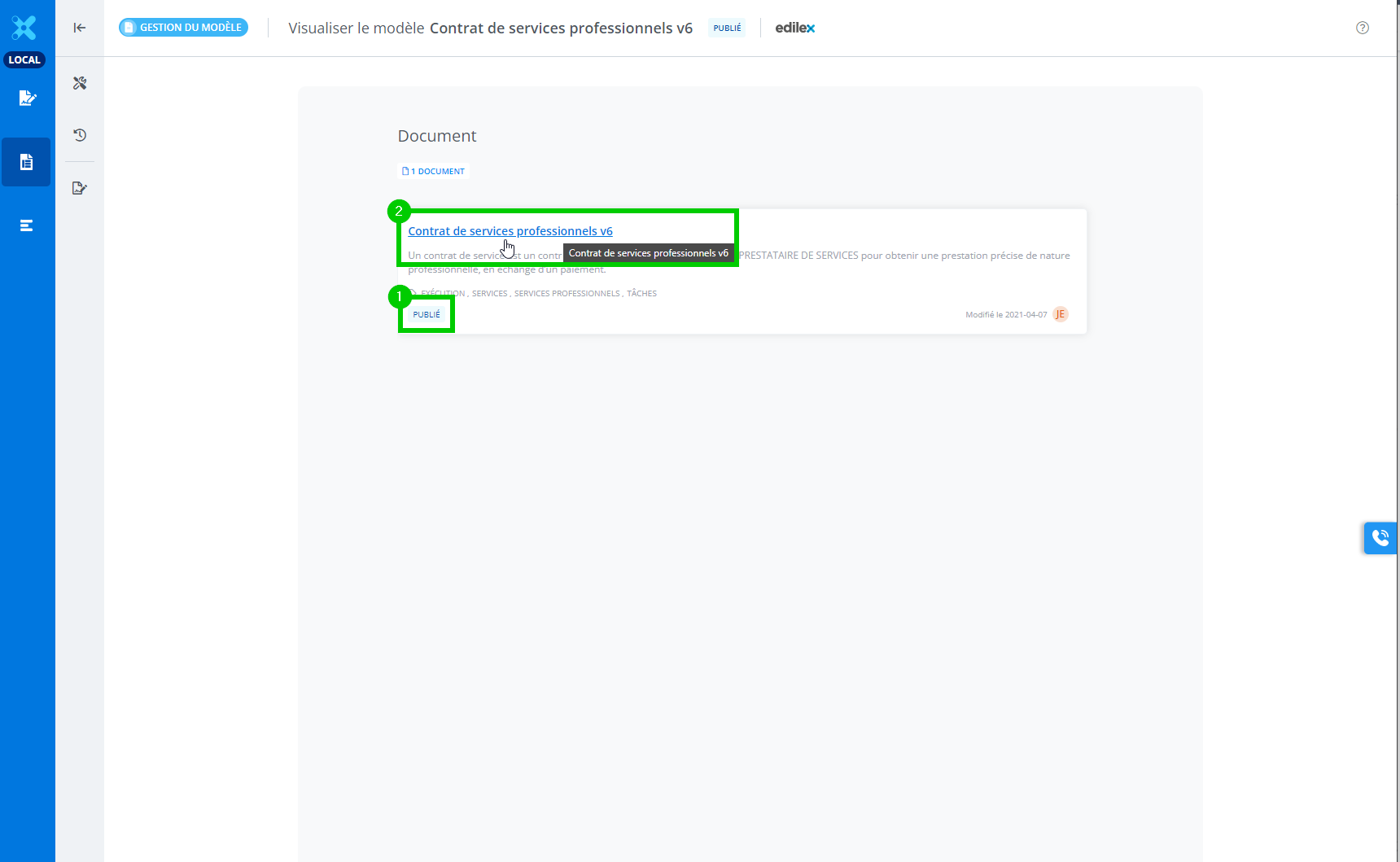
When opening a template from the template list, information about it will be displayed. In this detailed view, you will find the documents that are part of the template, as well as the status of each. For example, the document above is published.
-
Icon indicating the document's status.
-
Document title. Clicking on it will display the document's content.
Second step, viewing the published document.
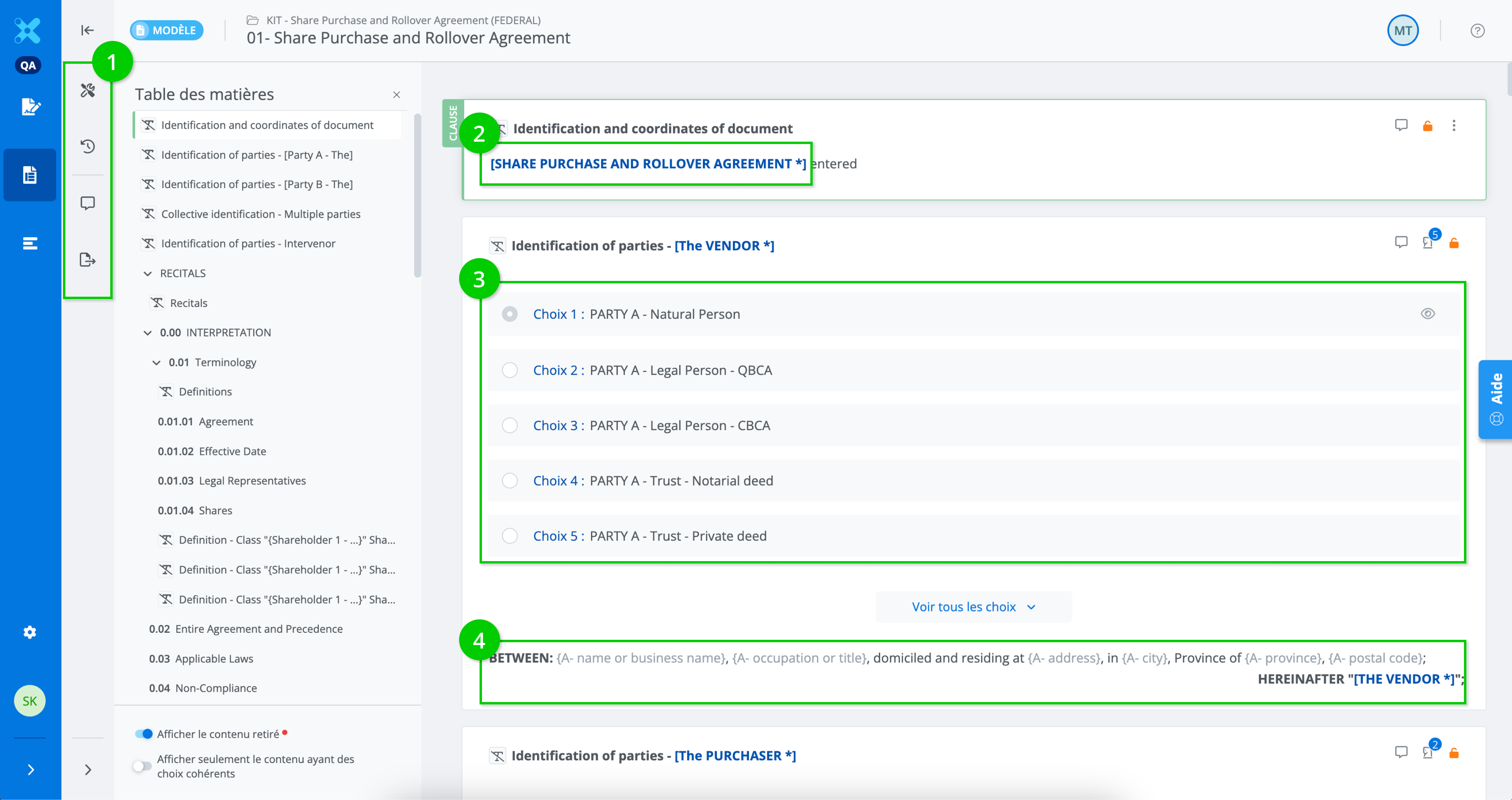
When viewing a published document, it is as if the document is frozen in time. All editing actions are blocked.
-
In the contextual actions menu, only the viewing options remain (document properties, history, comments, export document).
-
Fields and cross-references are also in view-only mode.
-
Alternatives are also in view-only mode.
-
Content items are also in view-only mode.
-
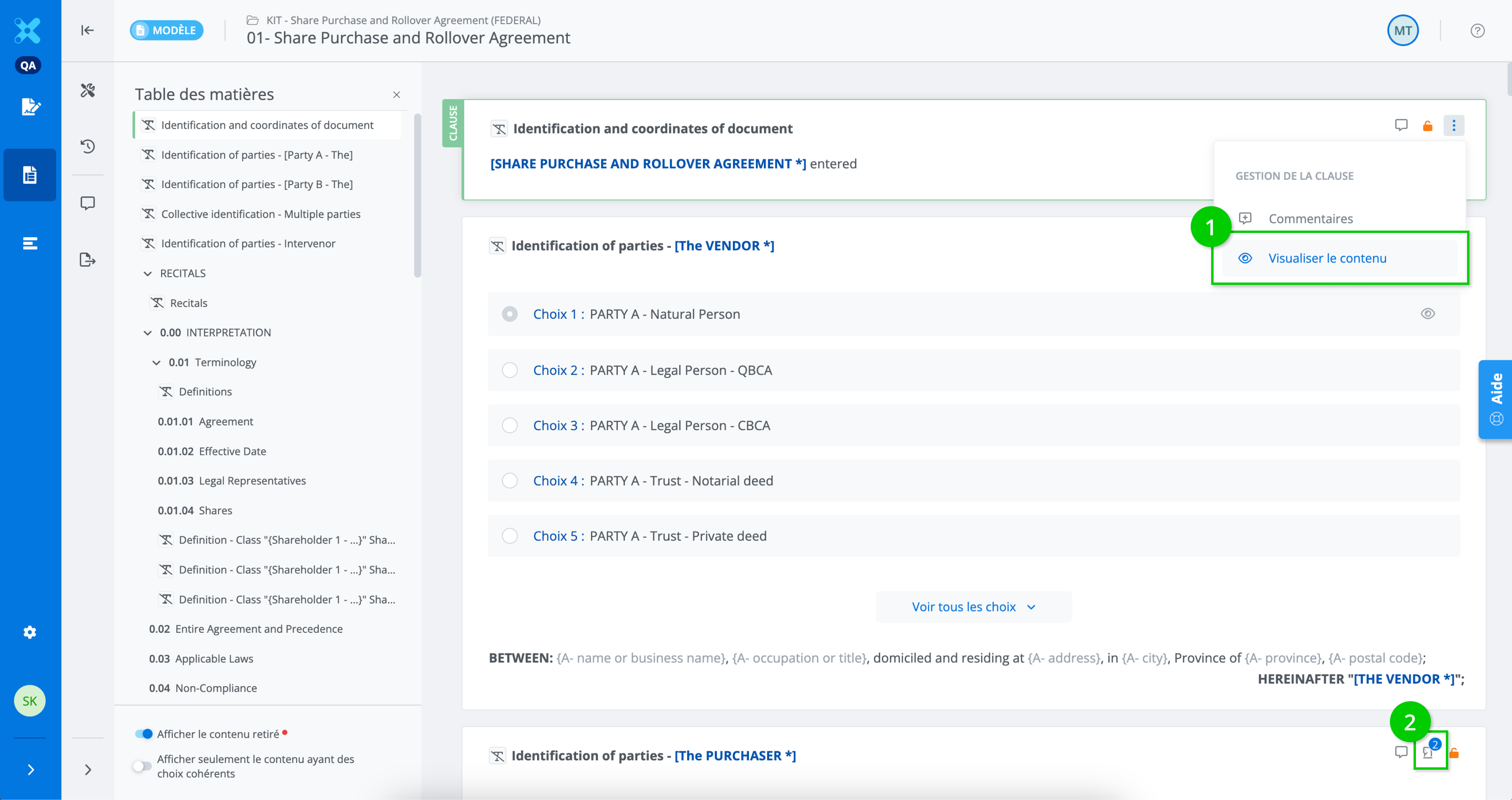
The "hamburger" quick actions menu only offers the option to view the content.
-
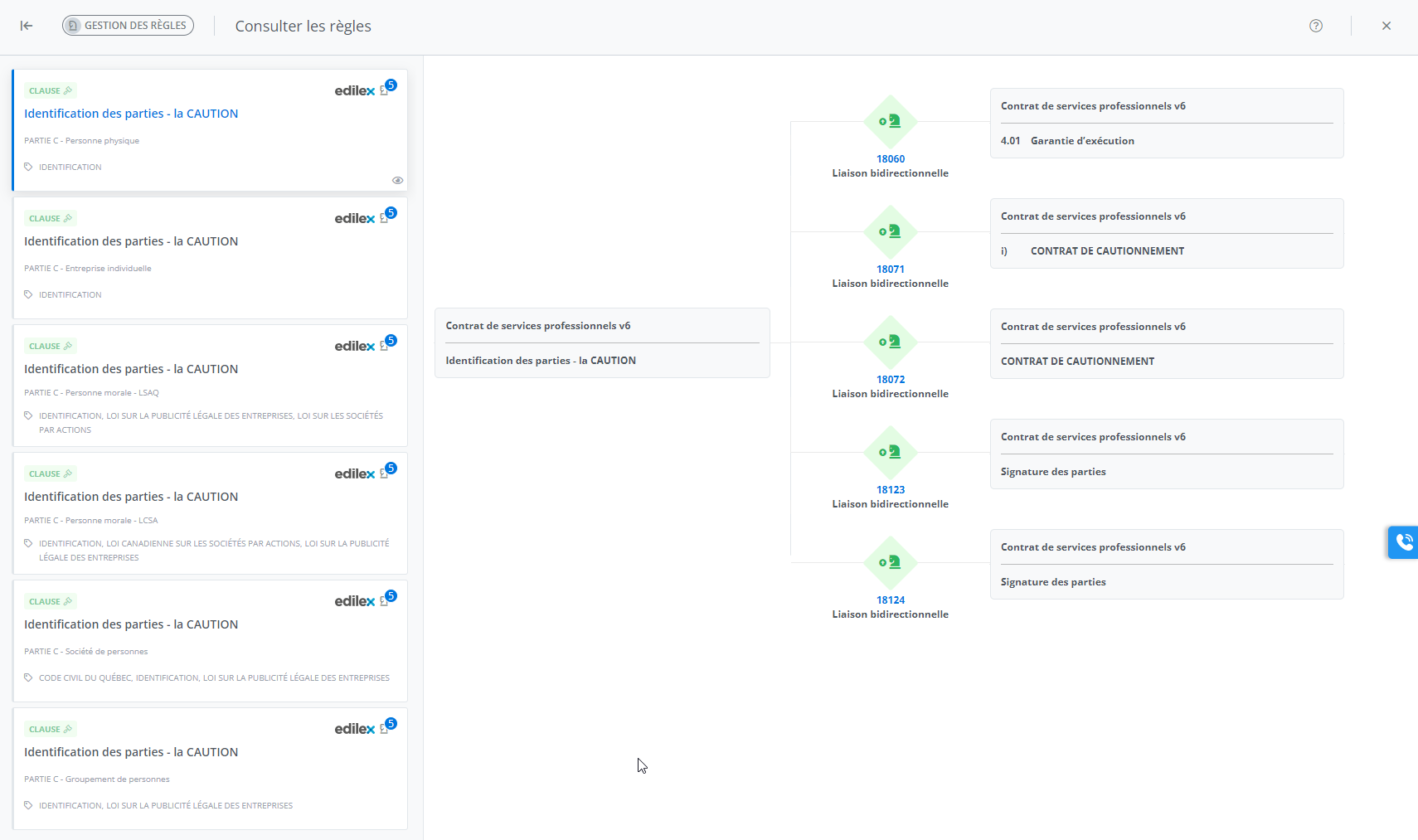
It is possible to navigate to the rules sub-mode, but again, in view-only mode (see screenshot below).
Important Notice
-
The only editing action available is adding an export template (available only to legal programmers).
-
The other possible action is adding comments (accessible to everyone).