Description of the Feature
Allows you to select the target of a “marker” cross-reference previously inserted in a content item (section / clause / schedule). Once the target is selected, the cross-reference displays the number of the item being referenced.
Access to Feature
From a document that has content with a cross-reference, click the anchor located in the cross-reference.

Usage
Step 1
-
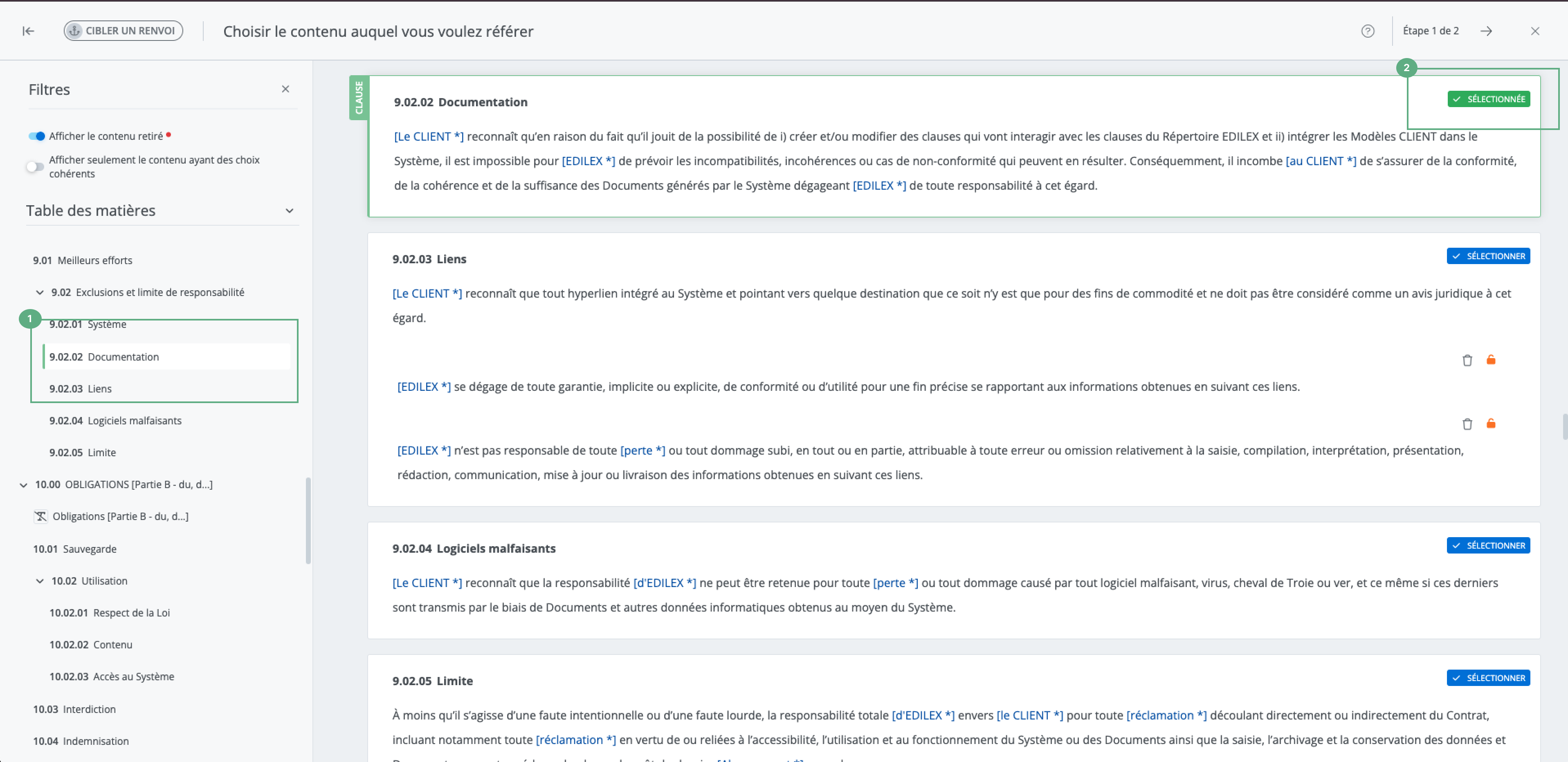
Choose the content being referenced using the table of contents or by browsing through the document.
-
Hover over the desired content with the cursor and click Select this content.
To be selectable, the content must have a title and must not be removed content.
Step 2
-
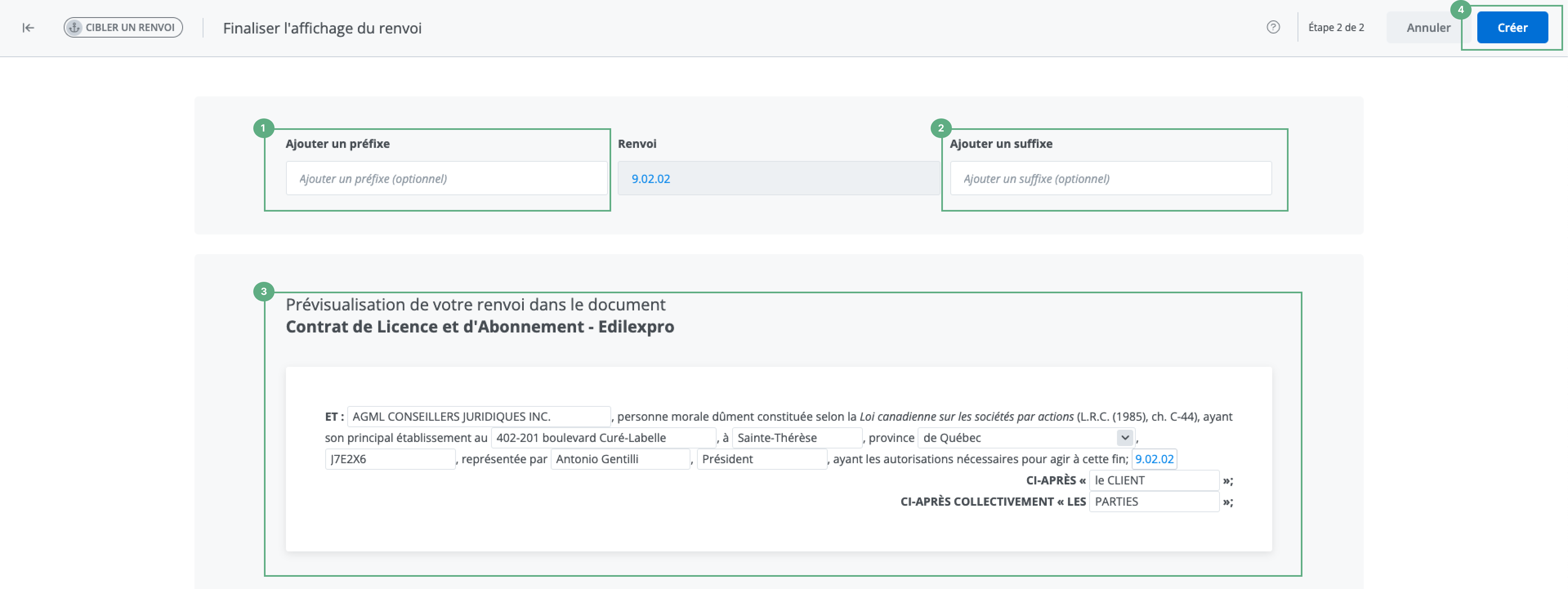
Add a prefix (optional).
-
Add a suffix (optional).
-
Preview the cross-reference in the document.
-
Click on Create.