
Description of the Feature
The list of content affected by a modification displays the impacts of a transaction on the content of the documents in a kit. There are four (4) actions in a document that trigger the transaction system:
-
Choosing an alternative
-
Removing a content item
-
Adding back a content item
-
Adding rules
For each of these actions, the transaction system is triggered and determines which content should be removed from or restored to the kit's documents, based on the rules associated with the content affected by the transaction, starting with the content manipulated by the user.
There are two ways to display the impact list of a transaction:
-
Voluntarily: by enabling the Show content affected by a modification filter
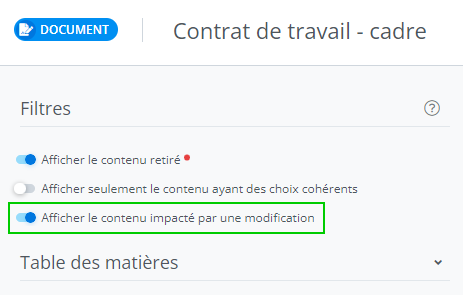
-
Or unintentionally, in the case of an error in processing the transaction. In this case, the transaction's impacts are displayed automatically by the system.
Description of the Window
Here is the information displayed in the transaction impact list:
-
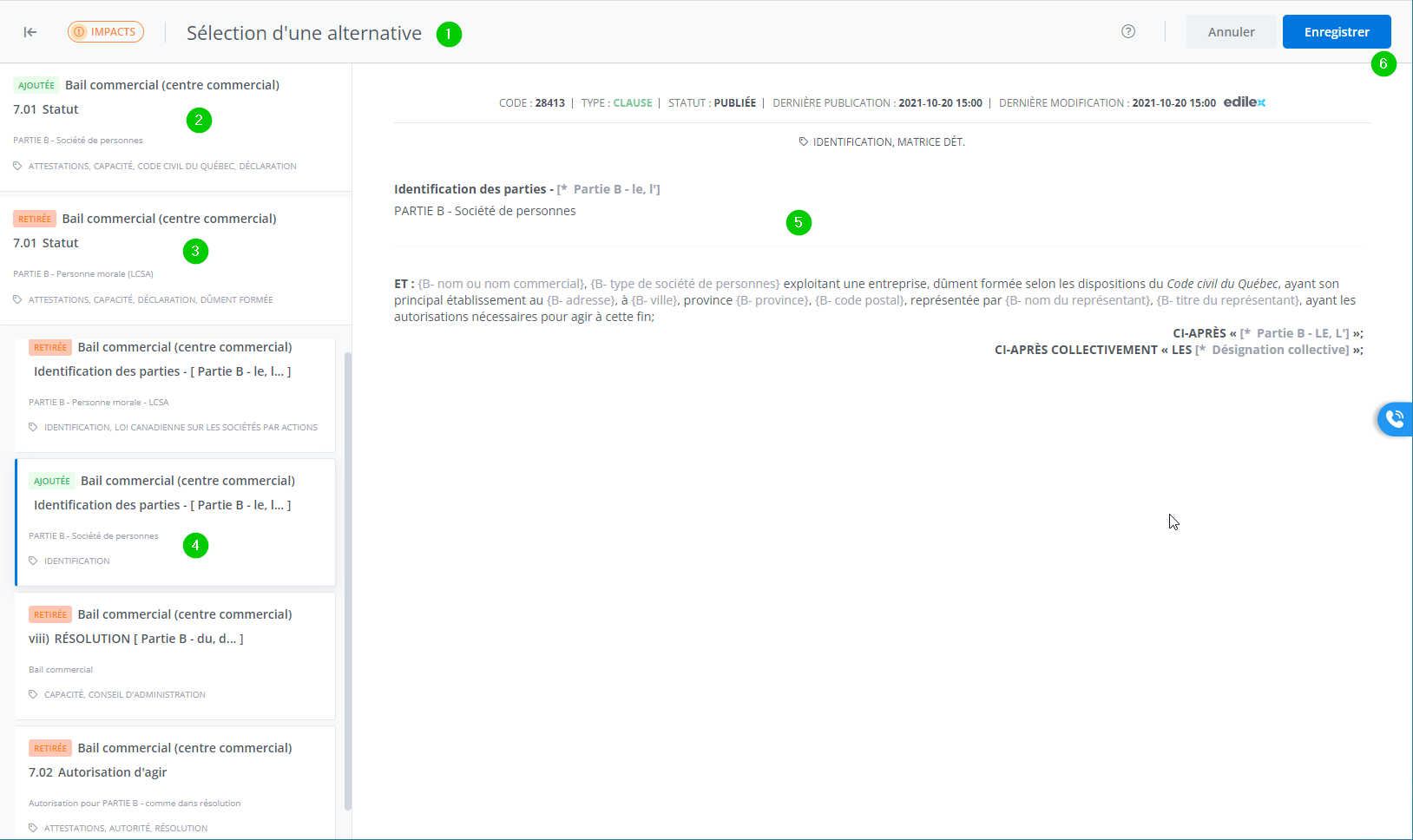
The name of the action performed by the user is displayed as the title.
-
The direct result of the user's action is displayed in the fixed section of the left-hand list. For example, in the screenshot, the alternative “PARTY B – Partnership" of clause 7.01 Status is added to the document;
-
Whereas the alternative “PARTY B – Corporation (CBCA)" is removed from the document.
-
To view the details of each clause/schedule/paragraph added to or removed from the document, click the desired clause's tile in the list on the left;
-
And its content appears in the box on the right.
-
To accept the changes, click Save; otherwise, click Cancel.