
Description of the Feature
The role creation window allows you to define the properties and visibility of a new role.
Access to Feature

Access the role creation window by clicking on one of the two Create a role buttons from the roles list accessible in the settings.
The button is only visible to an Edilex administrator.
Detailed Description of the Feature
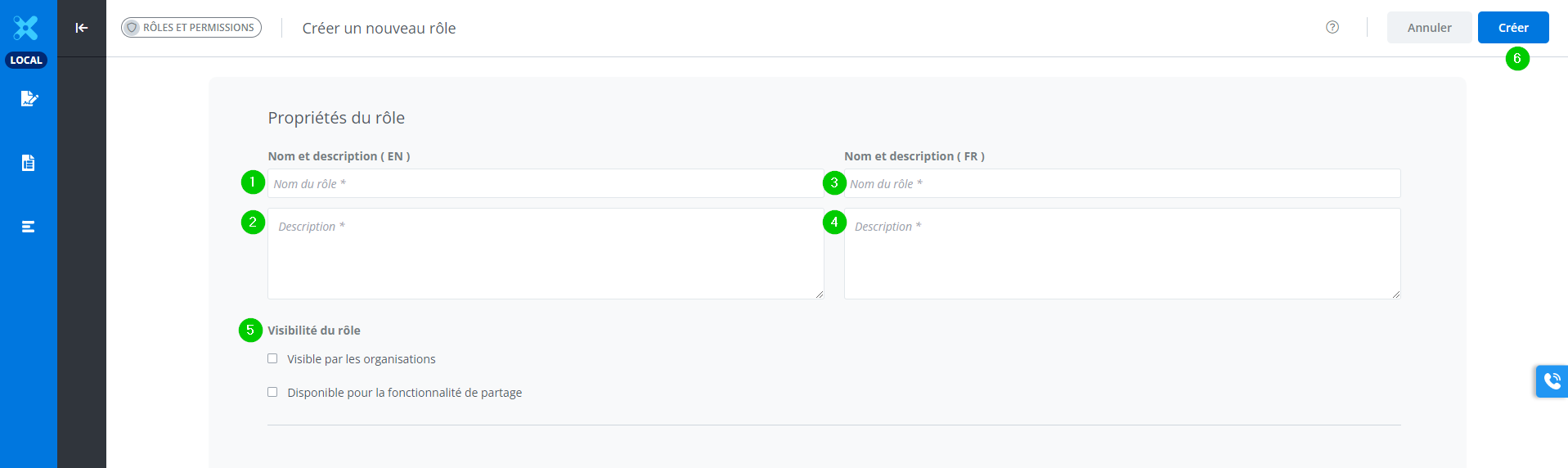
Steps to create a new role:
-
Enter the role name in English.
-
Enter the role description in English.
-
Enter the role name in French.
-
Enter the role description in French.
-
Select the role's visibility options.
-
Click on Create.
Steps 1 to 4 are required to make the Create button accessible.