
Summary Description of the Feature
The role list displays all the roles that users in the organization can have on the platform.
The list of permissions associated with each role can be found on the following page:
Table of Roles and PermissionsAccess to Feature
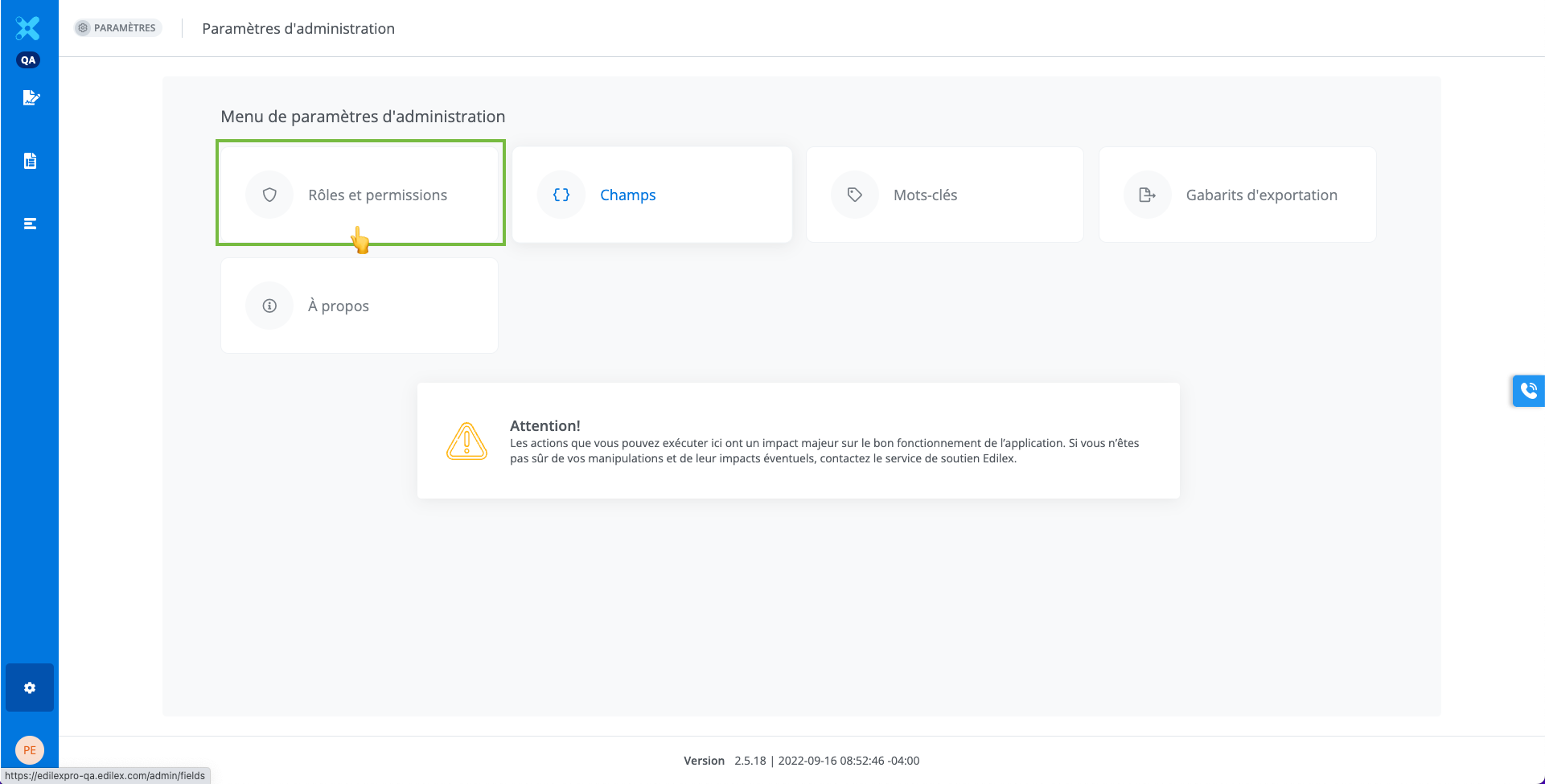
The role list is available from the settings panel. This feature is accessible only to users with the appropriate permissions.
Detailed Description of the Feature
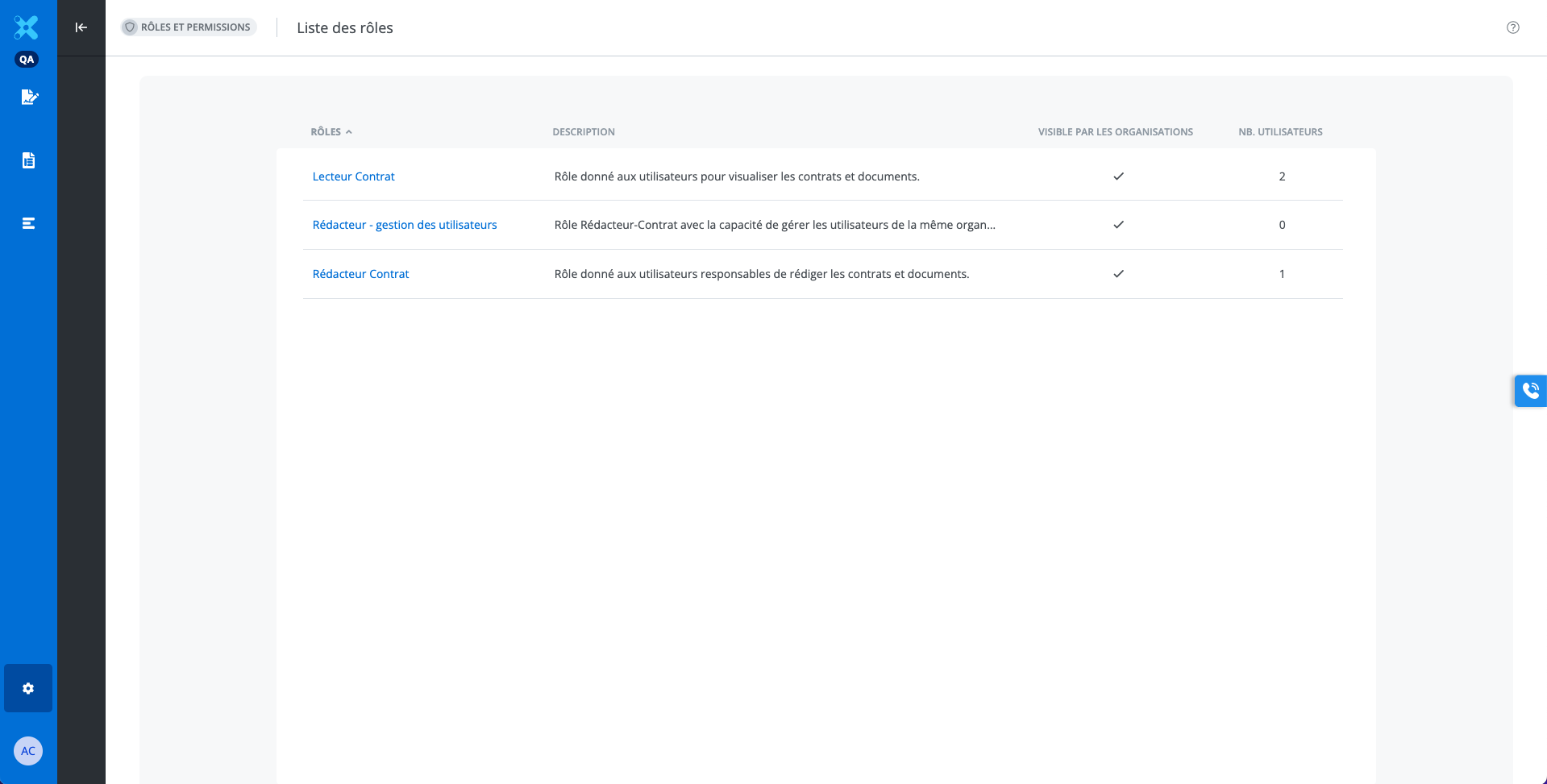
The information displayed in the list columns is as follows:
-
The name of the roles;
-
A brief description of the roles;
-
Visibility in the organization administrator's list;
-
The number of users who have the roles.
Please note that the role assigned to each user can be found in the user list.
Only Edilex administrators can modify or create a role. For any questions related to modifying a role, please contact info@edilex.com.
Who can use this feature?
Edilex System Administrator
Edilex Template Programmer
Organization Administrator
❌ Template Programmer Profile
❌ Template Programmer Profile - Customized
❌ Legal Drafter Profile
❌ Legal Drafter Profile - Customized
❌ Corporate Drafter Profile
❌ Reader Profile