Description of the Feature
The role editing window allows you to modify the properties and visibility of an existing role. It also allows you to manage the different permissions associated with a role.
Access to Feature

Access the role editing window by clicking on a role's name from the list of roles available in settings.
Detailed Description of the Feature
The editing window is divided into three main sections.
Role Properties:
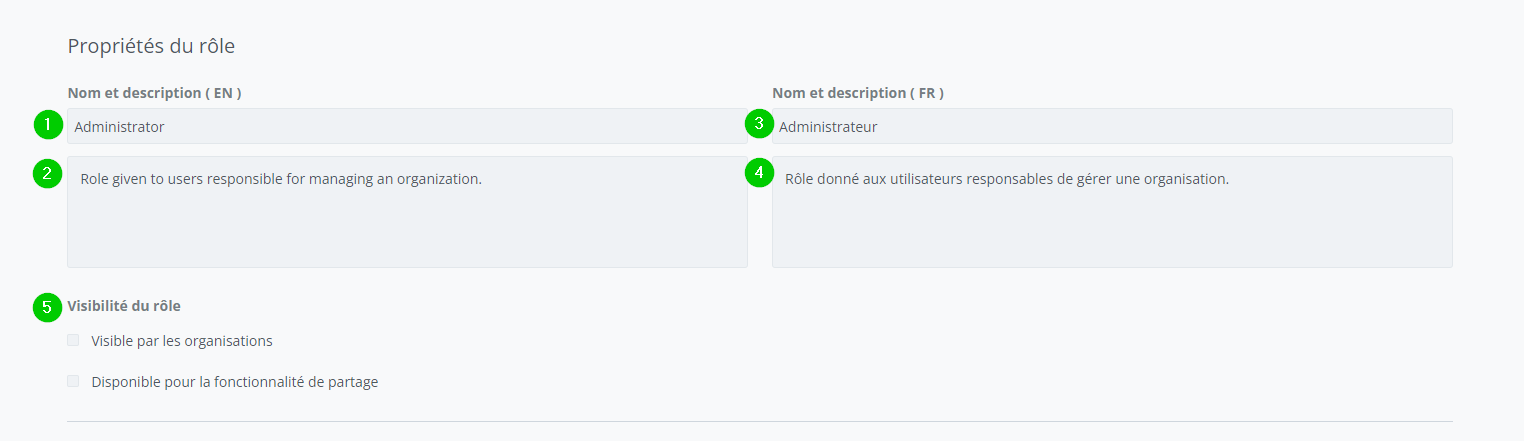
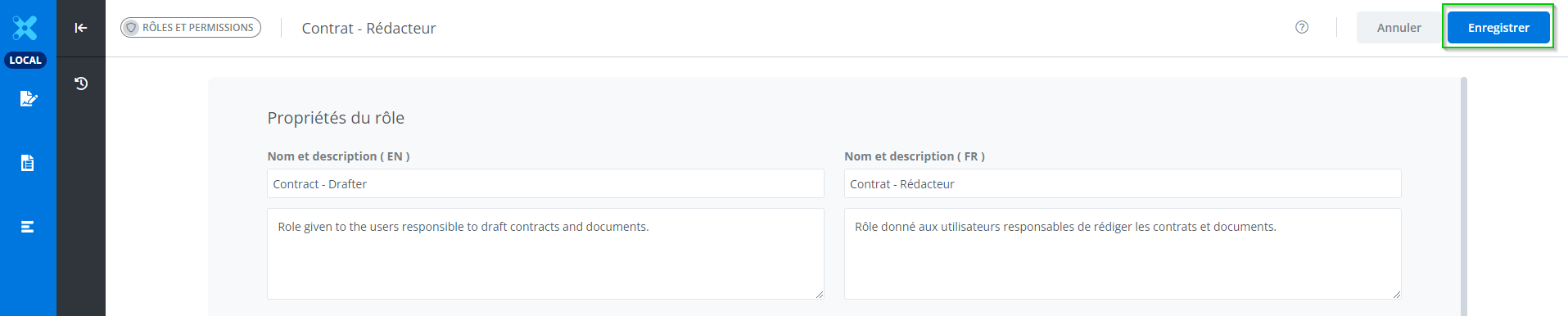
The section contains the following information:
-
The role name in English;
-
The role description in English;
-
The role name in French;
-
The role description in French;
-
The role's visibility options.
Items 1 to 4 are required to make the save the modifications.
Permissions of the role
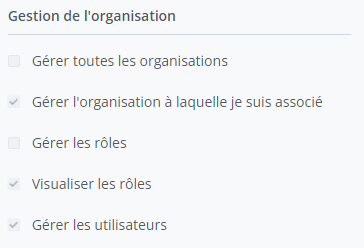
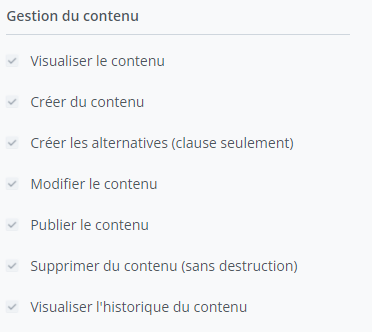
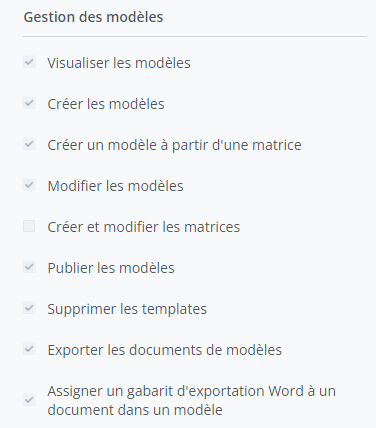
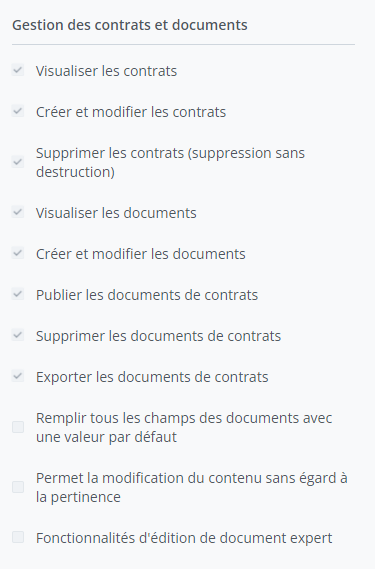
The Permissions section contains the followings sub-sections:
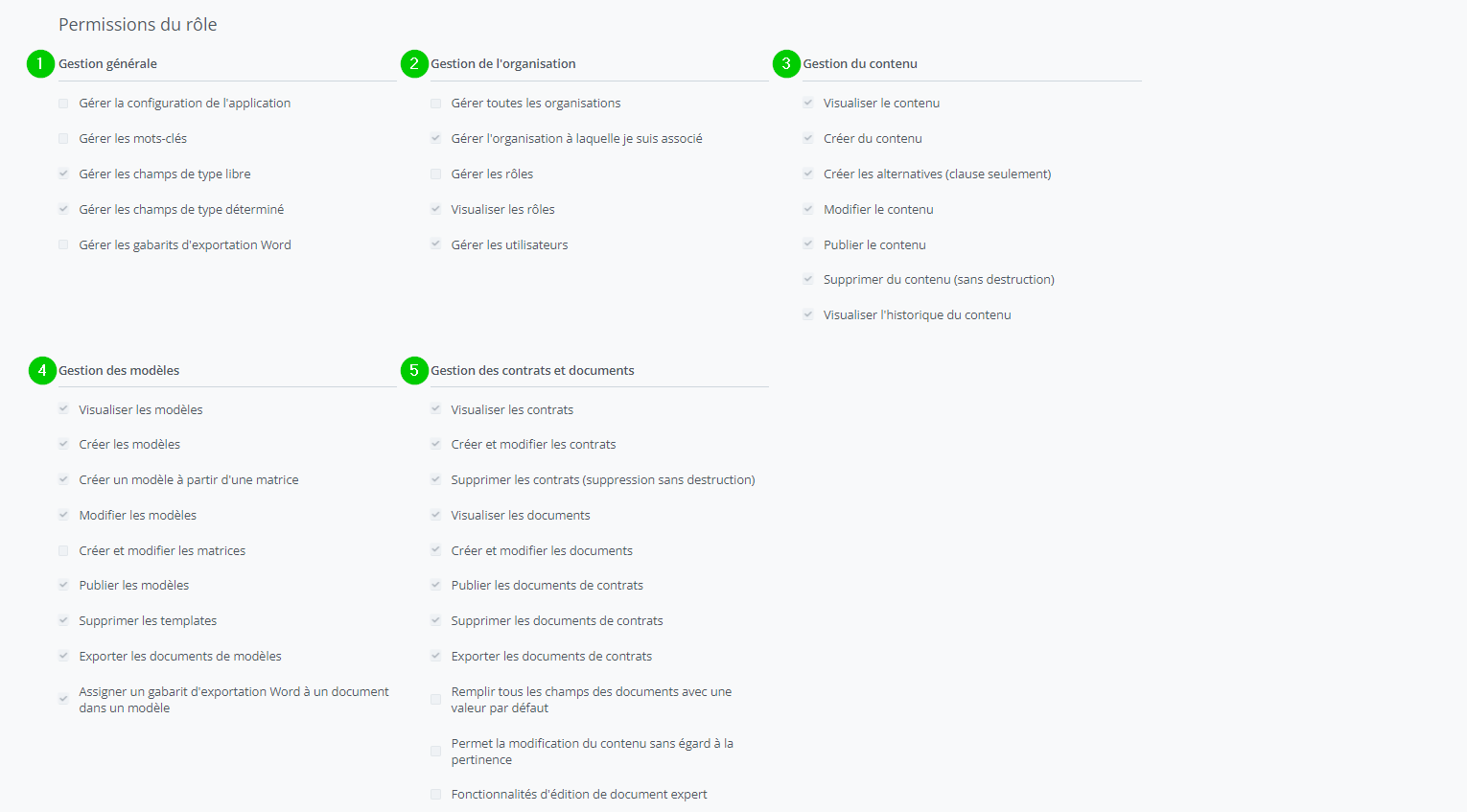
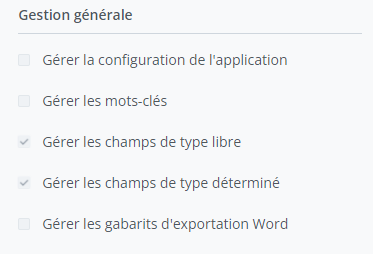
1. General Management
2. Organization Management
3. Content management
4. Template management
5. Management of contracts and documents
Once the modifications have been made, click on .
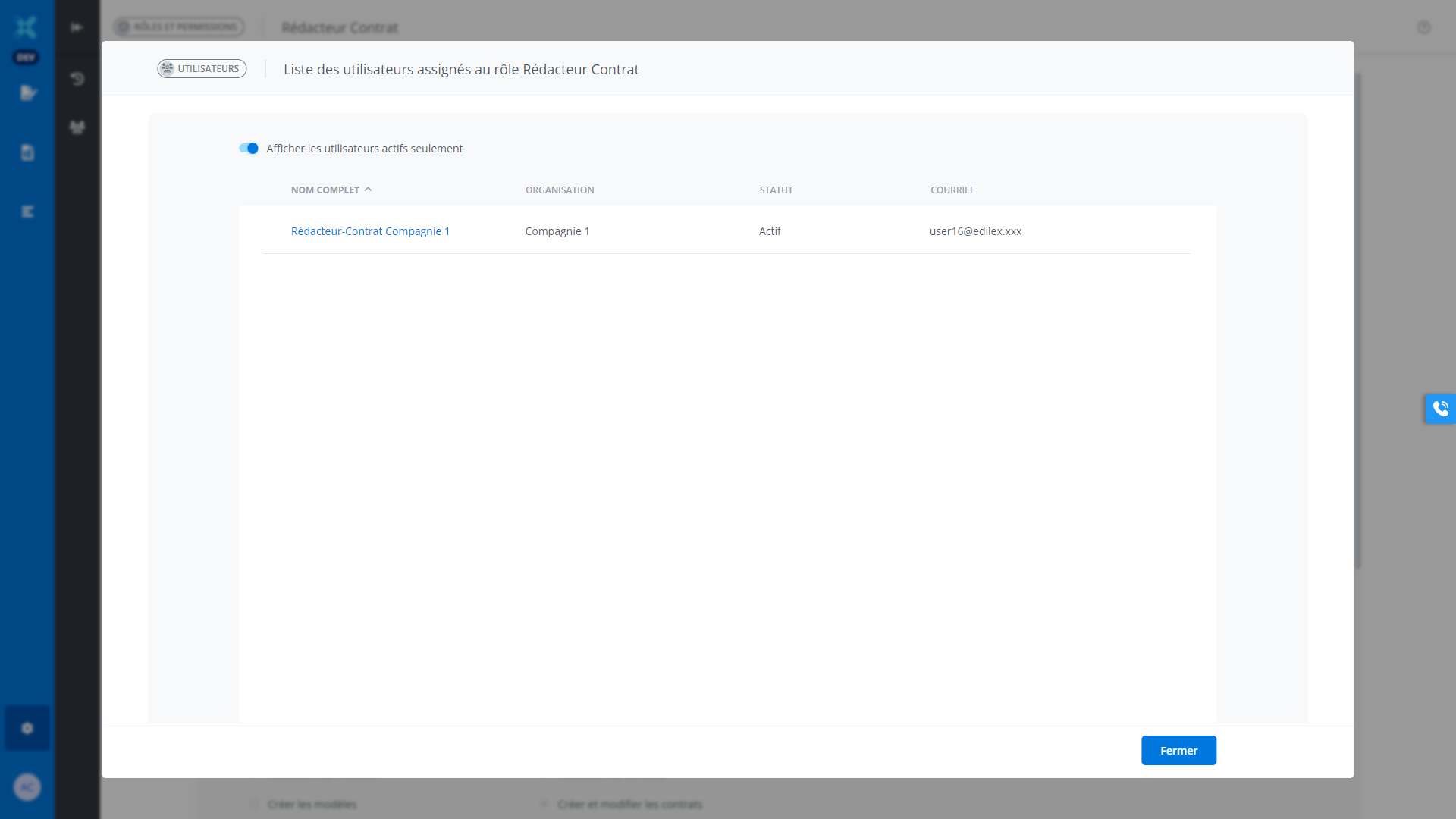
Users assigned to the role:
It is possible to view the list of users assigned to a role by clicking the following button:

This window lists all users belonging to the organization and who have that role: