
Summary Description of the Feature
This window allows you to modify information on your organization.
Access to Feature
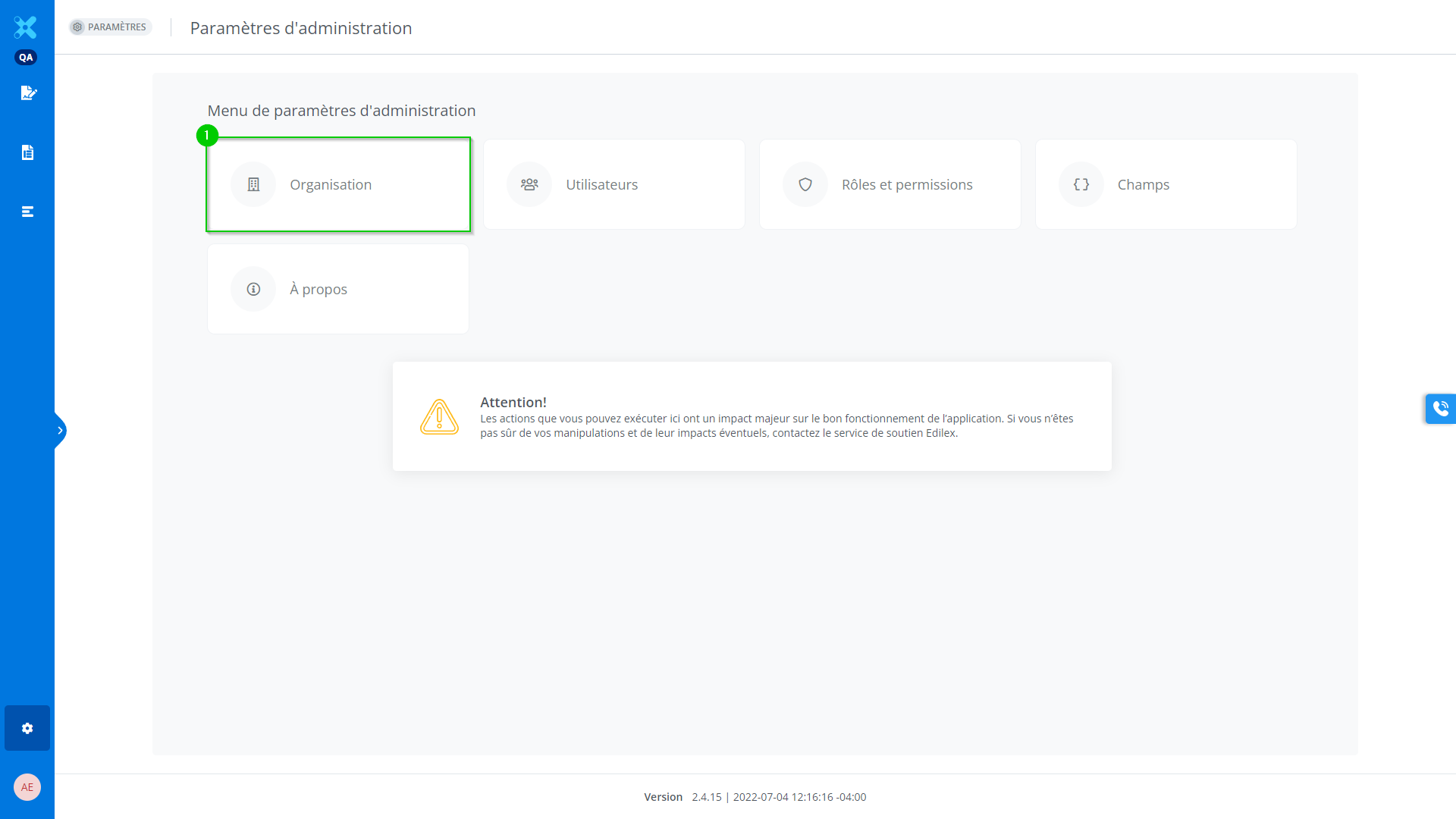
In the https://edilexpro.atlassian.net/wiki/pages/resumedraft.action?draftId=5636131 window, click on the name of the organization:
In the case of an administrator of an organization, go to the Administration settings and click on:
-
Organizations.
Detailed Description of the Feature
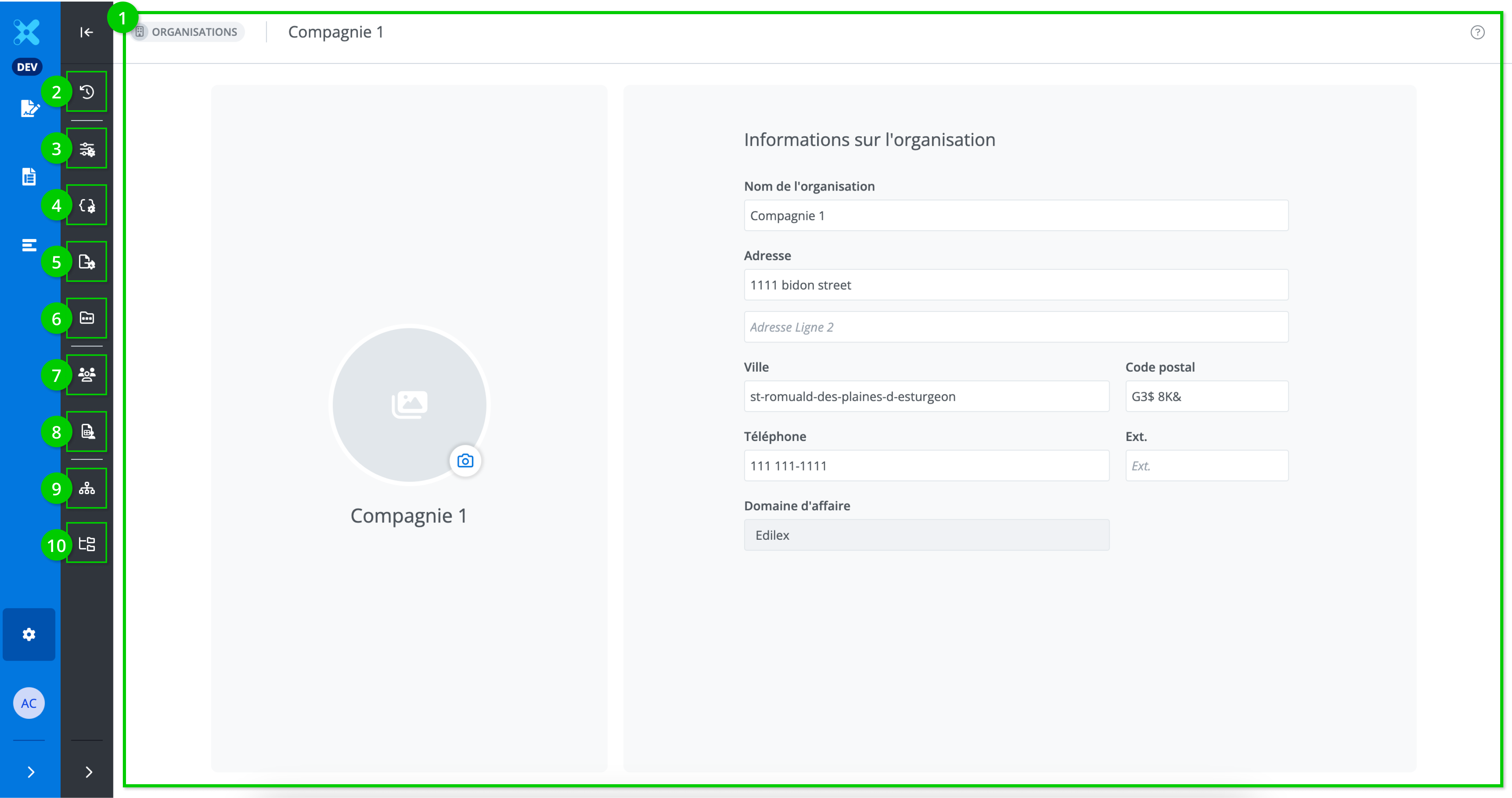
This window allows you to view and edit various information on your organization. It is made up of the following tabs:
-
Modification of information on the organization,
-
History of the organization,
-
Preferences,
-
Field preferences,
-
Export preferences,
-
Manual document management,
-
List of users,
-
User report,
-
Approval groups,
-
List of repositories.
Modify information on the organization
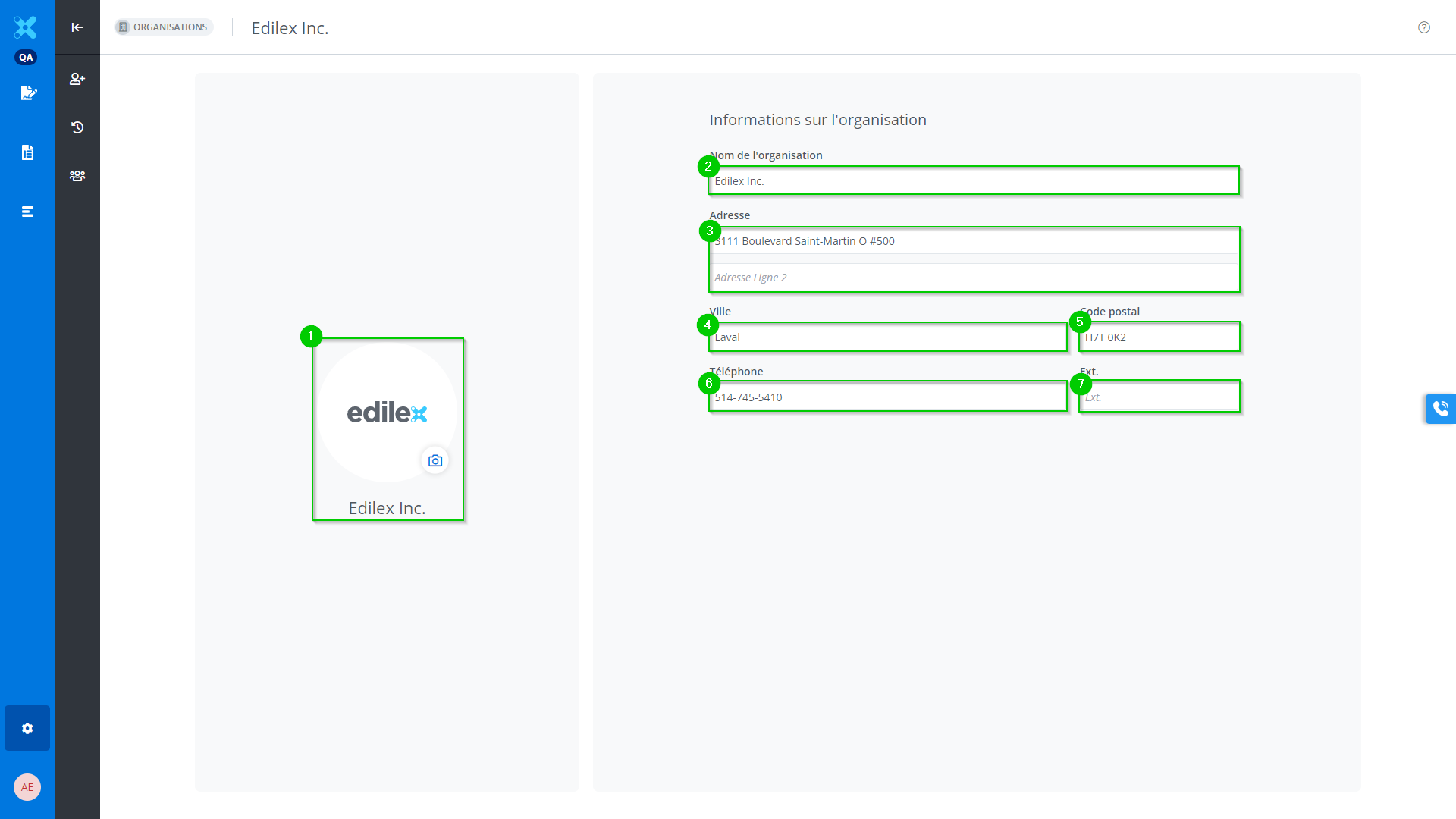
The following information can be modified:
-
The organization’s logo,
-
The organization’s name,
-
The organization’s address,
-
The organization’s city,
-
The organization’s postal code,
-
The organization’s phone number in Canadian format,
-
The organization’s telephone number extension.
History of the organization
View the History page.
The organization’s users
This window lists all users belonging to the organization.
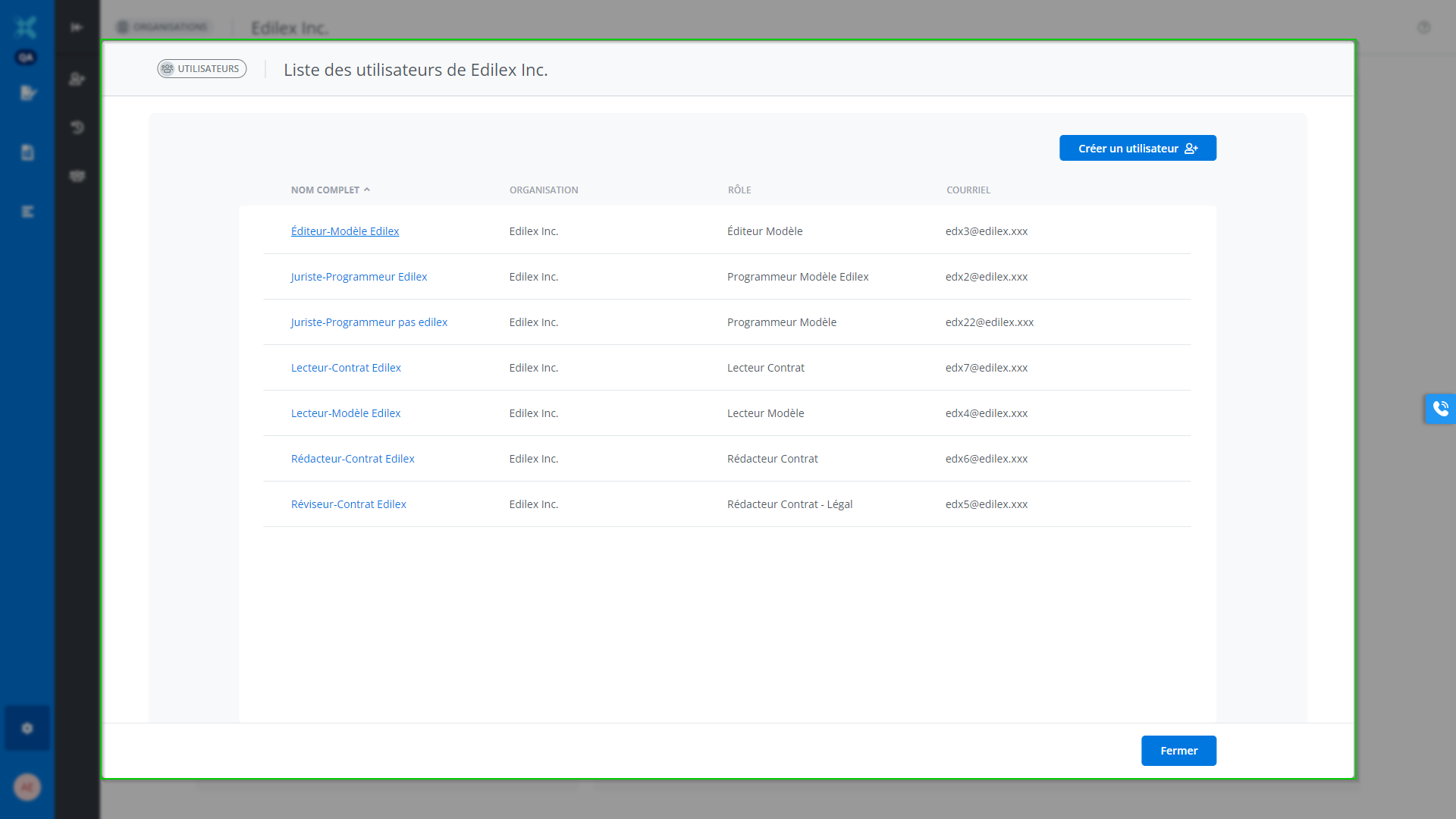
For more information, see the Users page.
View or add a user to the organization
See page Users.
View list of repositories
See Users page.
Search Preferences
See Preferences page.
Export Preferences
See Preferences page.